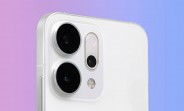
More Oppo Reno14 images leak, offering a better look at the new camera island design

Earlier this month, a leaked render of the Oppo Reno14 Pro showed a curious-looking camera island for the phone’s triple camera – now, leakster Digital Chat Station has shared images that offer a better look at that camera island from two sides, plus some additional details about the phone. The images are of the Oppo Reno14 or maybe the Pro – we still don’t know the differences between those two. It’s possible that both will have periscope telephoto cameras. That periscope – a 50MP unit with a 3.5x lens, according to the previous leak – is positioned above the flash. From the first…

Read More

Apple Seeds Fourth Betas of visionOS 2.5, tvOS 18.5, and watchOS 11.5

Apple today provided developers with the fourth betas of upcoming visionOS 2.5, tvOS 18.5, and watchOS 11.5 updates for testing purposes. The software is available a week after Apple seeded the third betas.


The betas are available to registered developers, and can be downloaded from the Settings app on each device.

No notable new features have been found in any of the software updates so far, suggesting Apple is focusing on under-the-hood performance improvements and bug fixes.
This article, "Apple Seeds Fourth Betas of visionOS 2.5, tvOS 18.5, and watchOS 11.5" first appeared on MacRumors.com

Discuss this article in our forums

Read More

Apple Seeds Fourth Beta of macOS Sequoia 15.5

Apple today seeded the fourth beta of an upcoming macOS Sequoia 15.5 update to developers for testing purposes, with the software coming a week after Apple released the third ‌macOS Sequoia‌ 15.5 beta.


Registered developers can opt-in to the ‌macOS Sequoia‌ beta through the Software Update section of the System Settings app. An Apple ID associated with an Apple Developer account is required to get the beta.

‌macOS Sequoia‌ 15.5 appears to be a minor update so far, and no notable new features were found in the first three betas.

Work on new features for ‌macOS Sequoia‌ is winding down, as Apple will soon transition to macOS 16. The next-generation version of macOS is set to be unveiled at WWDC in June.

Related Roundup: macOS Sequoia
Related Forum: macOS Sequoia

This article, "Apple Seeds Fourth Beta of macOS Sequoia 15.5" first appeared on MacRumors.com

Discuss this article in our forums

Read More

Apple Seeds Fourth Beta of iOS 18.5 to Developers

Apple today seeded the fourth betas of upcoming iOS 18.5 and iPadOS 18.5 updates to developers for testing purposes, with the software coming a week after Apple released the third betas.


iOS 18.5 and iPadOS 18.5 can be downloaded from the Settings app on a compatible device by going to General > Software Update.

So far, iOS 18.5 and iPadOS 18.5 are relatively minor updates, introducing just a few new design changes. There are more options for reverting the Mail app back to the prior design, including removing contact photos, and AppleCare info is easier to find. The update also likely has bug fixes and performance improvements that are less obvious.

Apple is transitioning to iOS 19 and iPadOS 19, which are set to be previewed in June at the Worldwide Developers Conference.
This article, "Apple Seeds Fourth Beta of iOS 18.5 to Developers" first appeared on MacRumors.com

Discuss this article in our forums

Read More

iQOO Z10 Turbo and Turbo Pro unveiled with huge batteries

The Z10 series from iQOO just got two more entries with the iQOO Z10 Turbo and Z10 Turbo Pro. The Pro gets Qualcomm’s new Snapdragon 8s Gen 4 chipset and a 7,000 mAh cell with 120W wired charging. iQOO Z10 Turbo series The regular Turbo is equipped with a MediaTek Dimensity 8400 chipset and opts for an even larger 7,620 mAh battery with 90W charging. Both phones can serve as power banks for other devices thanks to their OTG reverse wired charging. The rest of the key specs between the two phones are shared for the most part. Both feature 6.78-inch AMOLED displays with FHD+…

Read More

Get Creative With Sound by Layering Tracks in Voice Memos

On iPhone 16 Pro and iPhone 16 Pro Max, the Voice Memos app includes a recording feature that lets you record a second audio layer – like vocals, narration, or an extra instrument – over an existing memo, all without needing headphones. Keep reading to learn how it’s done.
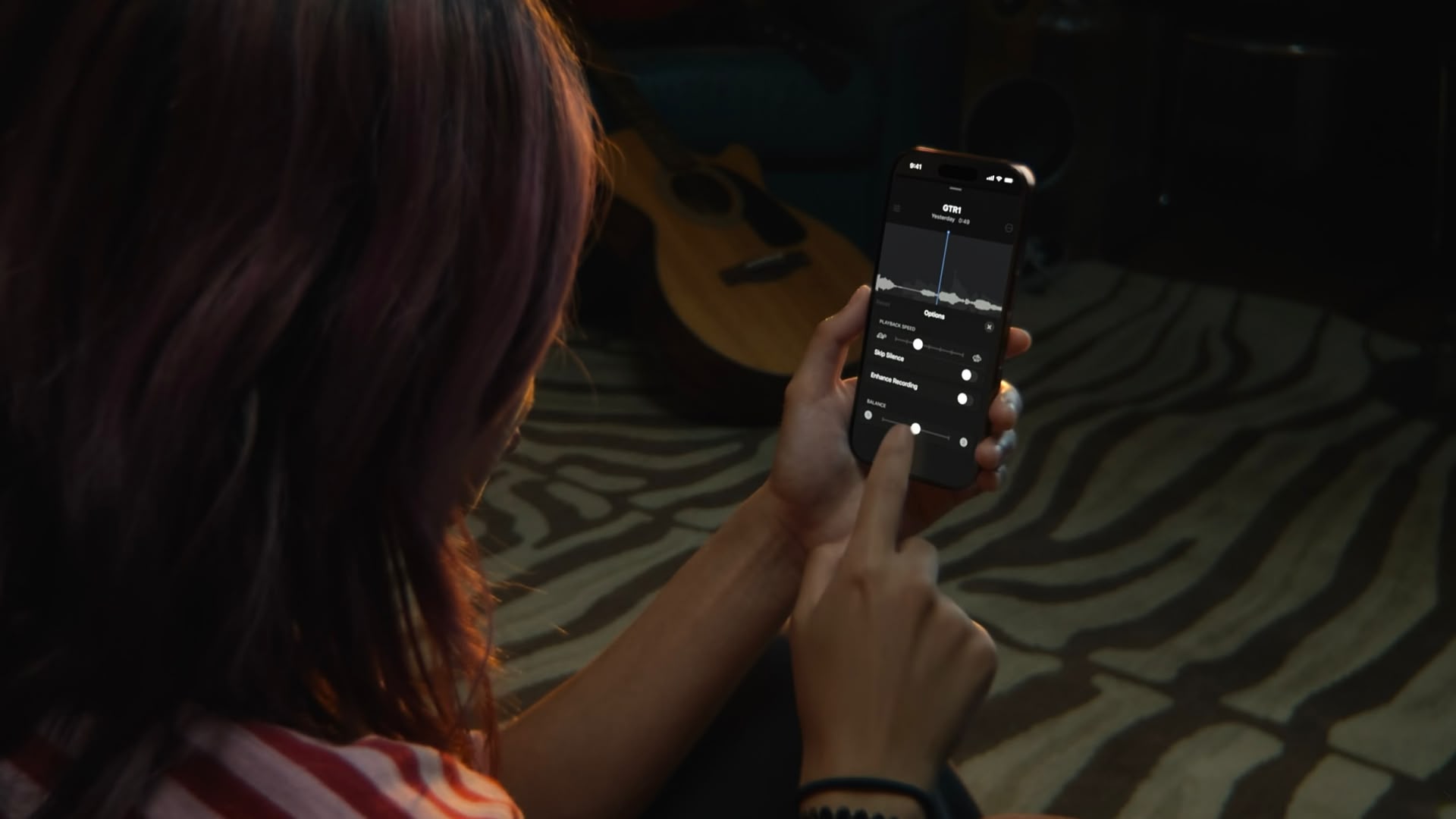


Thanks to the A18 Pro chip’s advanced audio processing, iPhone 16 Pro models can play an original Voice Memo recording through the speakers while simultaneously isolating and capturing new audio cleanly. Whether you’re capturing a quick harmony, adding context to a saved memo, or simply experimenting with sound, layering recordings like this offers a seamless way to capture richer ideas.

Once finished, layered recordings can be edited, separated, and fine-tuned directly on the iPhone or easily transferred to apps like Logic Pro for more advanced mixing. For musicians, podcasters, or anyone who regularly records voice notes, it’s a bit like having a mini studio setup right in your pocket. Here’s how to make your first layered recording.

Add a Second Layer to a Recording

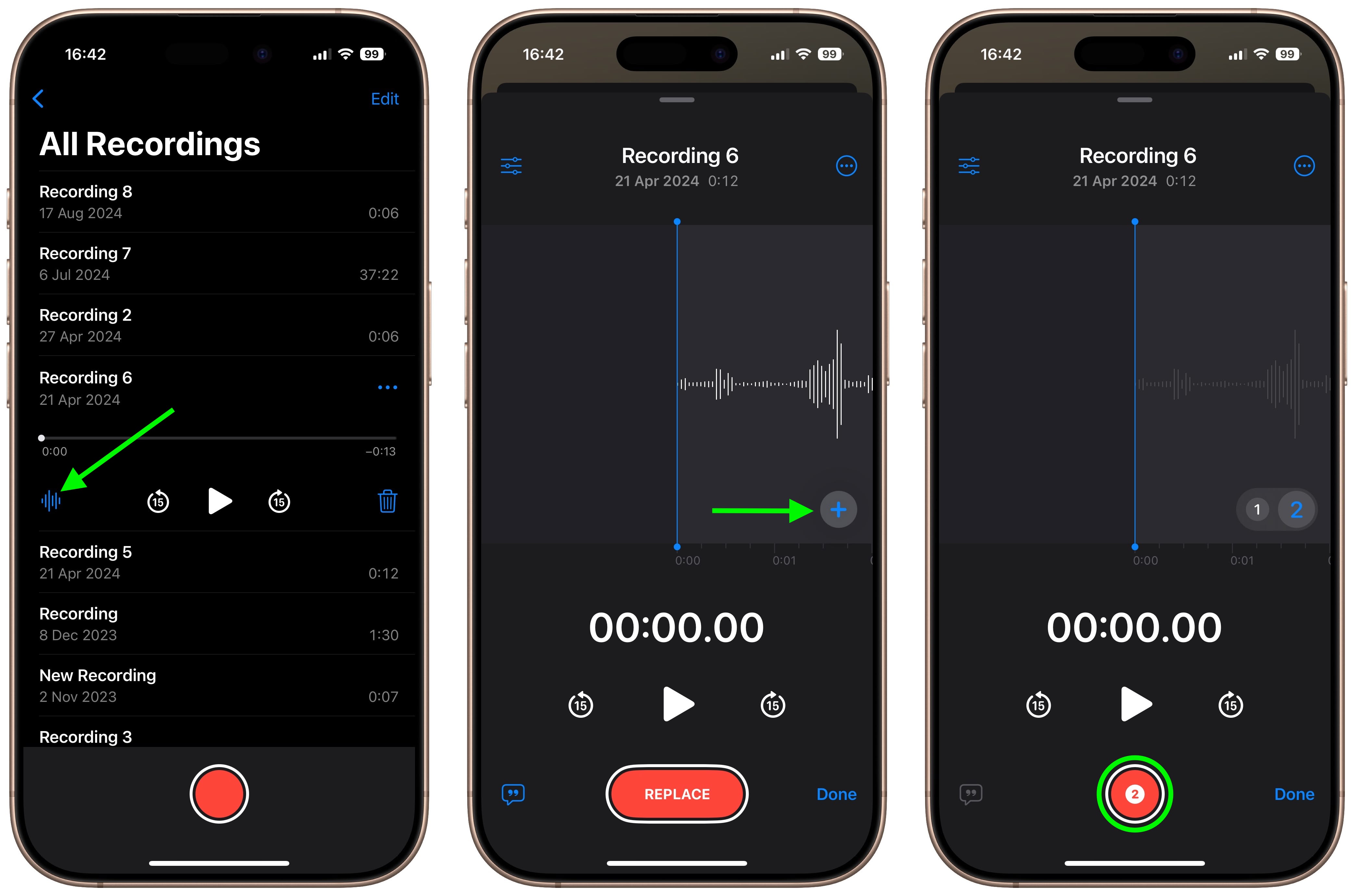
  1. Open the Voice Memos app (in the Utilities folder) on your iPhone.
  2. Tap the recording you want to add a vocal layer to, then tap the waveform icon to view the waveform.
  3. Tap the plus (+) button.
  4. When you’re ready to record the second layer, tap the red record button.
voice memos

The recording will appear in Voice Memos’ list of recordings with a layered symbol (two overlapping tiles) next to it.

Mix the Layers

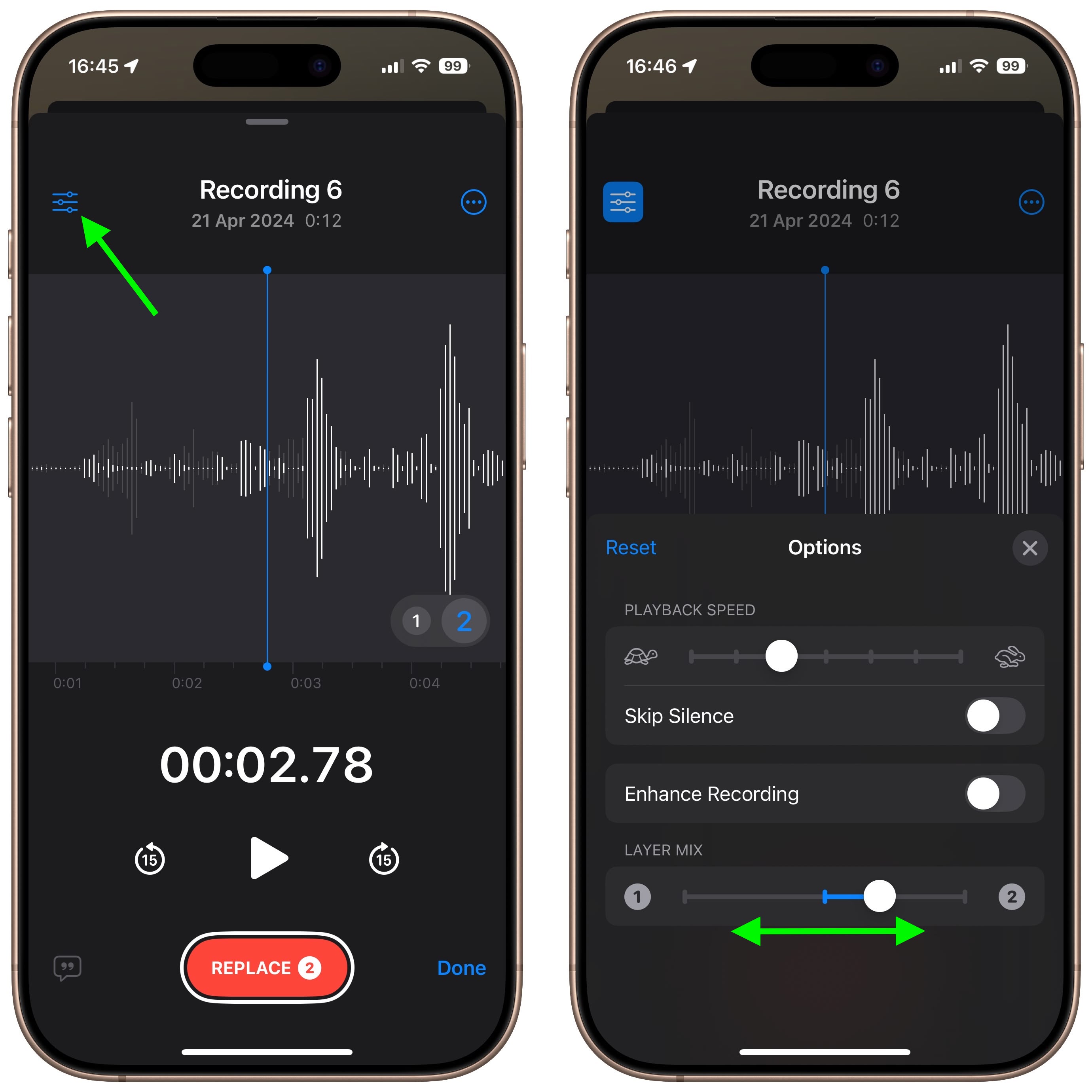
While viewing the waveform, you can easily mix the layers by tapping the settings button in the top-left corner and dragging the Layer Mix slider.
voice-memos

Separate the Layers

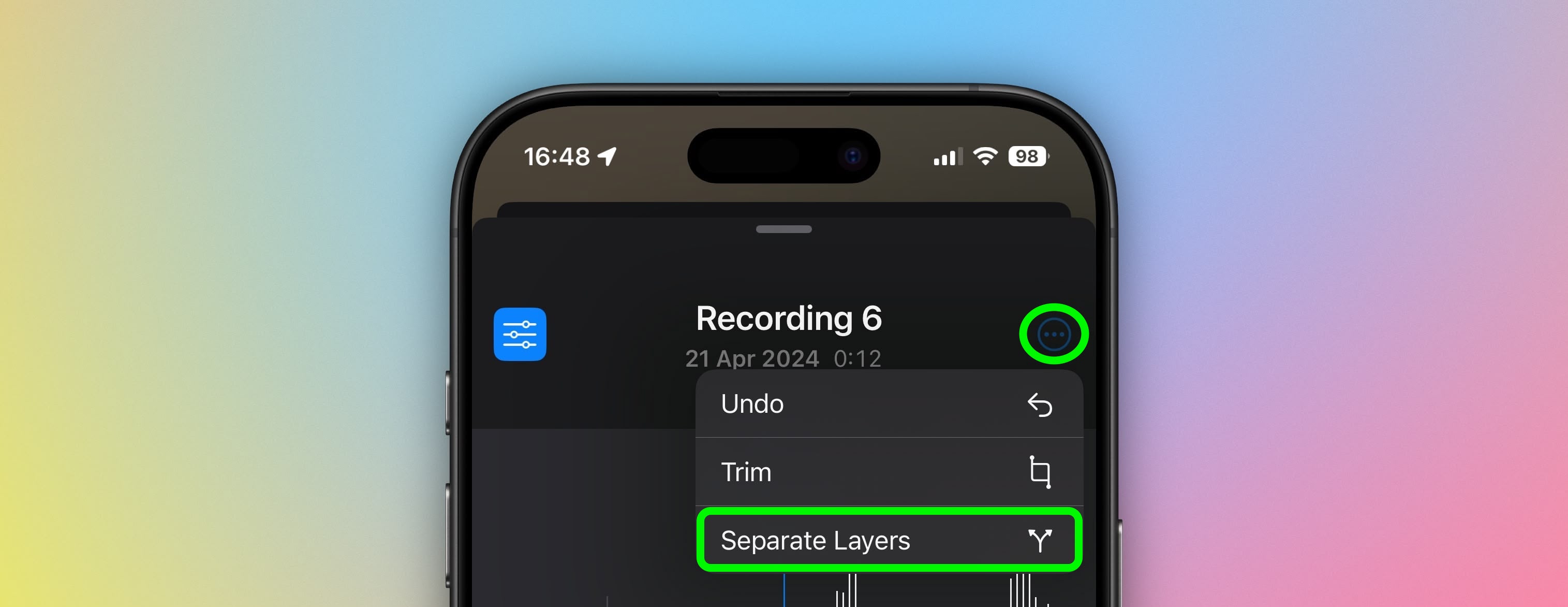
You can also separate the two layers to edit or play them separately: Simply tap the More button (three encircled dots) in the top-right corner, then tap Separate Layers. If you then tap Done, you’ll see the two layers appear as separate recordings in the list. From there, you can select them, edit them, and play them separately.
voice memos

Things to Know

While creating layered recordings is exclusive to the iPhone 16 Pro and iPhone 16 Pro Max, playback is more widely supported. Any device running iOS 18.2, iPadOS 18.2, macOS Sequoia 15.2, or later can play layered recordings without issue.
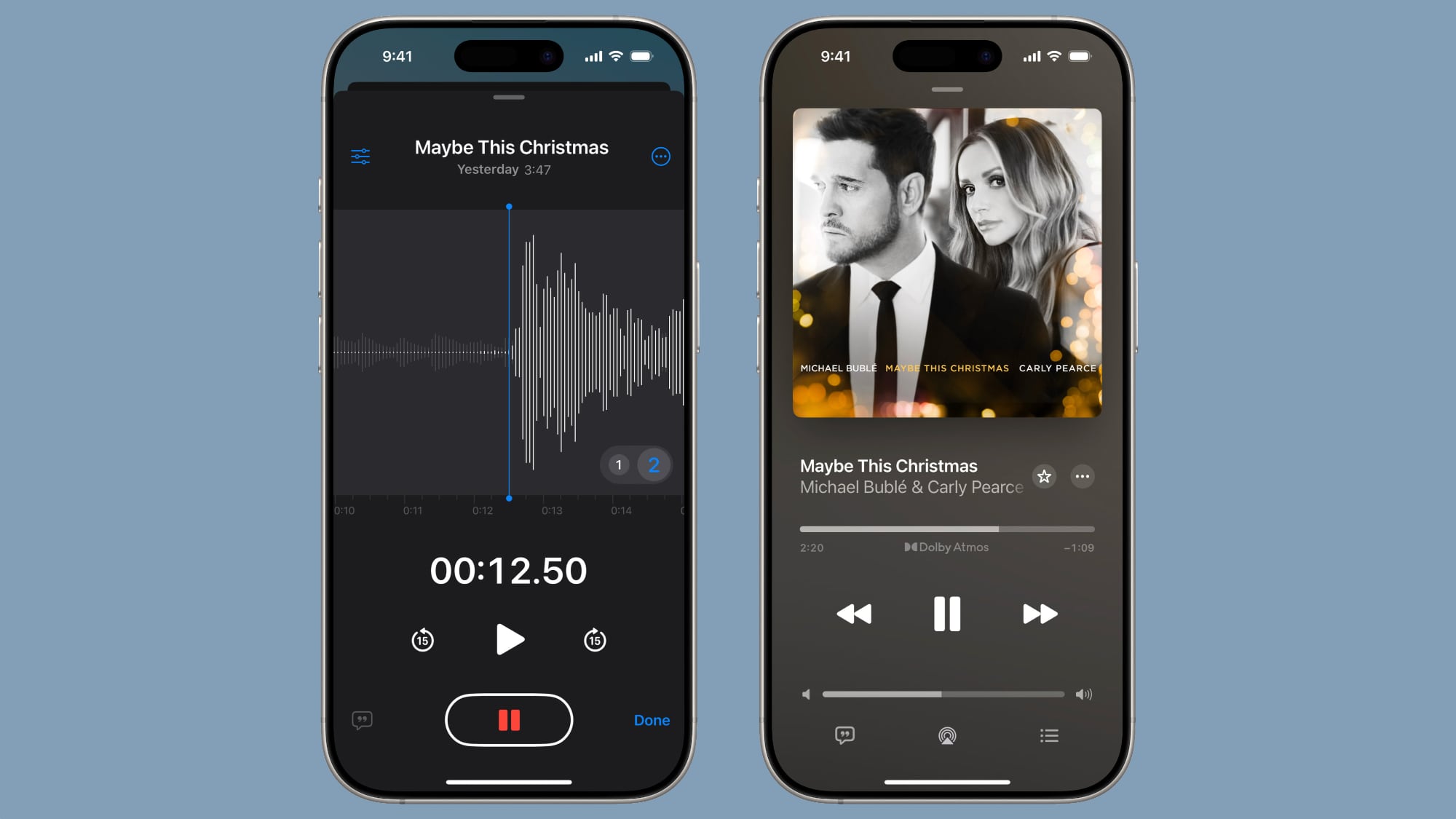


It’s worth noting that layered recordings are saved in the QuickTime Audio (QTA) format. Devices on earlier software versions, such as iOS 18.1, iPadOS 18.1, or macOS Sequoia 15.1, won’t display layered memos. However, if you separate the layers, each track is converted into an individual .m4a file, making them accessible across older devices. Also, keep in mind that only the original layer can be transcribed or recorded in stereo – additional layers are captured in mono.
This article, "Get Creative With Sound by Layering Tracks in Voice Memos" first appeared on MacRumors.com

Discuss this article in our forums

Read More