iOS 18.4 is the fourth major update to the iOS 18 operating system that first came out last September, and it adds a long list of new features. Some features are limited to Apple’s newer and more powerful iPhone models, while others are available to all iOS 18 users.
This guide covers everything new in iOS 18.4.
Priority Notifications – Apple Intelligence
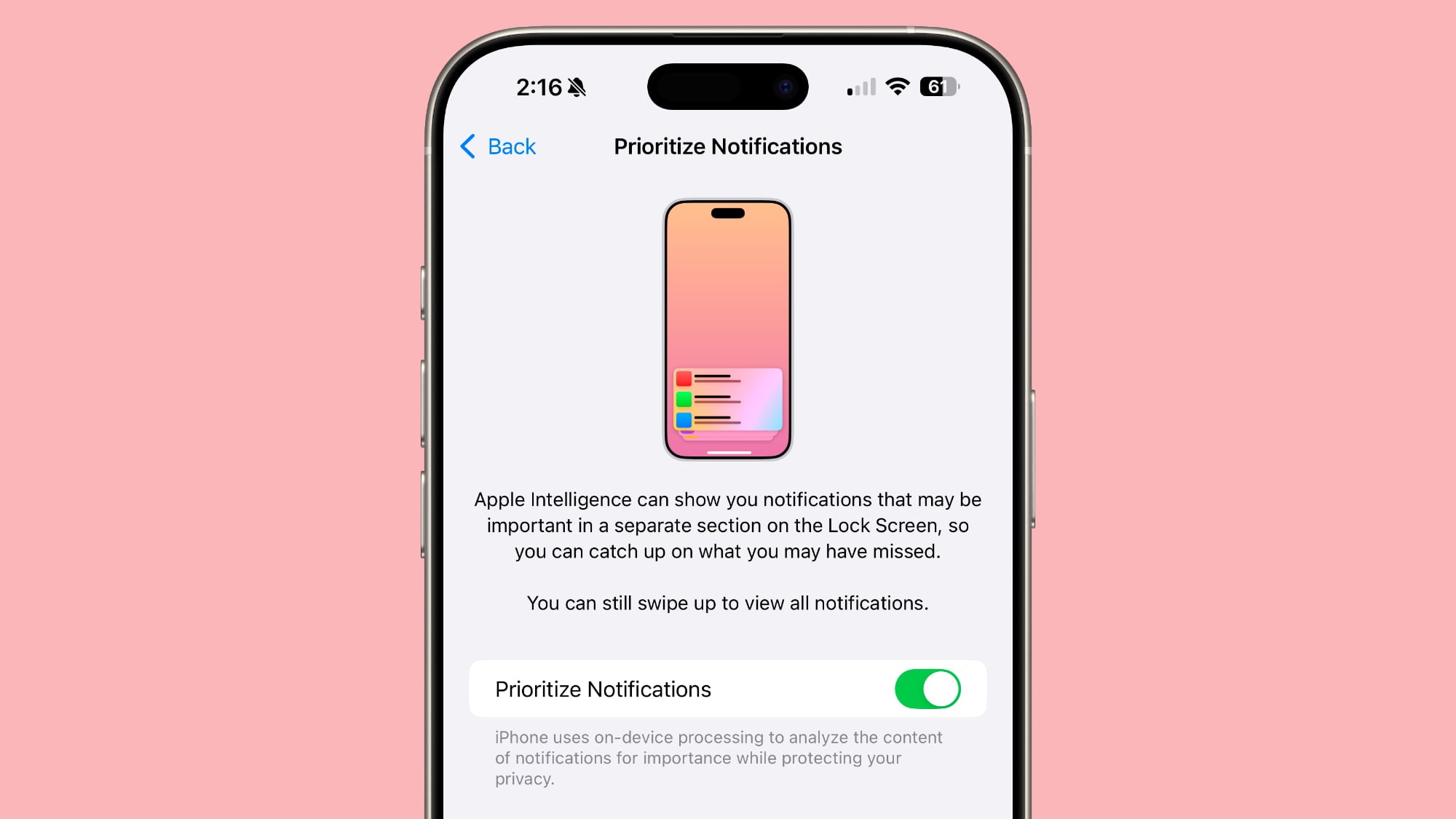
iOS 18.4 adds an Apple Intelligence Priority Notifications feature that shows you your most important notifications first. Priority Notifications is disabled by default, but it can be turned on by going to Settings > Notifications > Prioritize Notifications and tapping the toggle.
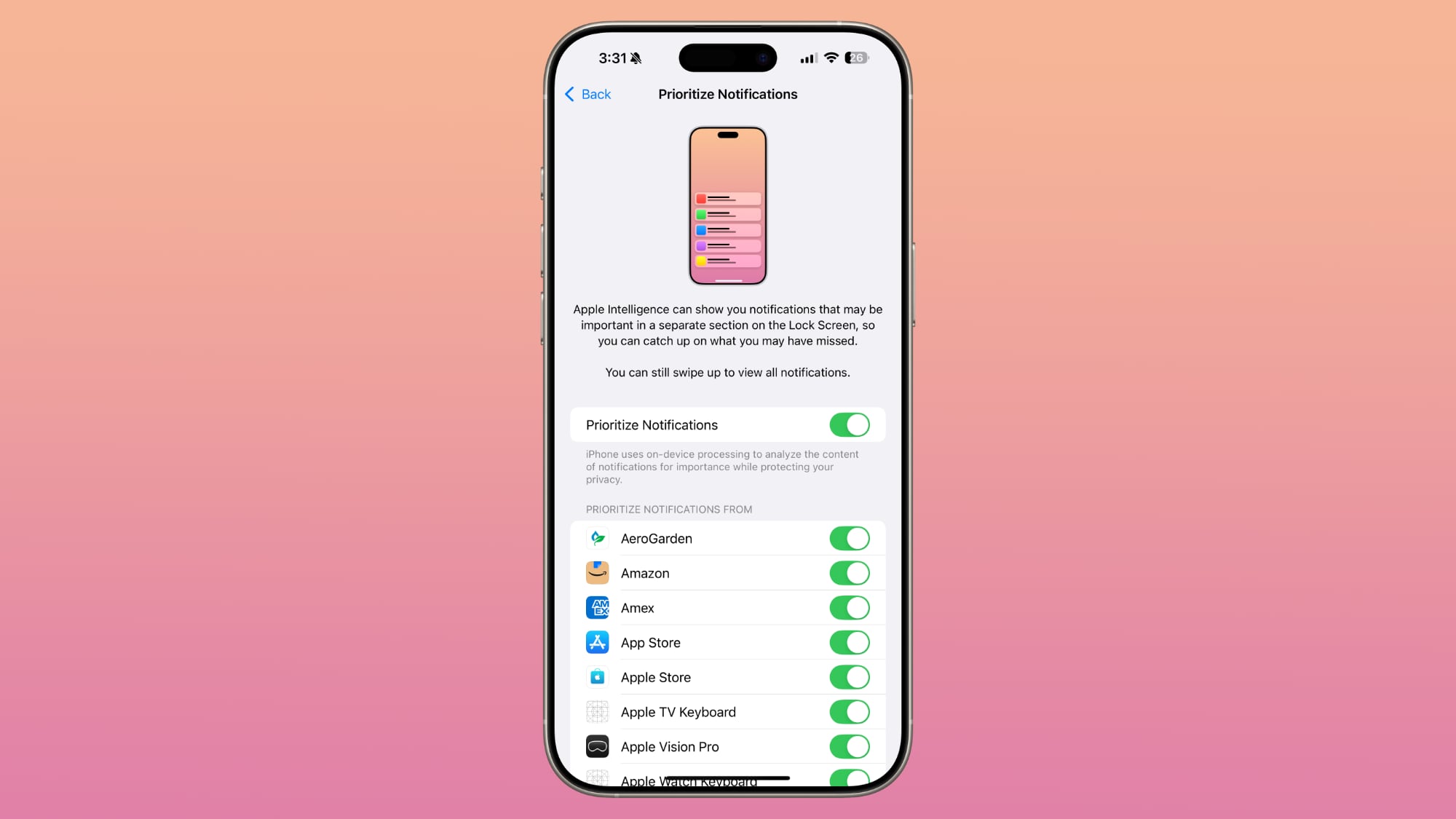
Priority Notifications can also be set up on a per-app basis, with toggles available in the same sections of the Settings app.
With the feature enabled, Apple Intelligence will show notifications that may be important in a dedicated section at the top of the Lock Screen’s notification center.
Visual Intelligence for iPhone 15 Pro Models
Visual Intelligence is now available on the iPhone 15 Pro and iPhone 15 Pro Max, and it’s no longer an option limited to the iPhone 16 models.
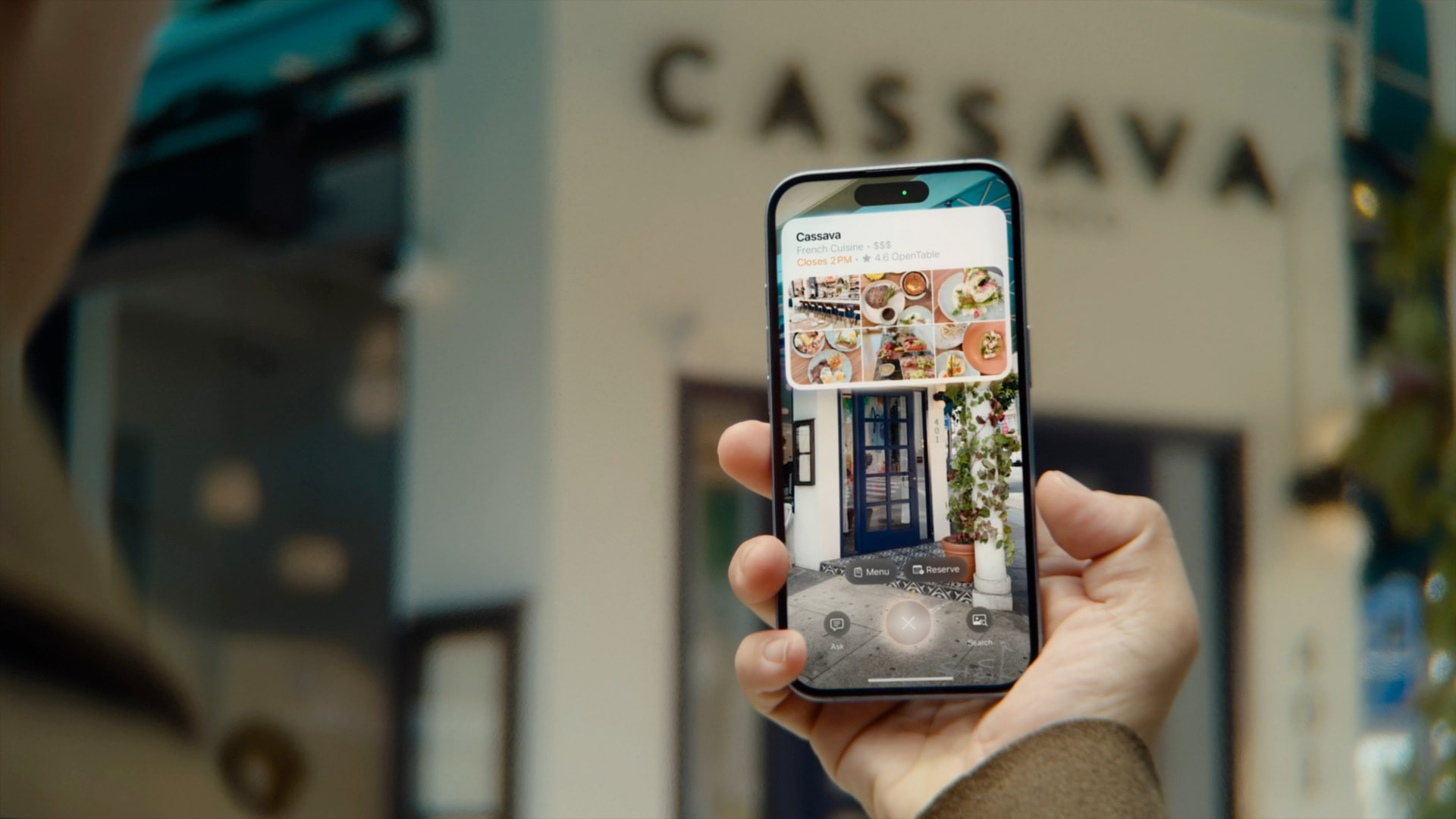
Since the iPhone 15 Pro and Pro Max do not have a Camera Control button, Visual Intelligence can be activated via the Control Center or with the Action Button.
Apple added an Action Button option that activates Visual Intelligence, and it can be used as an alternative to the Camera Control button for Visual Intelligence on the iPhone 16 models.
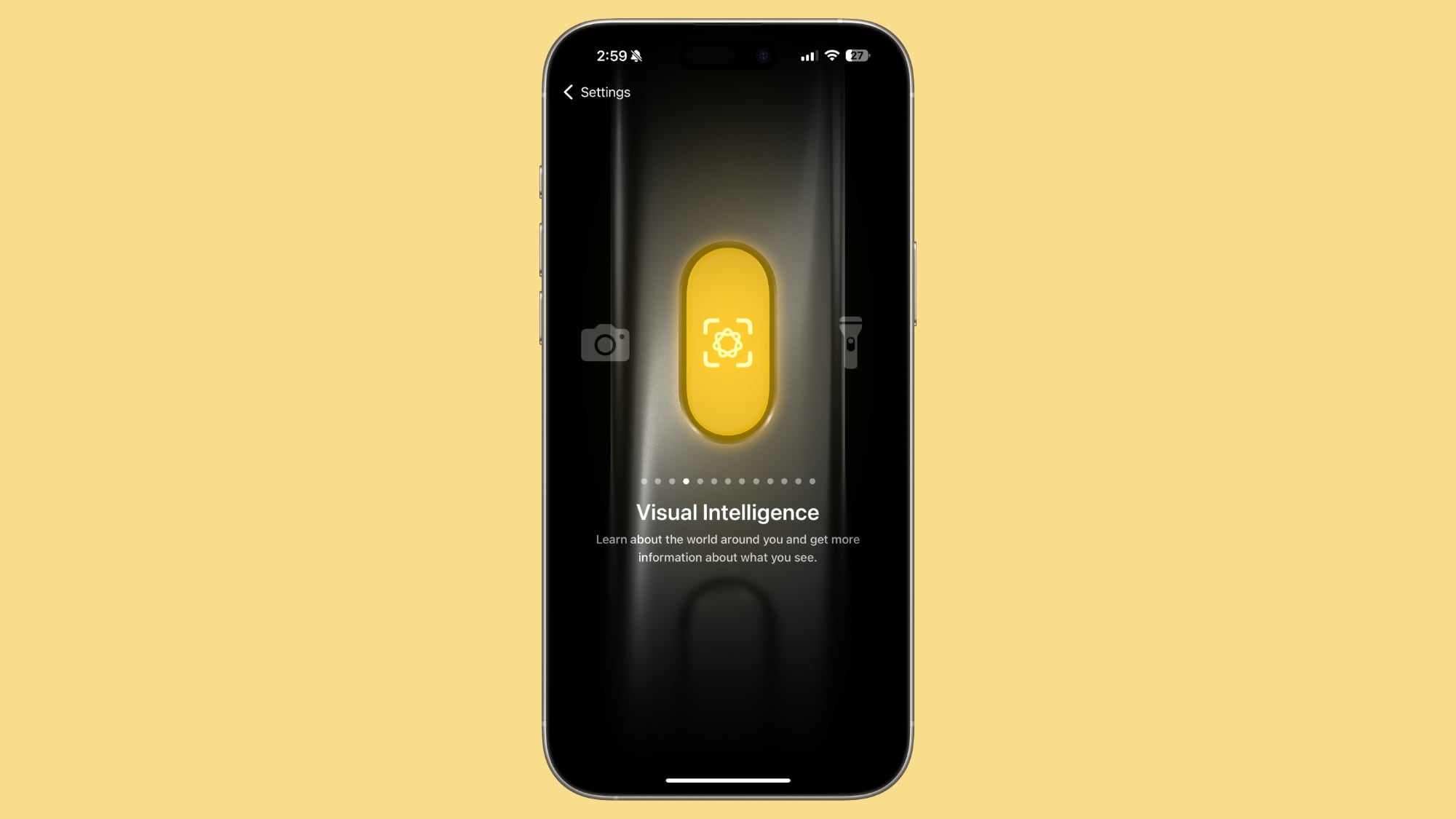
Control Center Apple Intelligence Section
In the Control Center, there’s an Apple Intelligence section. It includes the Type to Siri option that was in the now-removed Siri section, along with new options for activating Siri and using Visual Intelligence.
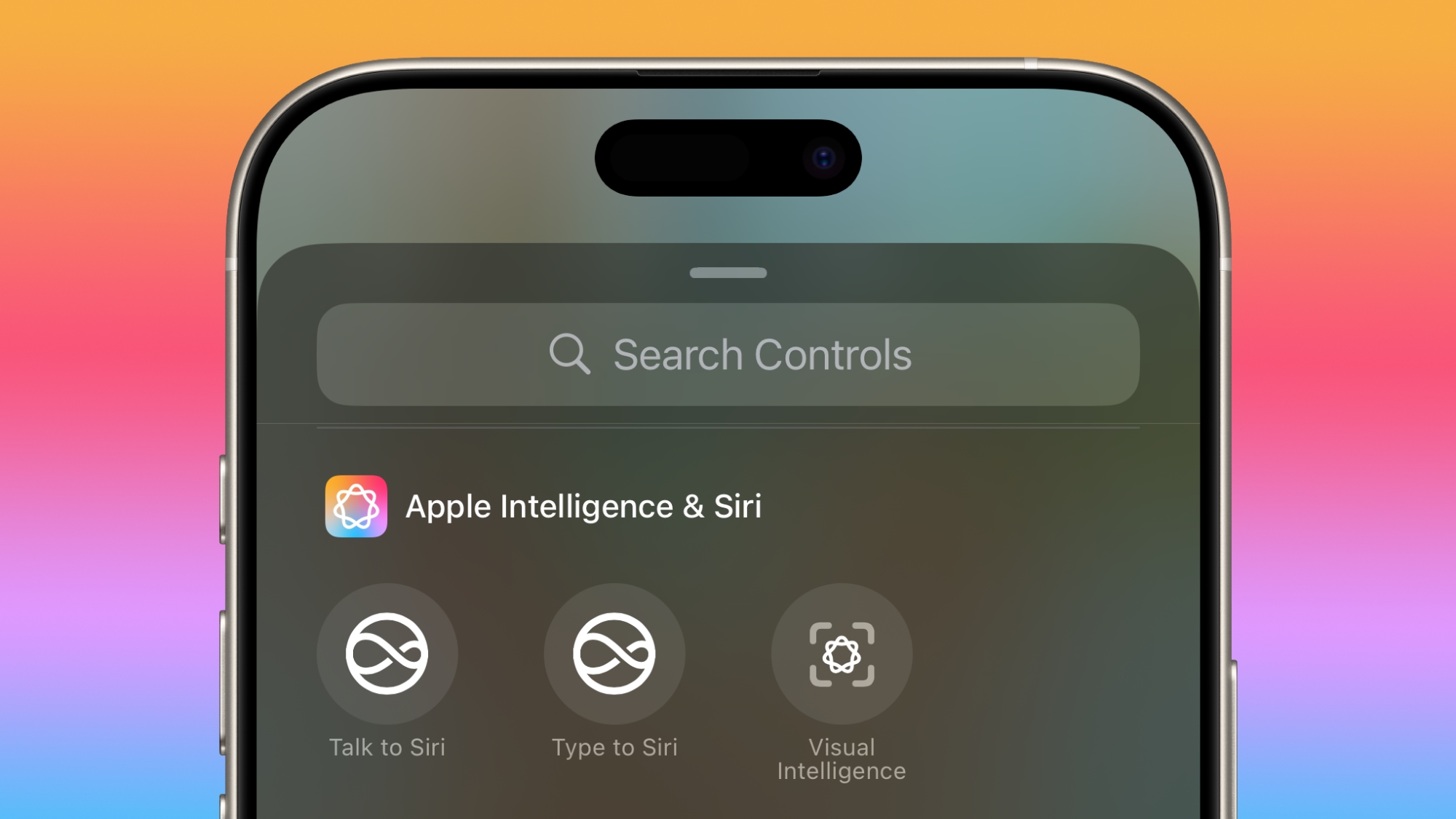
Image Playground Sketch Style
Image Playground includes a Sketch style that joins the Animation and Illustration styles. Sketch was previously available for Image Wand, but now it is a third style that can be used in Image Playground.
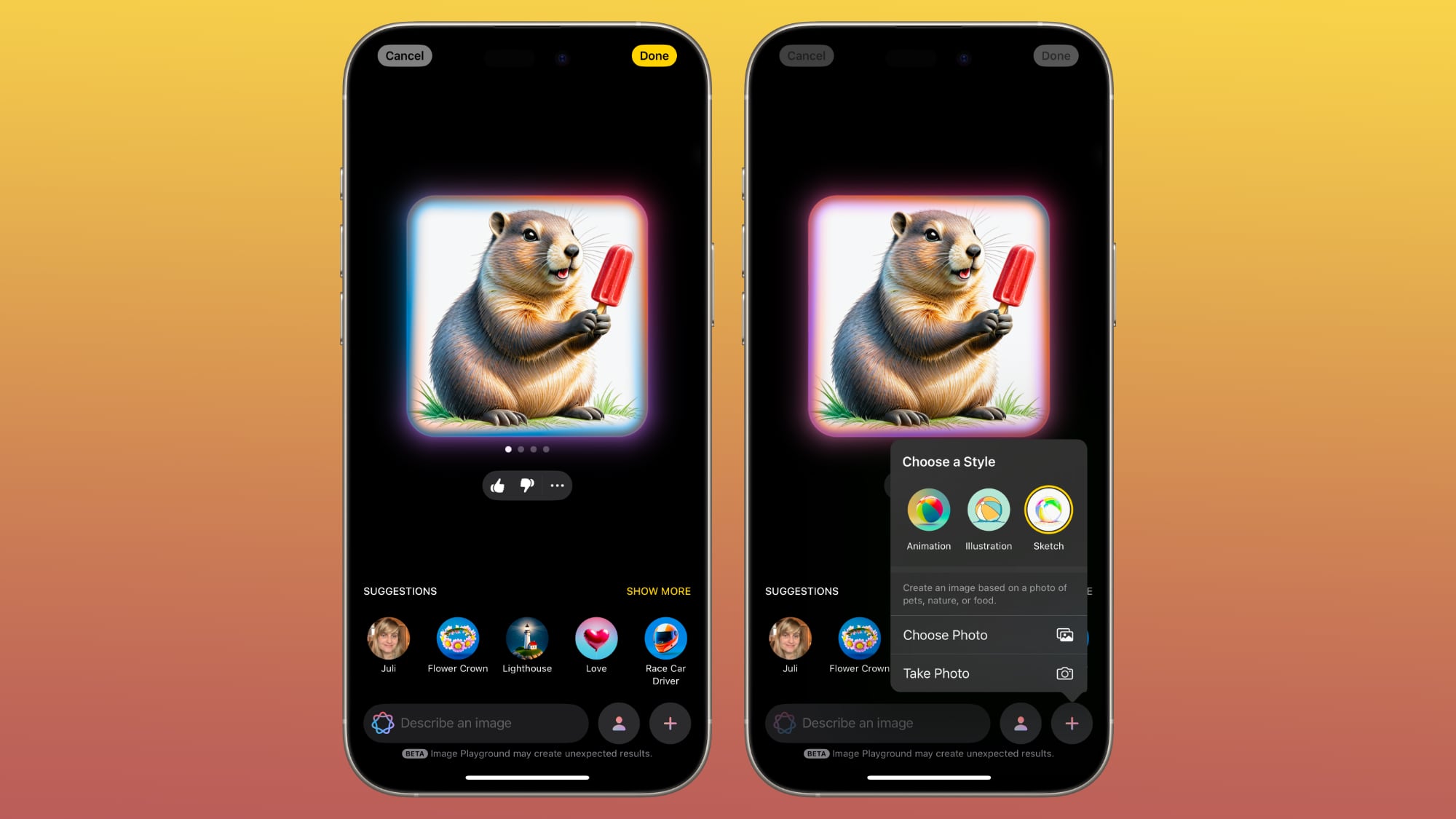
Swap styles by tapping on the “+” button in the Image Playground app. Apple also replaced the previous “Winter Holidays” theme with a new “Spring” theme.
New Apple Intelligence Languages
French, German, Italian, Portuguese (Brazil), Spanish, Japanese, Korean, and Chinese (simplified), along with localized English for Singapore and India.
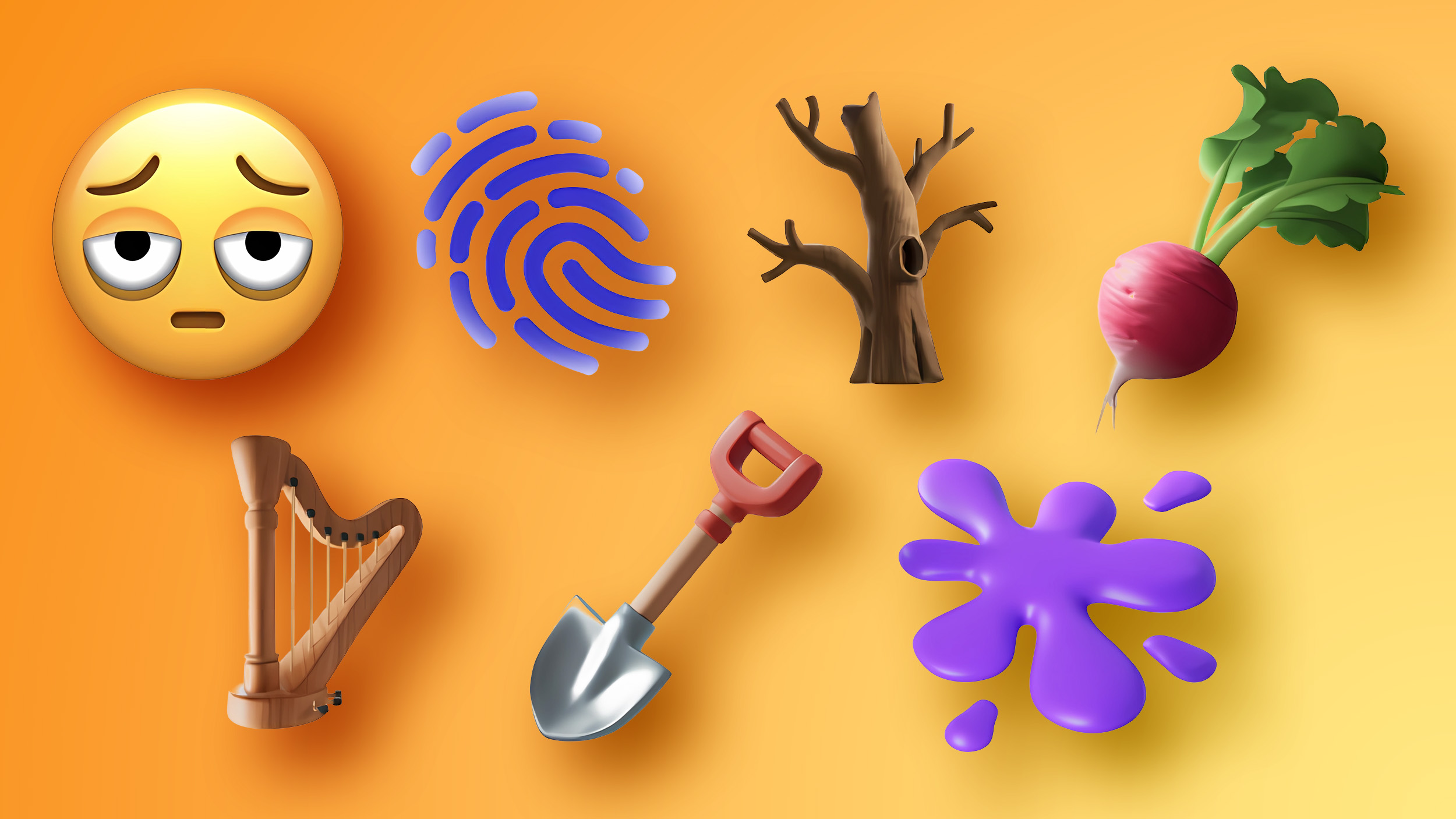
New Emoji
There are new emoji characters in iOS 18.4, including bags under eyes, fingerprint, leafless tree, root vegetable, harp, shovel, and splatter.
Vision Pro App
If you have a Vision Pro headset, you’ll see a Vision Pro app on your iPhone after installing iOS 18.4 if you have a Vision Pro headset. The Vision Pro app helps you discover and download content on the Vision Pro.
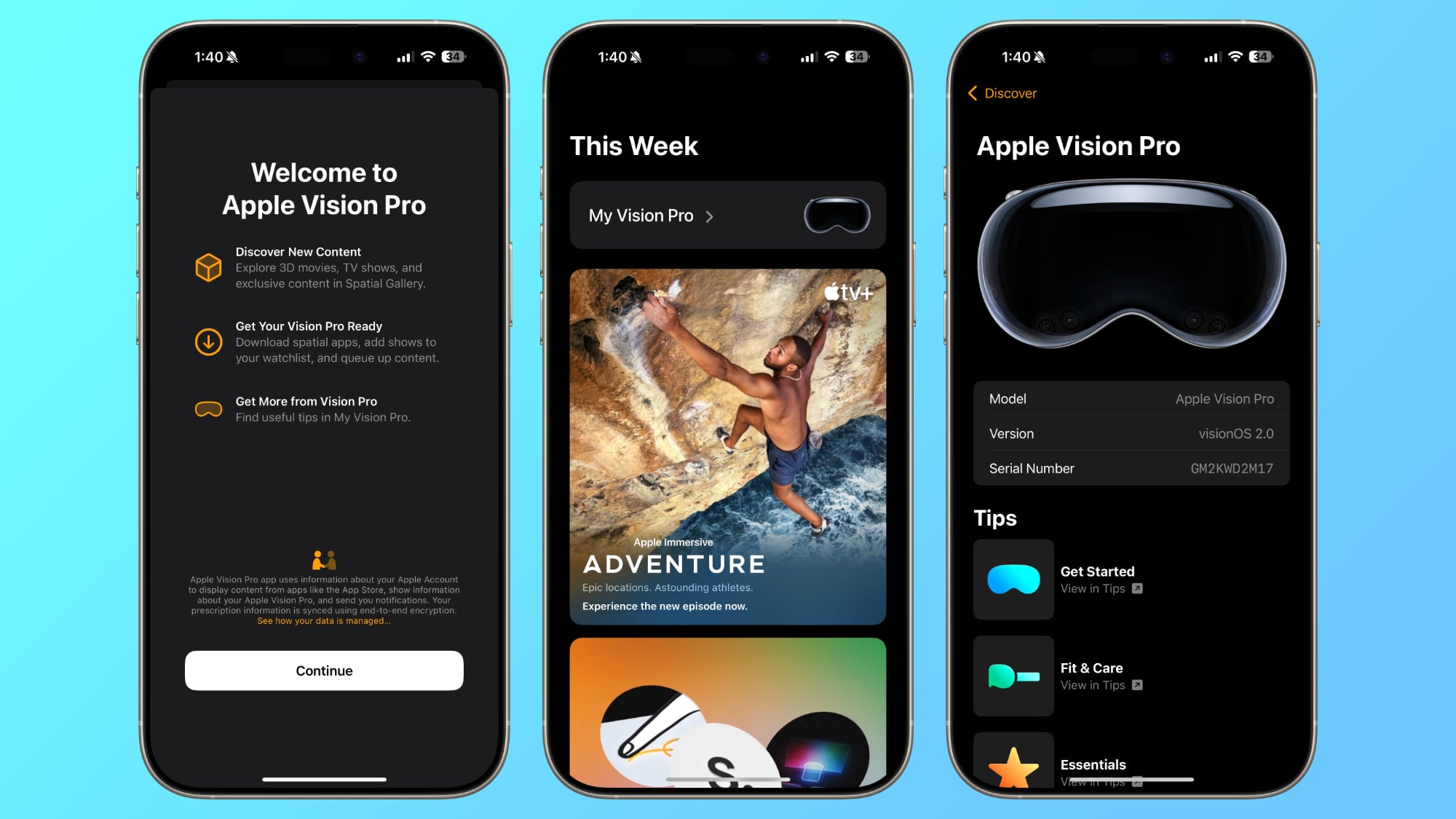
There are dedicated sections for Immersive Video, 3D movies, and more, with options to download apps directly to the Vision Pro without having to use the headset. Apple also added a dedicated My Vision Pro section with a user guide and tips for using the device.
Guest setup can now be managed on an iPhone or iPad linked to a Vision Pro, making it easier for Vision Pro owners to let others test their headset. There are controls for limiting what apps a guest is able to use, and an AirPlay mode for guiding the guest through Vision Pro experiences. When a guest user puts on the Vision Pro, a prompt to enable Guest Mode will appear on the headset owner’s device.
Apple News+ Food
For Apple News+ subscribers, there’s now an Apple News Food section. The Food section features tens of thousands of recipes, stories about restaurants, tips for healthy eating, kitchen essentials, and more.
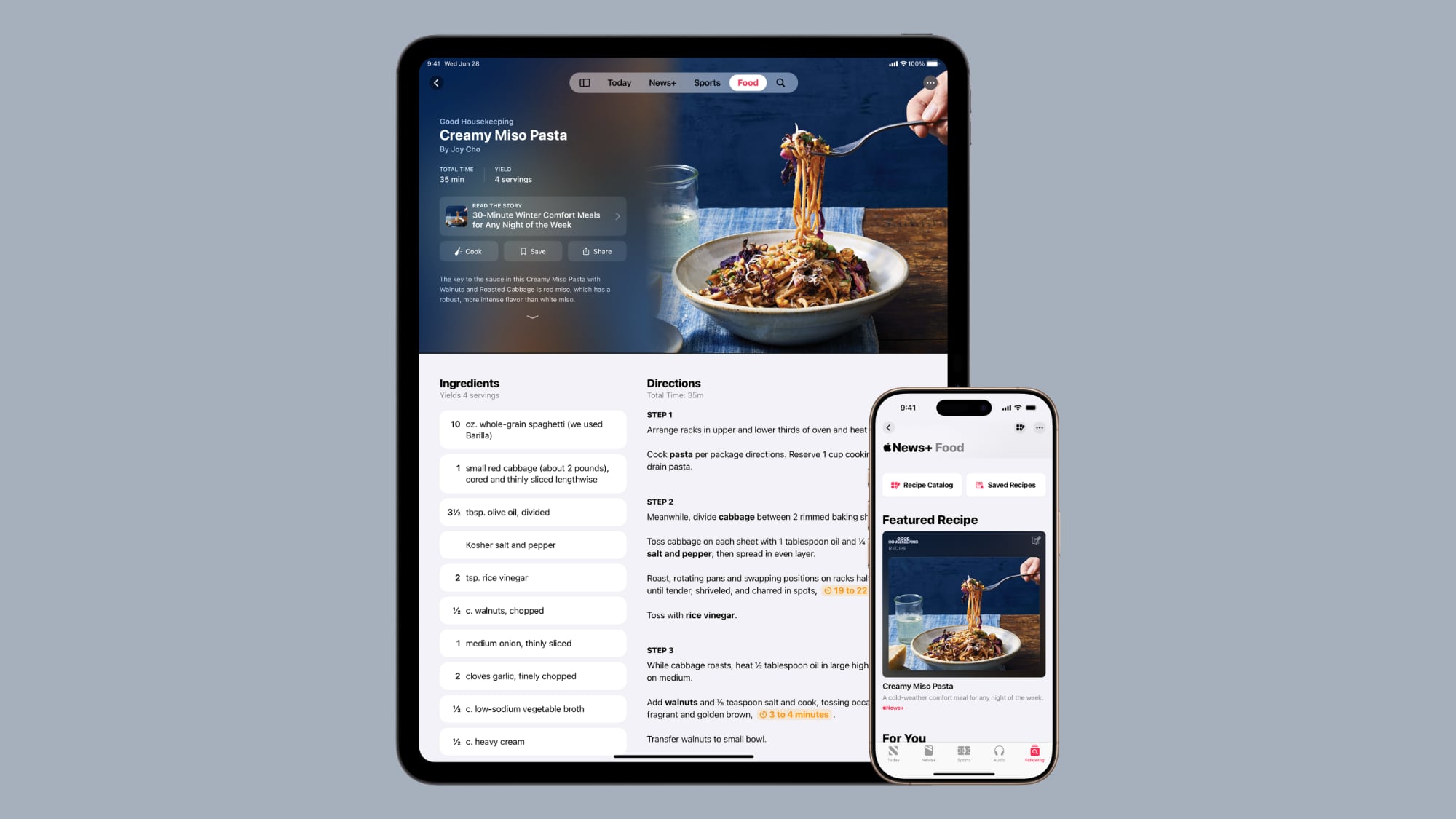
Content will come from top food publishers such as Allrecipes, Bon Appétit, Food & Wine, Good Food, and Serious Eats. Apple News editors will curate food-related stories, and there will be a dedicated Recipe Catalog section where new recipes are added regularly. An included cook mode provides step-by-step instructions, and users can save favorite recipes for offline access.
Ambient Music
iOS 18.4 includes an Ambient Music option that can be added to Control Center. There are four different sound categories, including Sleep, Chill, Productivity, and Wellbeing.
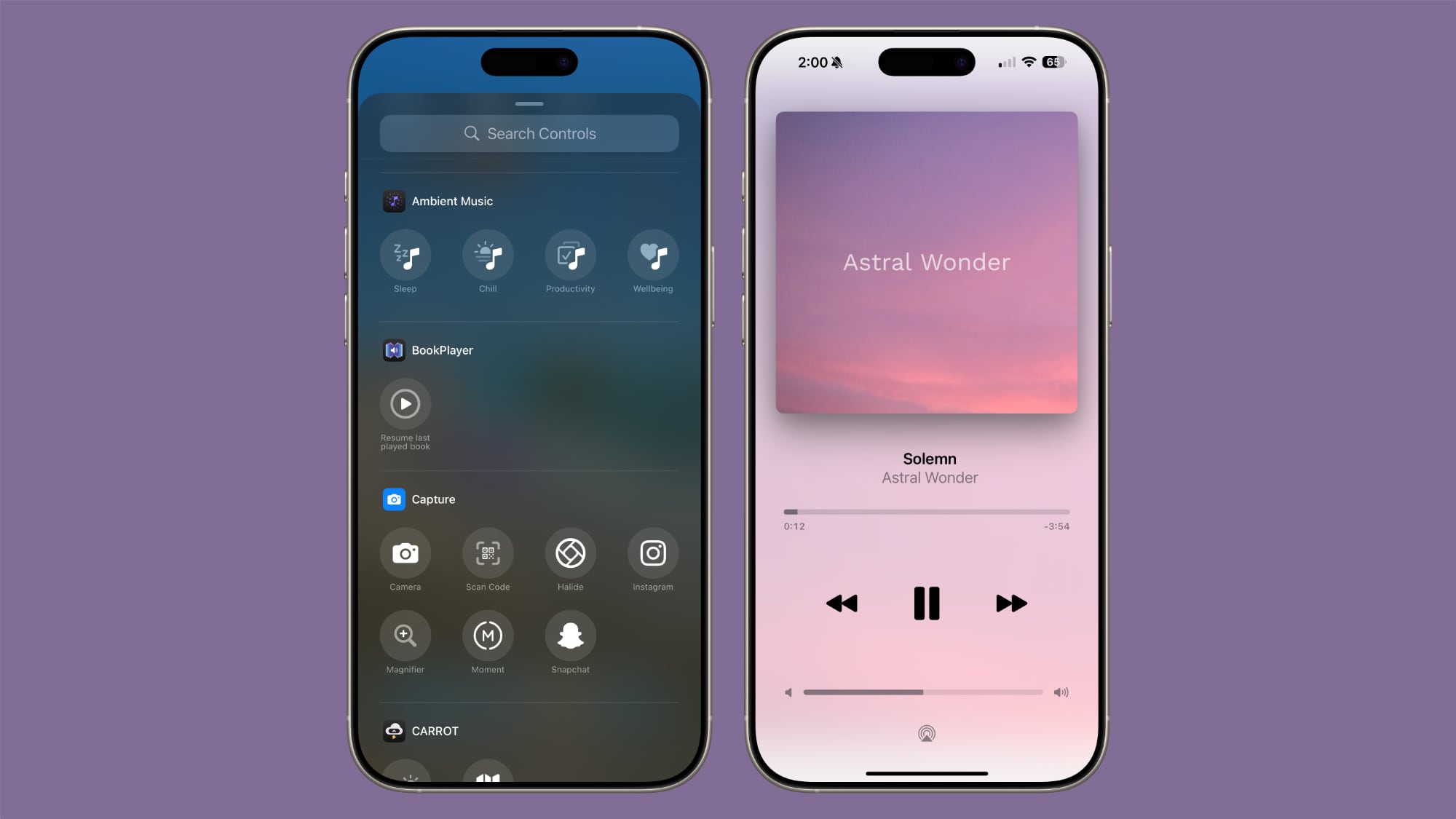
Each category can be added to Control Center separately, and tapping one plays a random selection of sounds or music from that particular category. If you tap on the Ambient Music button that you added while in edit mode, you can select different options within each category.
- Sleep: Sleep Sounds, Bedtime Beats, Sound Bath, and Piano Sleep.
- Chill: Piano Chill, Ambient Chill, Lo-Fi Jazz, and Pure Chill.
- Productivity: BEATstrumentals, Binaural Frequencies, Pure Focus, and Classical Concentration.
- Wellbeing: Pure Meditation, Spa, Beats & Breath, and Pure Calm.
If you play Ambient Music and then tap into the Dynamic Island at the top or access the Now Playing widget, you can skip songs and see the name of what’s currently playing.
Privacy Indication Dots
The small dots that show up on the iPhone’s menu bar when the camera or microphone is in use have been moved to the left and are now more apparent thanks to a black background.

Siri Voices
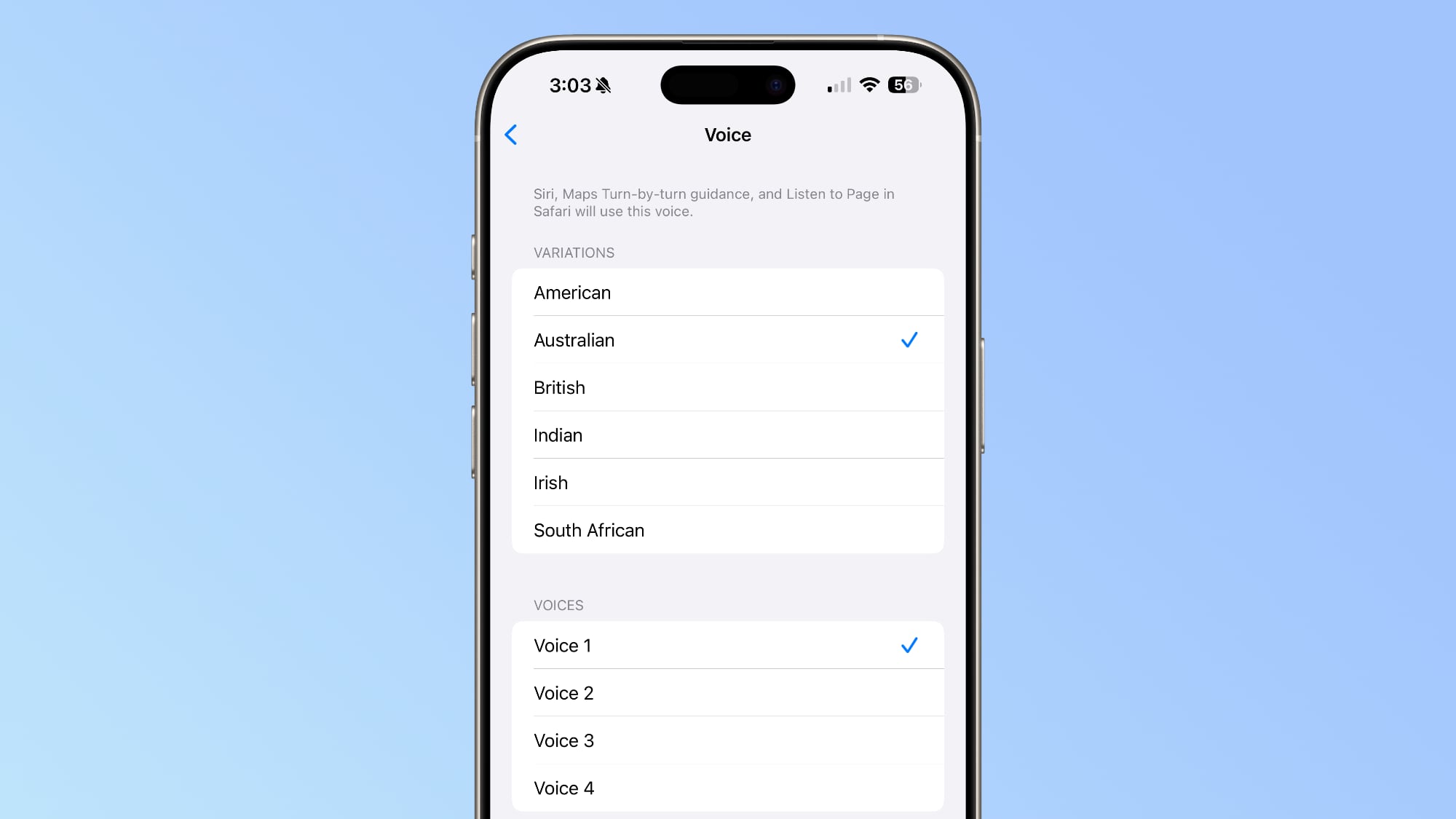
There are two new Australian voices for Siri.
Genmoji
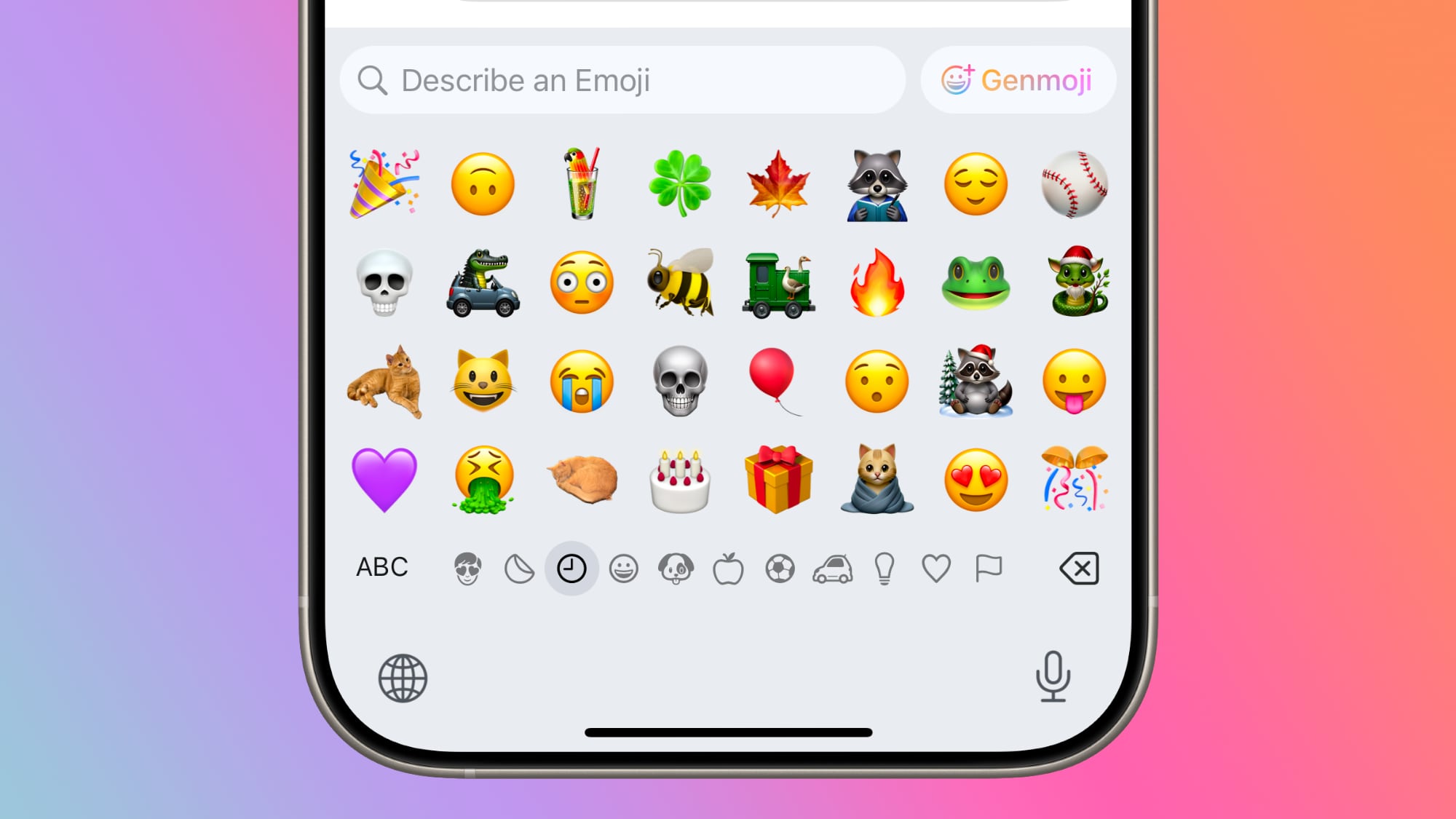
The Genmoji icon for the Emoji keyboard now says “Genmoji” instead of just featuring a multi-colored smiley face. The change should make it more obvious where users go to create a Genmoji character.
Photos
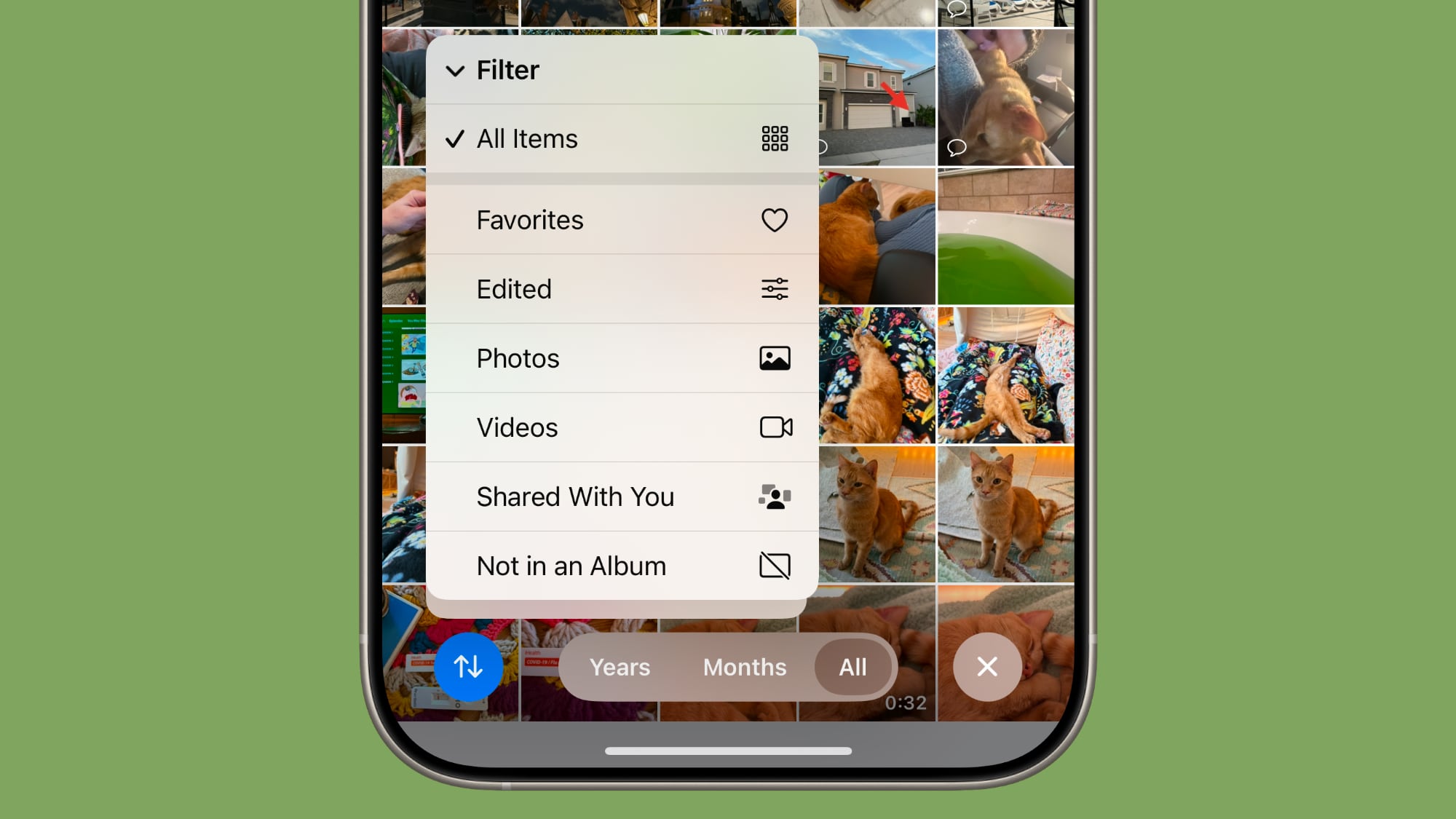
In the Photos app, there are new options to filter your library by images that were shared with you by others or by those that are not included in an album, which is useful for separating out content that you’ve organized into albums.
Apple also added an option to view your album list by key photo.
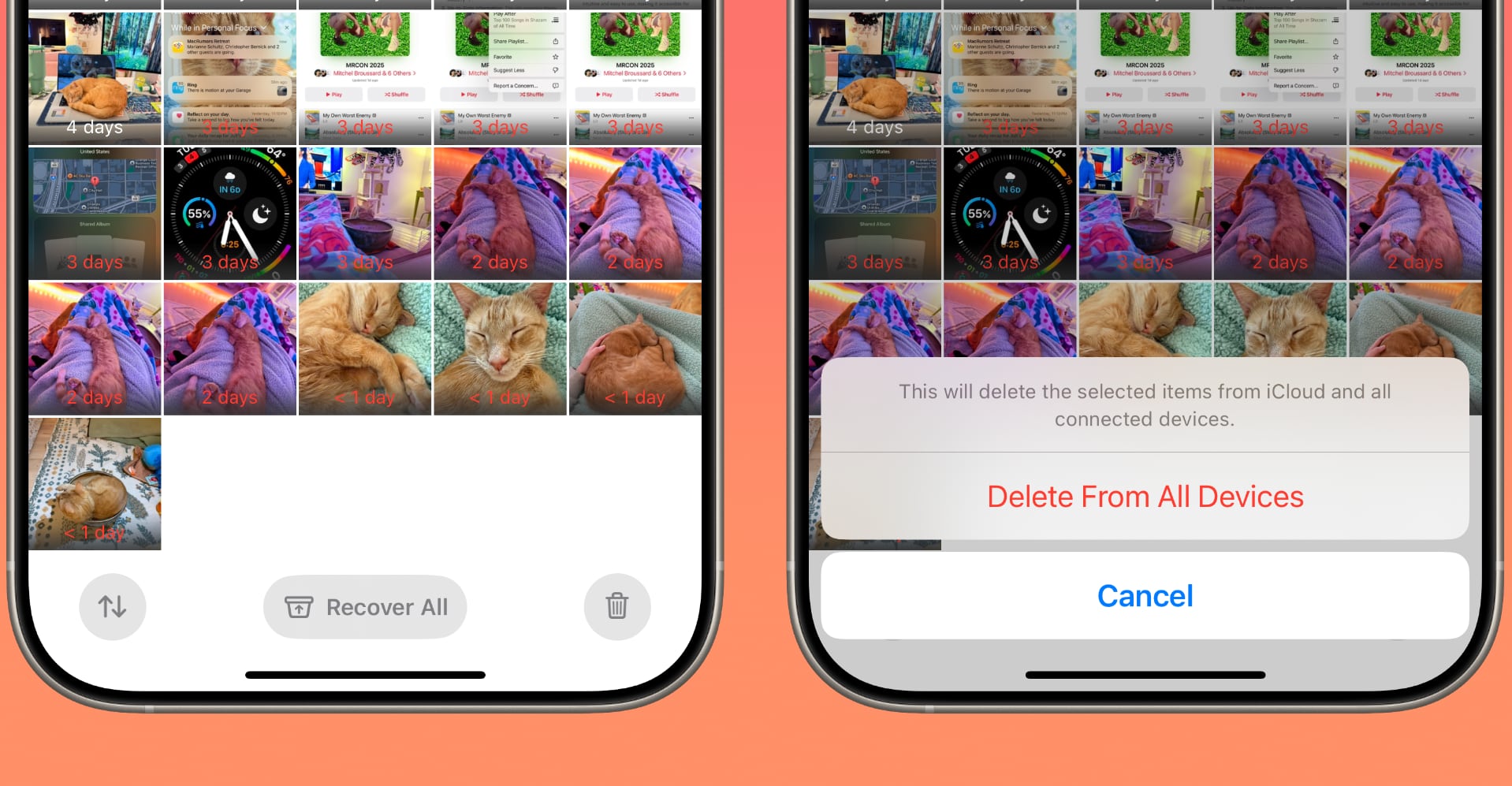
The Recently Deleted section of the Photos app now has one-tap options to delete all photos and to recover all photos.
In the Photos Settings, there is a Show Recently Viewed & Shared toggle that will show or hide the Recently Viewed and Recently Shared albums from the Utilities list.
Type to Siri
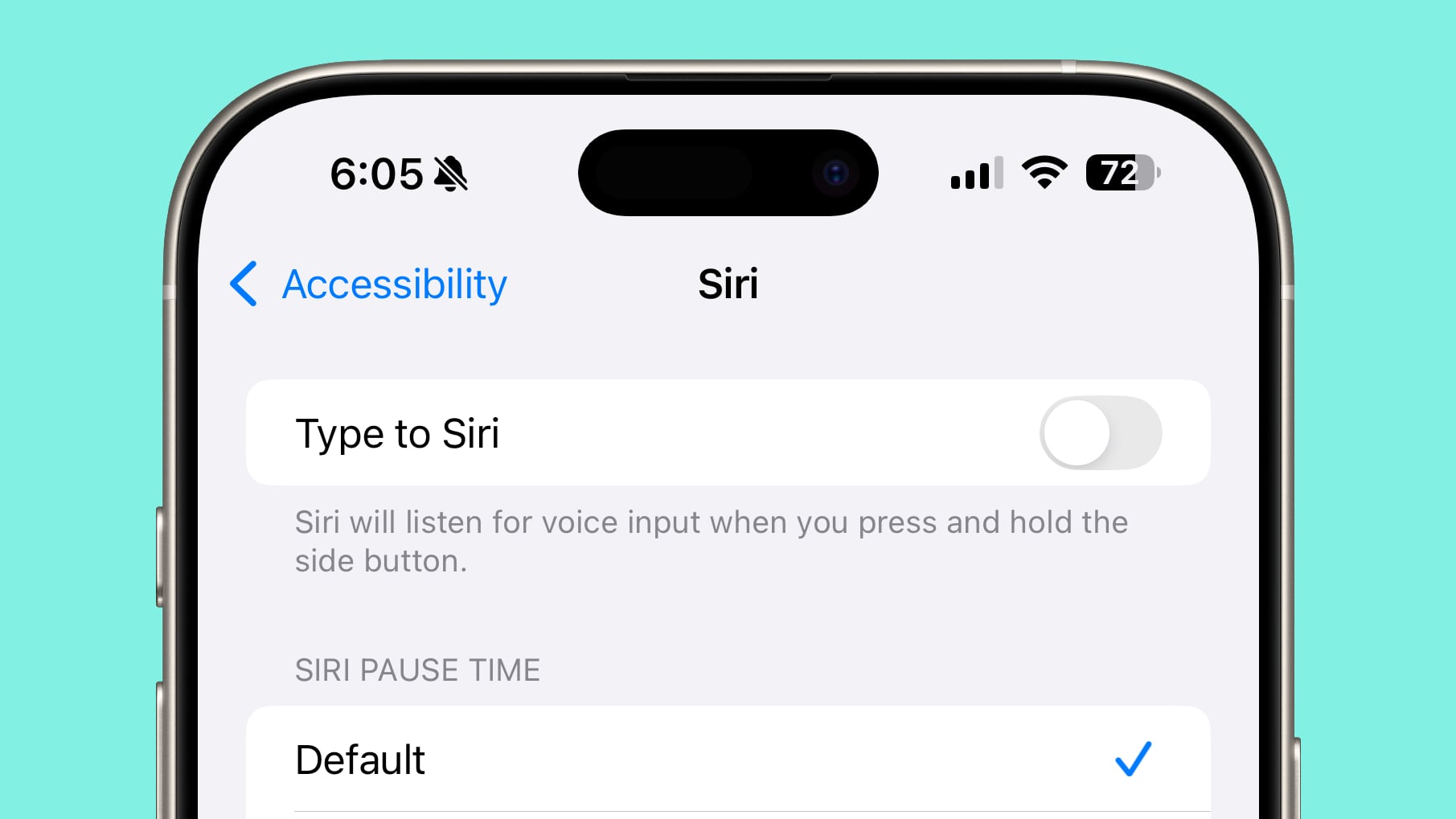
When you use Type to Siri to ask Siri a question, the keyboard is now collapsed down when Siri answers. To type another request, you need to tap on the Siri bar to bring it back up. There is also a toggle to activate Type to Siri with the side button, which would normally cause Siri to listen for a voice command.
Back Tap
If you have the Back Tap Accessibility option turned on, there is now a notification when a double tap or triple tap action is performed.

App Store Review Summaries
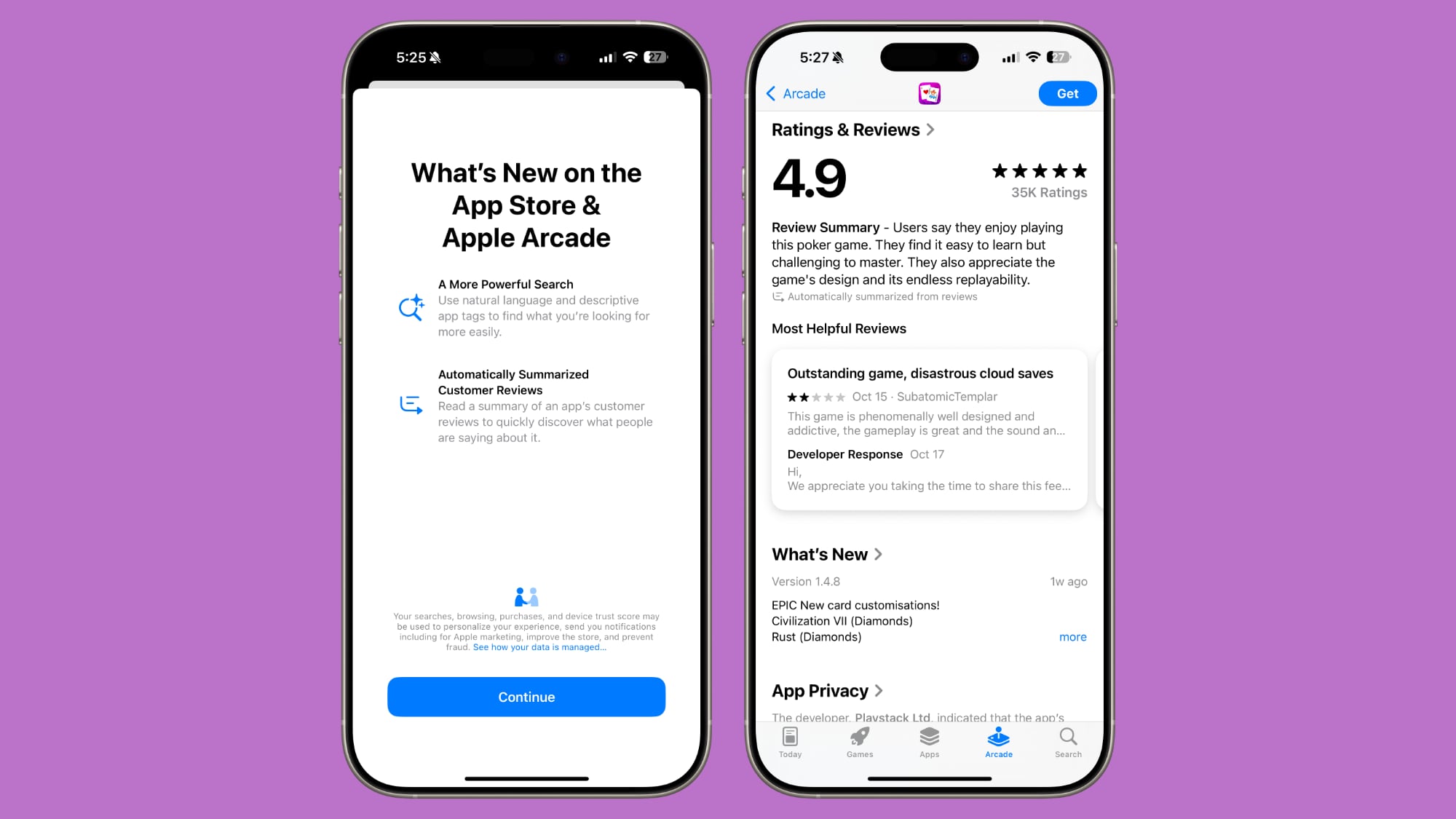
Apple now provides summaries of an app’s customer reviews to get a quicker overview of what people think of it.
Pause App Store Downloads
When you download an app from the App Store, you can pause the download right from the update list in the App Store rather than having to do it from the Home Screen icon for the app. Before now, you could only stop and restart an installation entirely from the App Store, with no option for stopping it entirely.
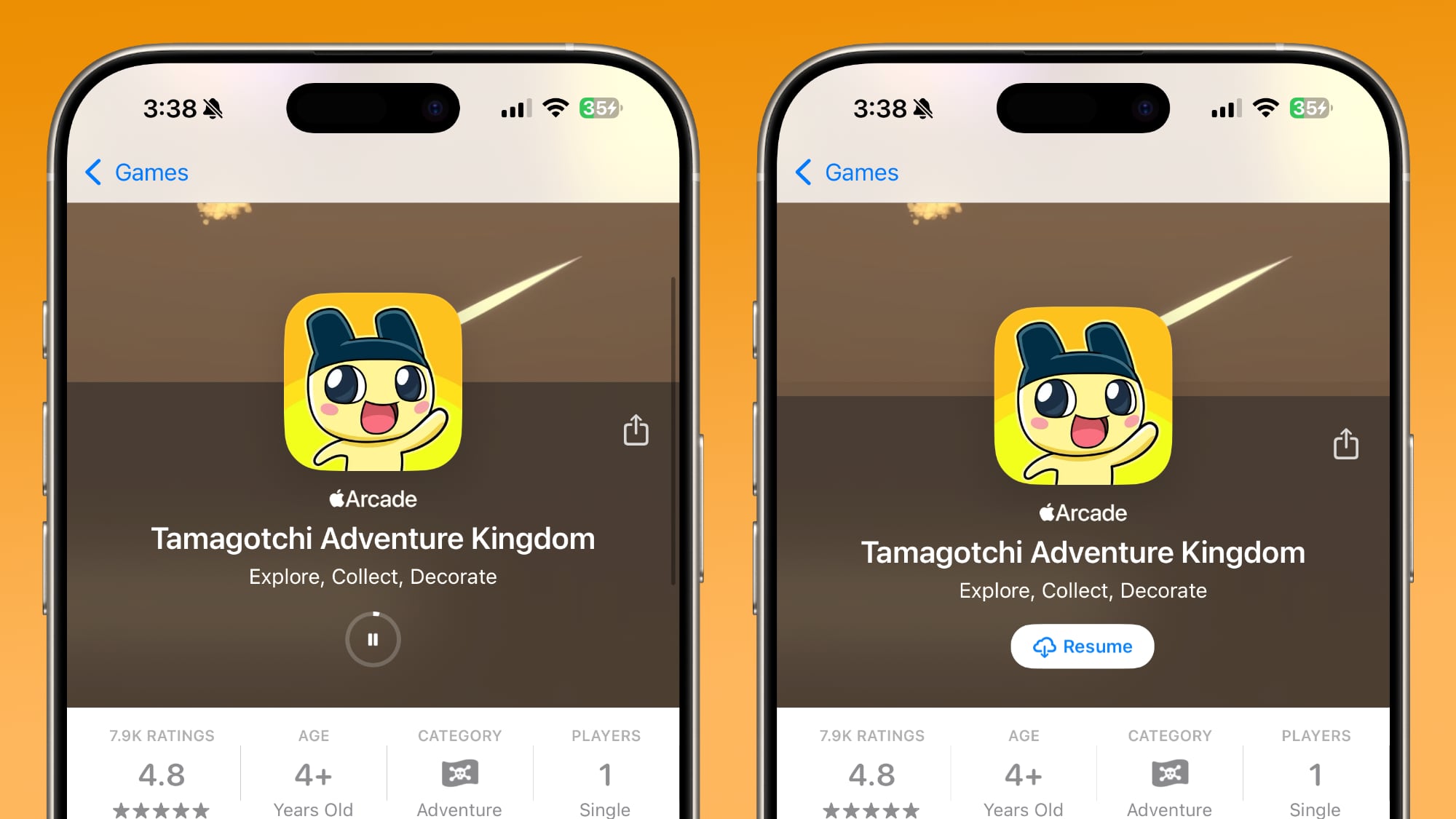
Pausing and resuming works for both new downloads and app updates.
Apple Maps
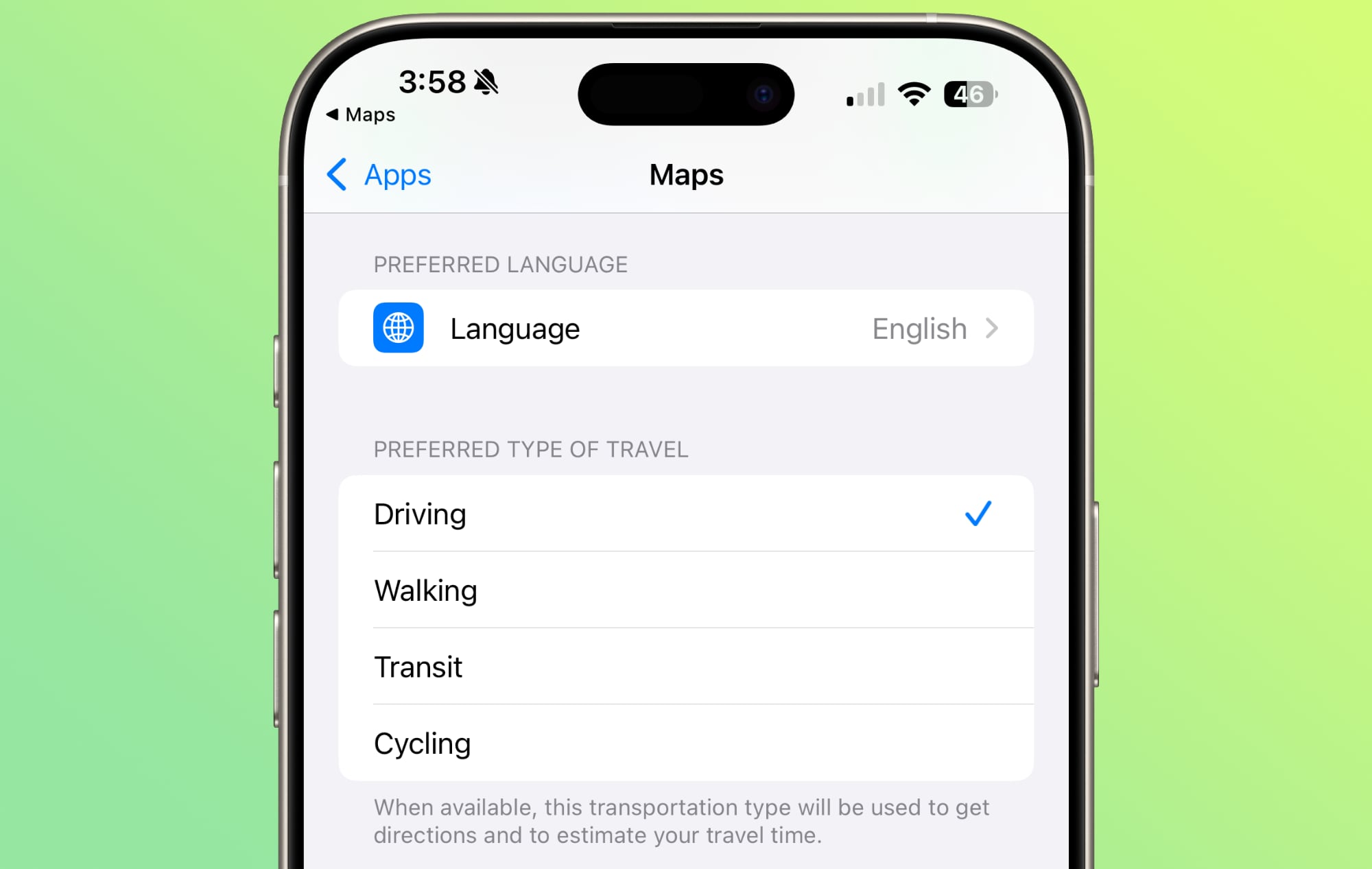
In the Apple Maps Settings, there is a new option to set a Preferred Language.
Passwords
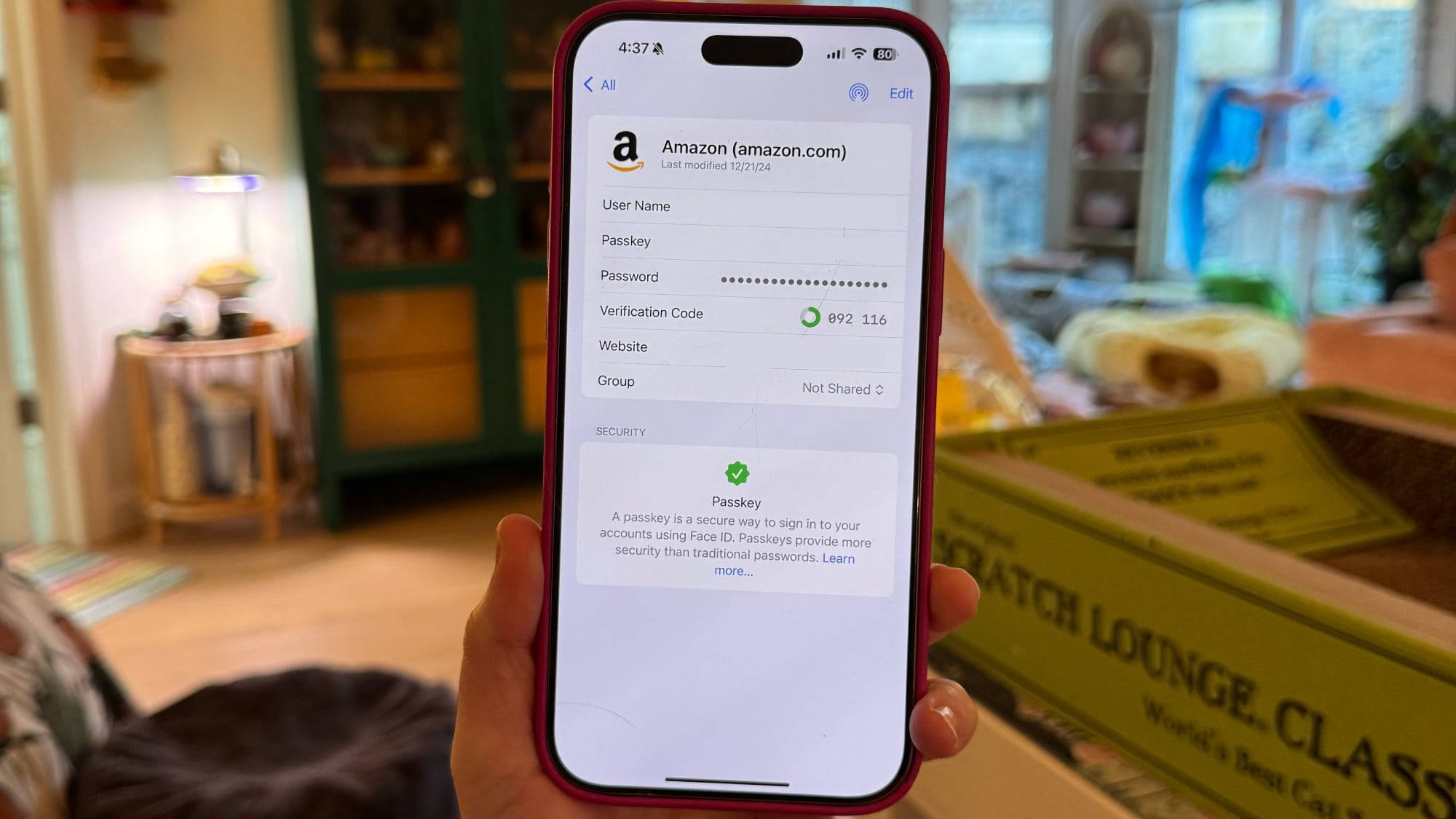
In the Passwords app, verification codes for two-factor authentication have a countdown circle so you can tell when a new code is going to be generated.
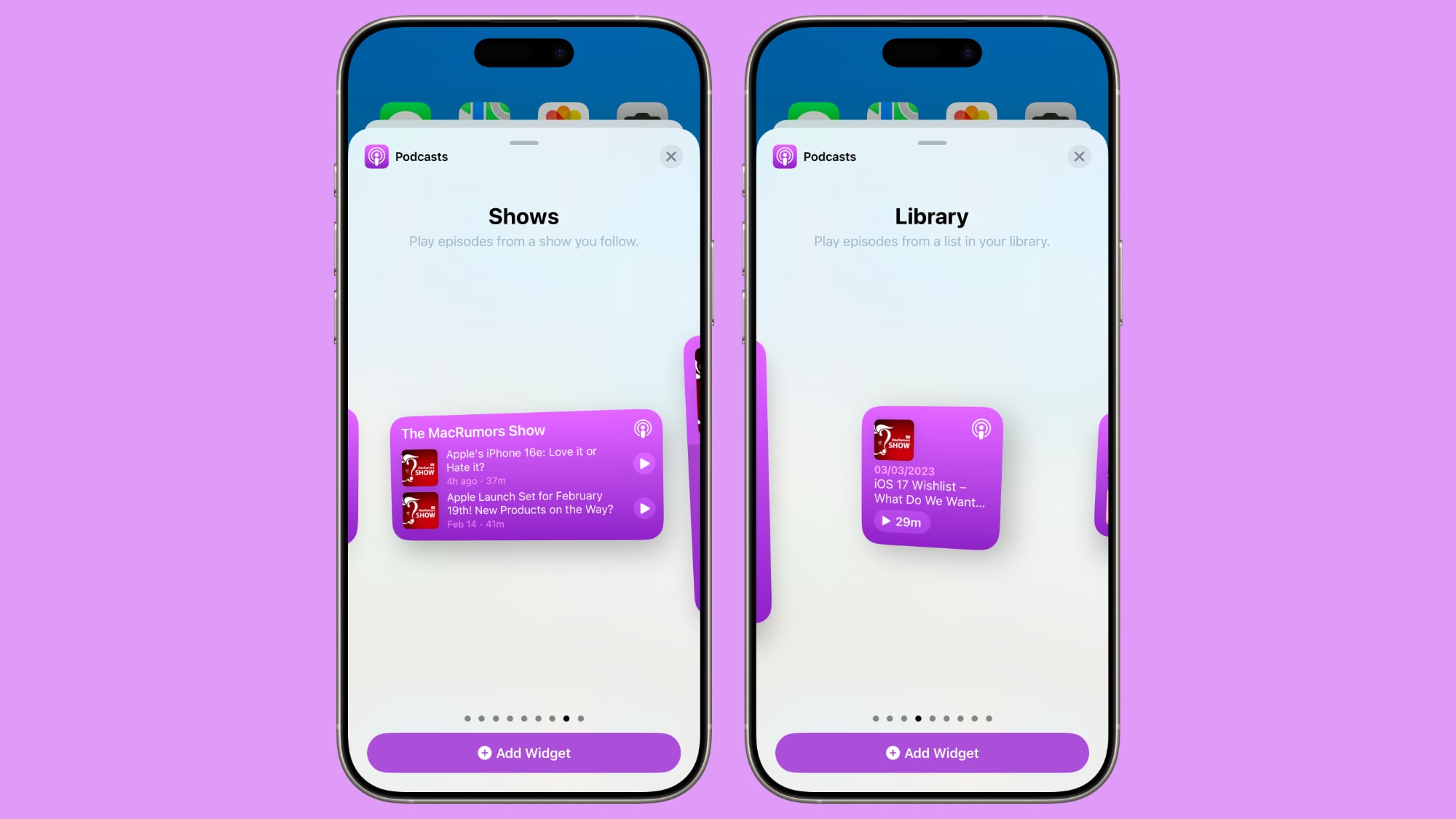
There are Library and Shows widgets that can be added to the Home Screen on an iPhone or iPad. The Library widget features saved content, while the Shows option displays shows that you are subscribed to.
In the Podcasts app, if you tap on your profile picture, there are new options for Podcasts Settings and Notification Settings.
Mac Setup
There is a new feature that allows a nearby iPhone or iPad to be used to sign into a Mac with an Apple Account for setting up a new Mac. macOS Sequoia 15.4 is also required.
Control Center Toggles
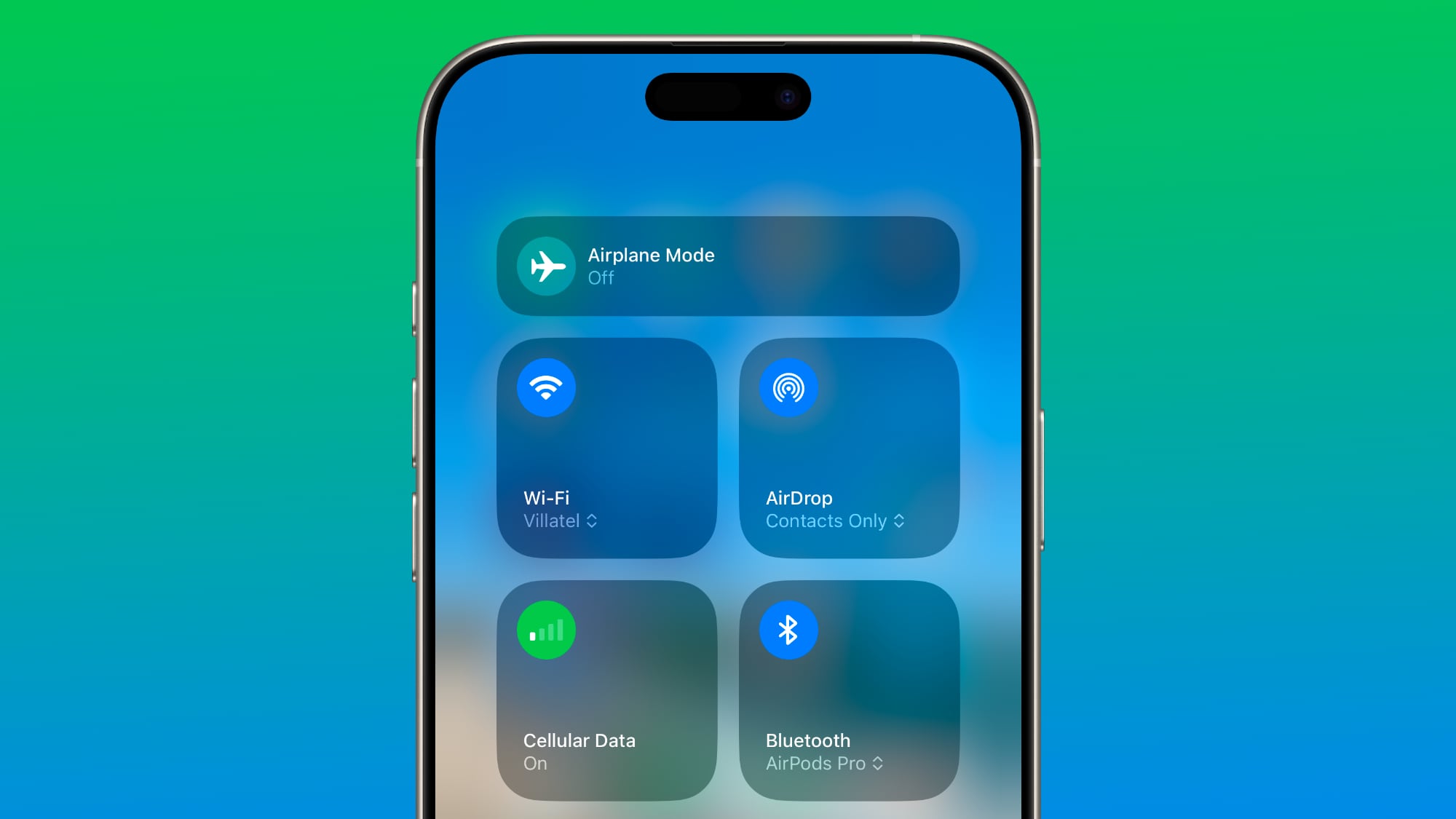
The Cellular toggle and the Wi-Fi toggle in the Control Center now show your cellular or Wi-Fi signal strength represented in bars.
The Brightness and Sound toggles in Control Center have been tweaked slightly and will now change color when the sliders are lowered below the position of the icons.
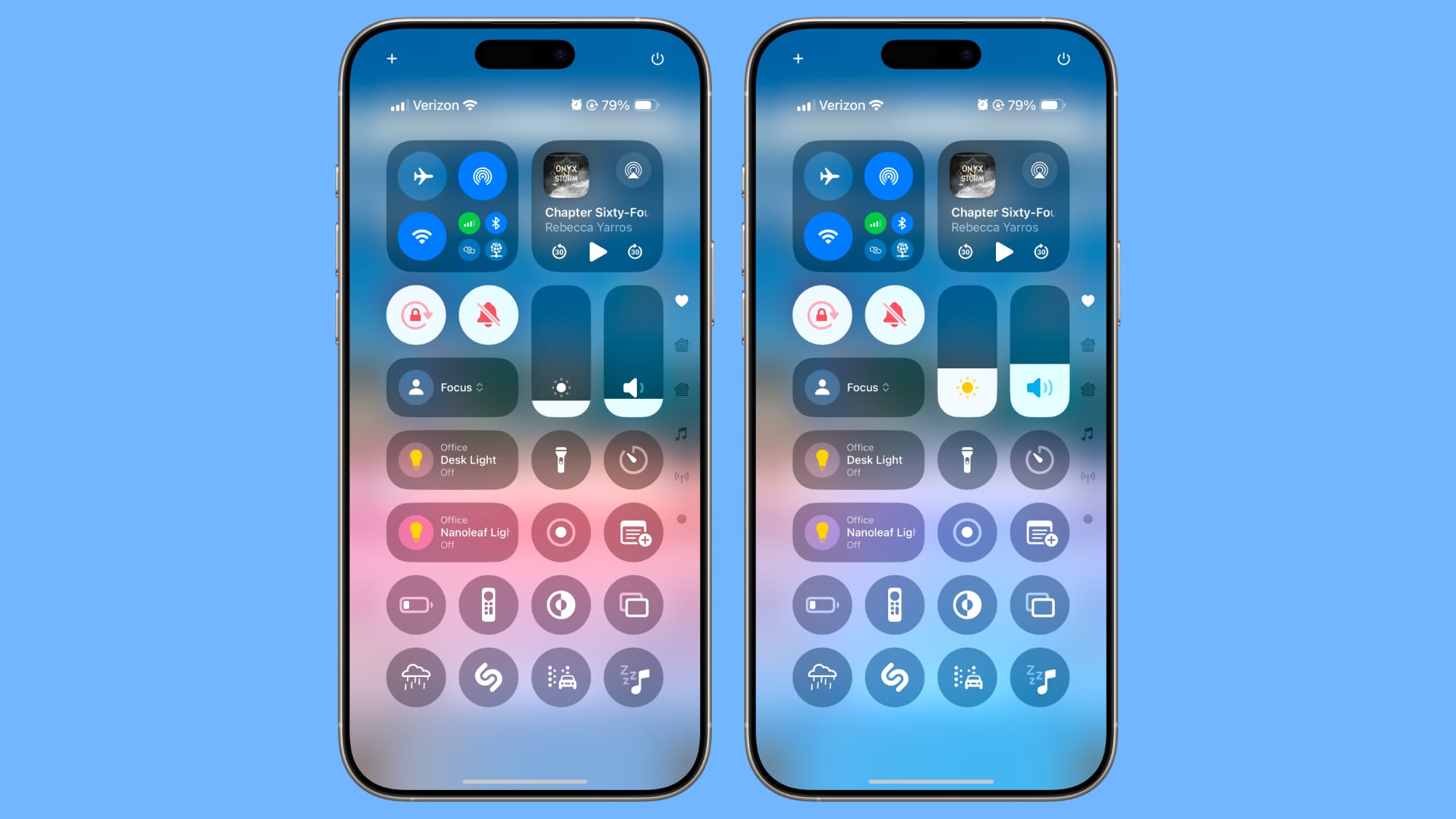
The Focus option in Control Center now has two small arrows that serve as a visual indicator that there are more options that can be accessed.
Shortcuts Actions
There are multiple new actions for Apple apps in the Shortcuts app, most of which are for changing app settings.
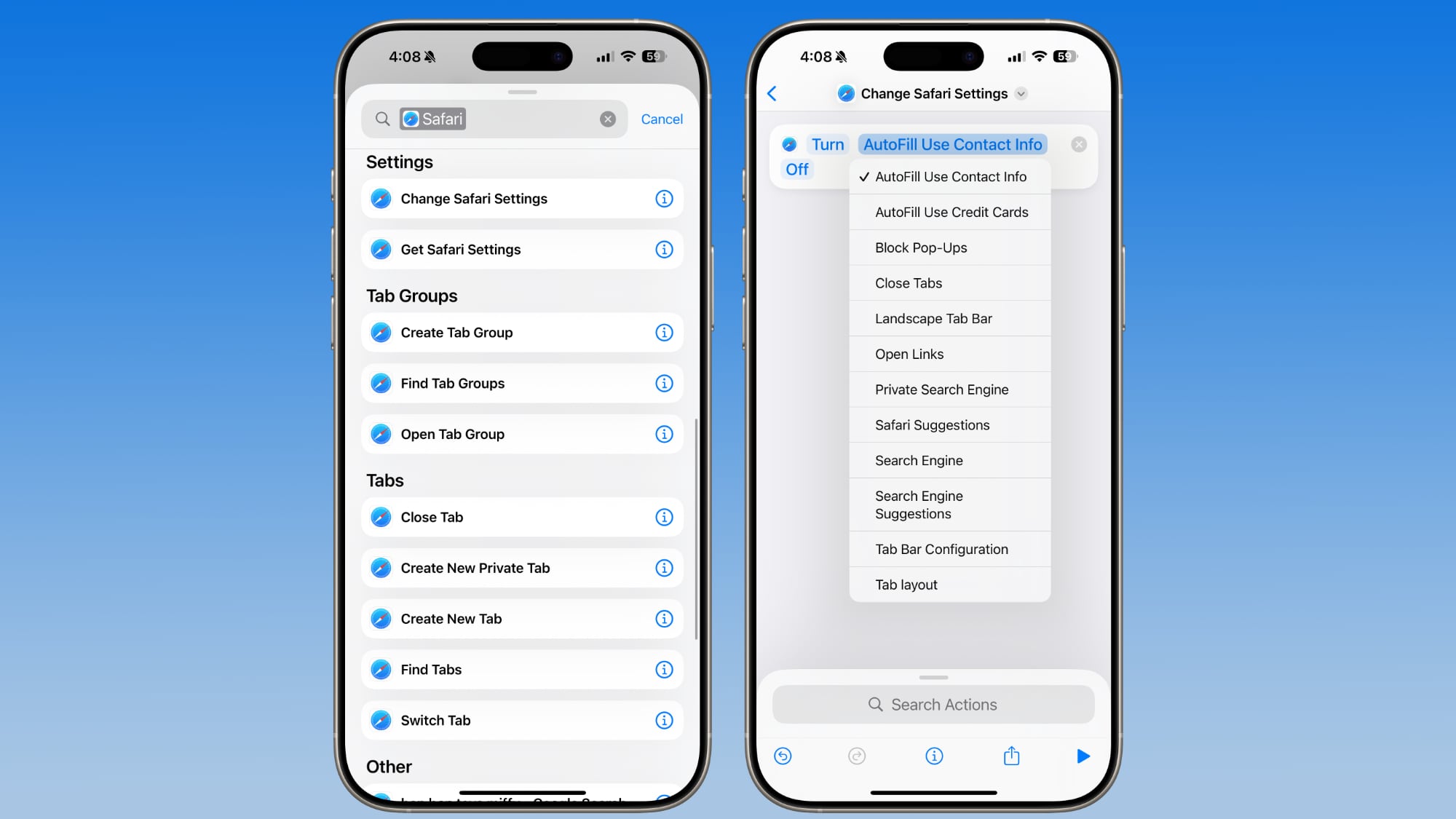
In Maps, for example, there are actions for things like avoid busy roads, avoid tolls, volume level, directions on radio, and more. In Safari, you can use AutoFill information, toggle on pop-up blocking, close tabs, change search engine, and change the tab bar configuration, among other options.
There are Settings actions for Maps, Safari, Reminders, Calendar, Apple TV, Books, Notes, Voice Memos, and Weather.
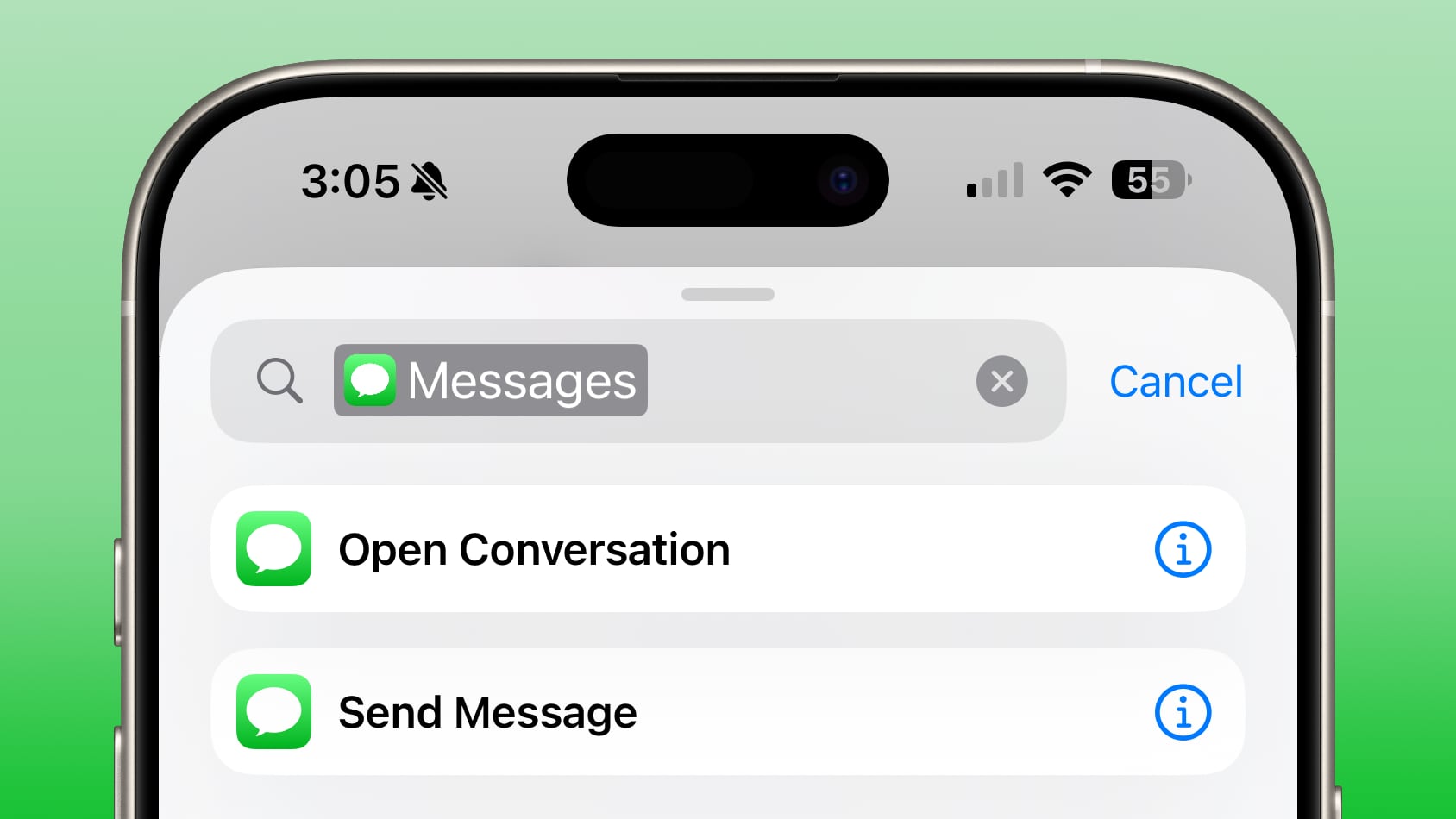
Apple also added a new Shortcuts action to open a specific conversation in the Messages app.
Safari
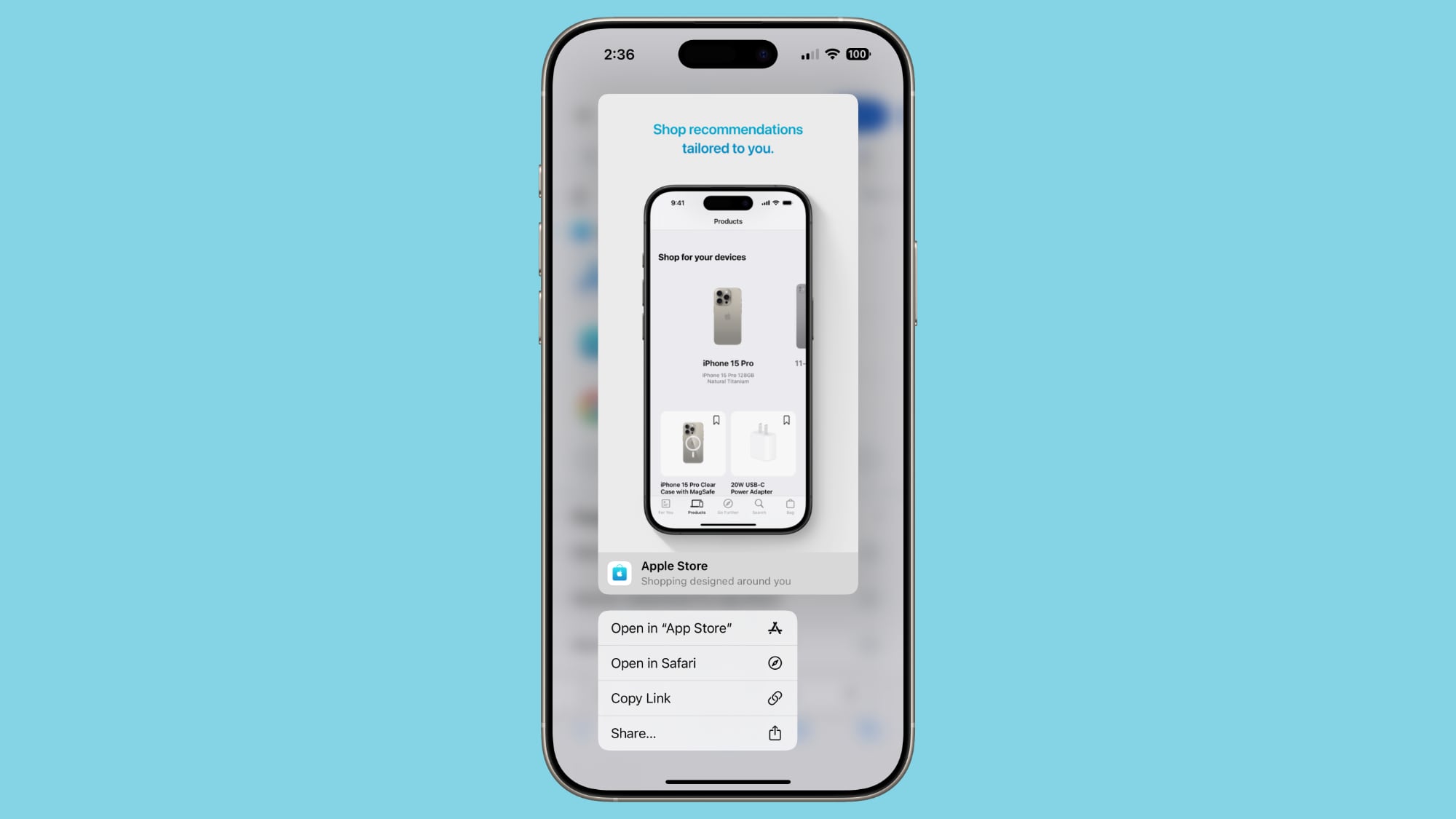
When you long press on an App Store link in Safari, there is an updated design for App Store link previews.
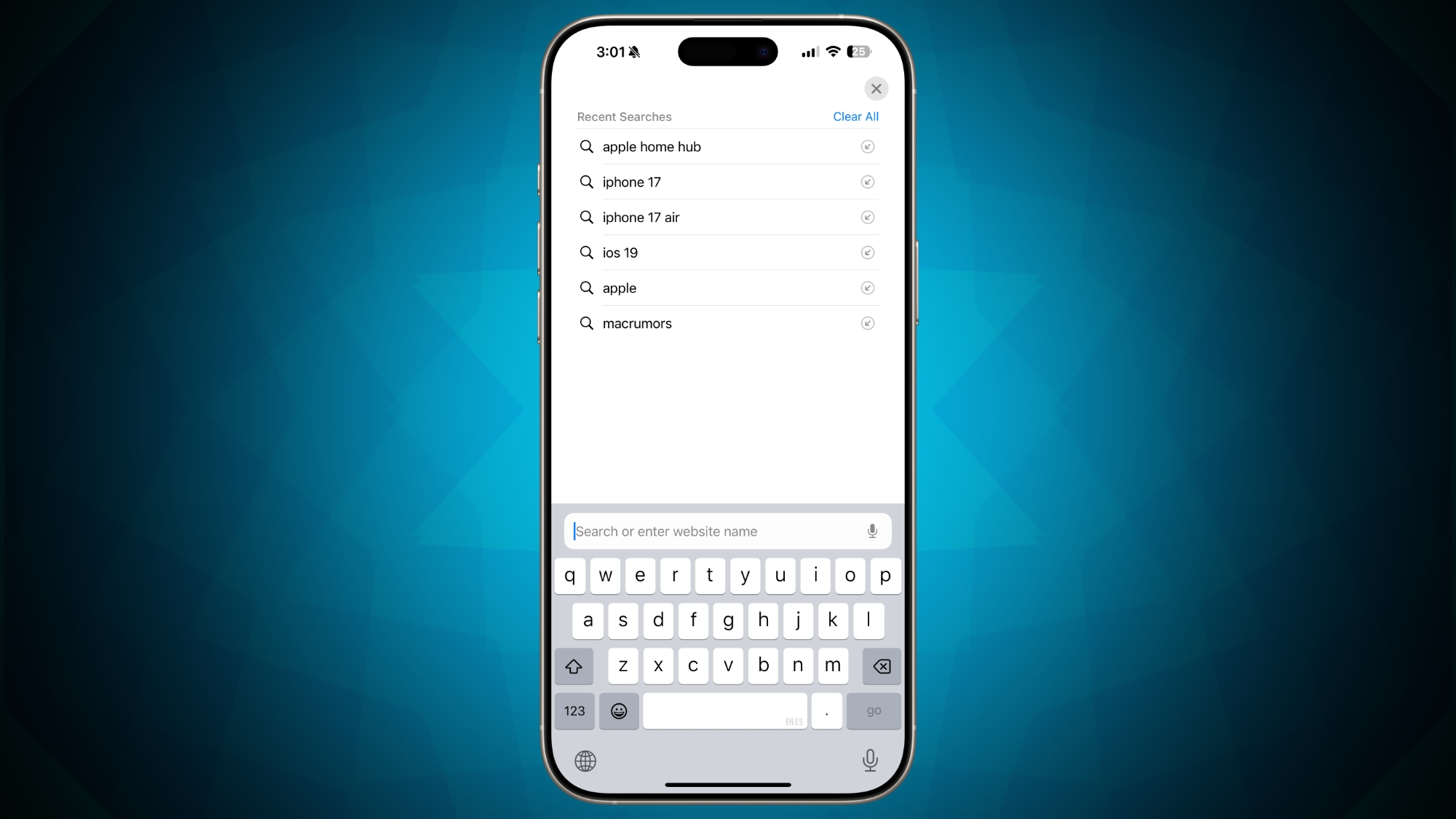
When you open up a new Safari tab and then tap the address bar, Safari shows a list of your recent searches. There is an option to disable recent searches by opening the Settings app, going to Safari, and toggling off Show Recent Searches.
CarPlay
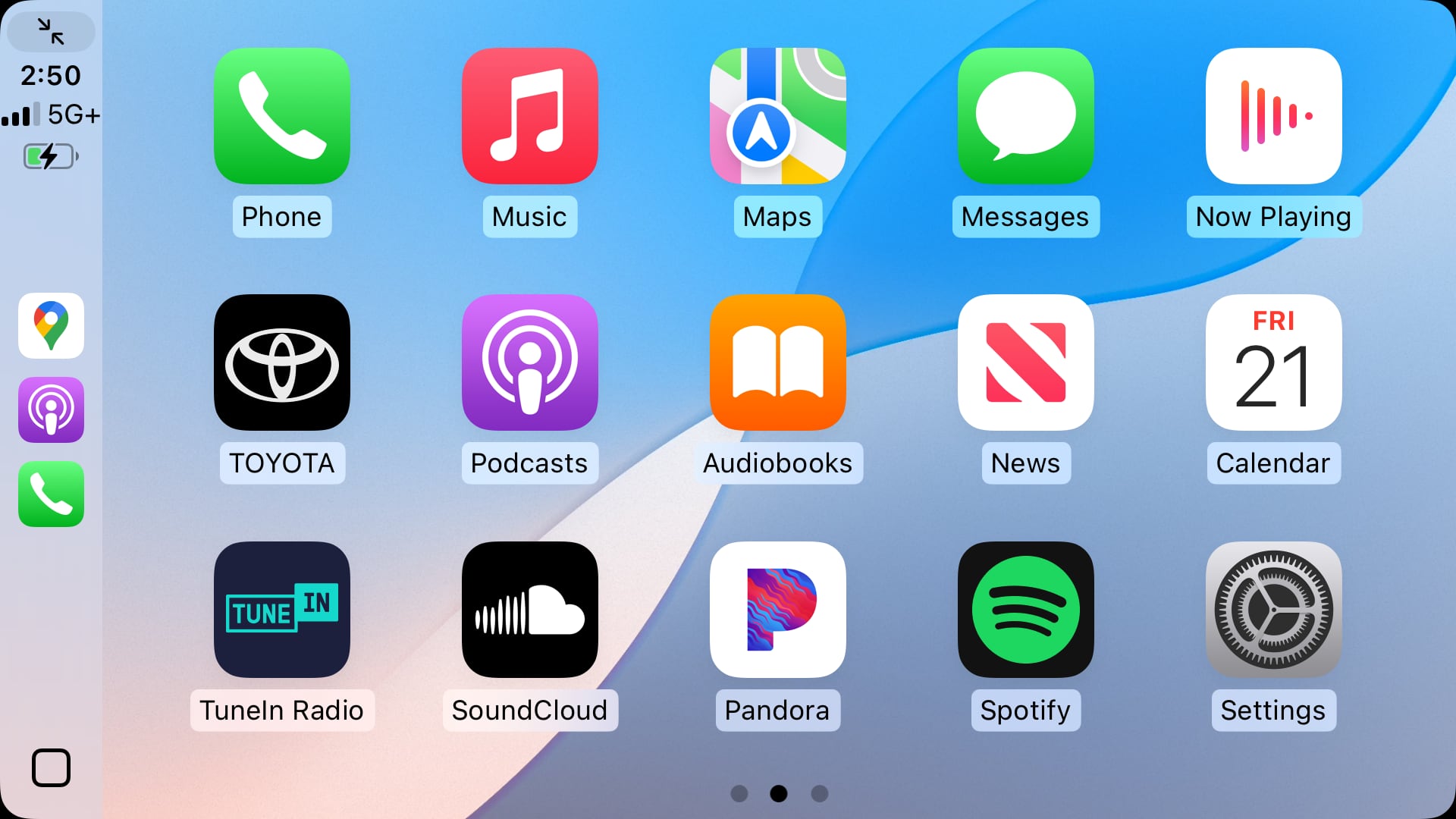
Some CarPlay users will have access to a third row of CarPlay icons on the Home Screen rather than just two rows.
Default Apps
There is an option to set a different Translation app as the default in the Default Apps section of the Settings app. In the EU, there is also an option to choose a different Navigation app.

Notification Center
The animation when swiping out of the Notification Center is now smoother.
Camera Control
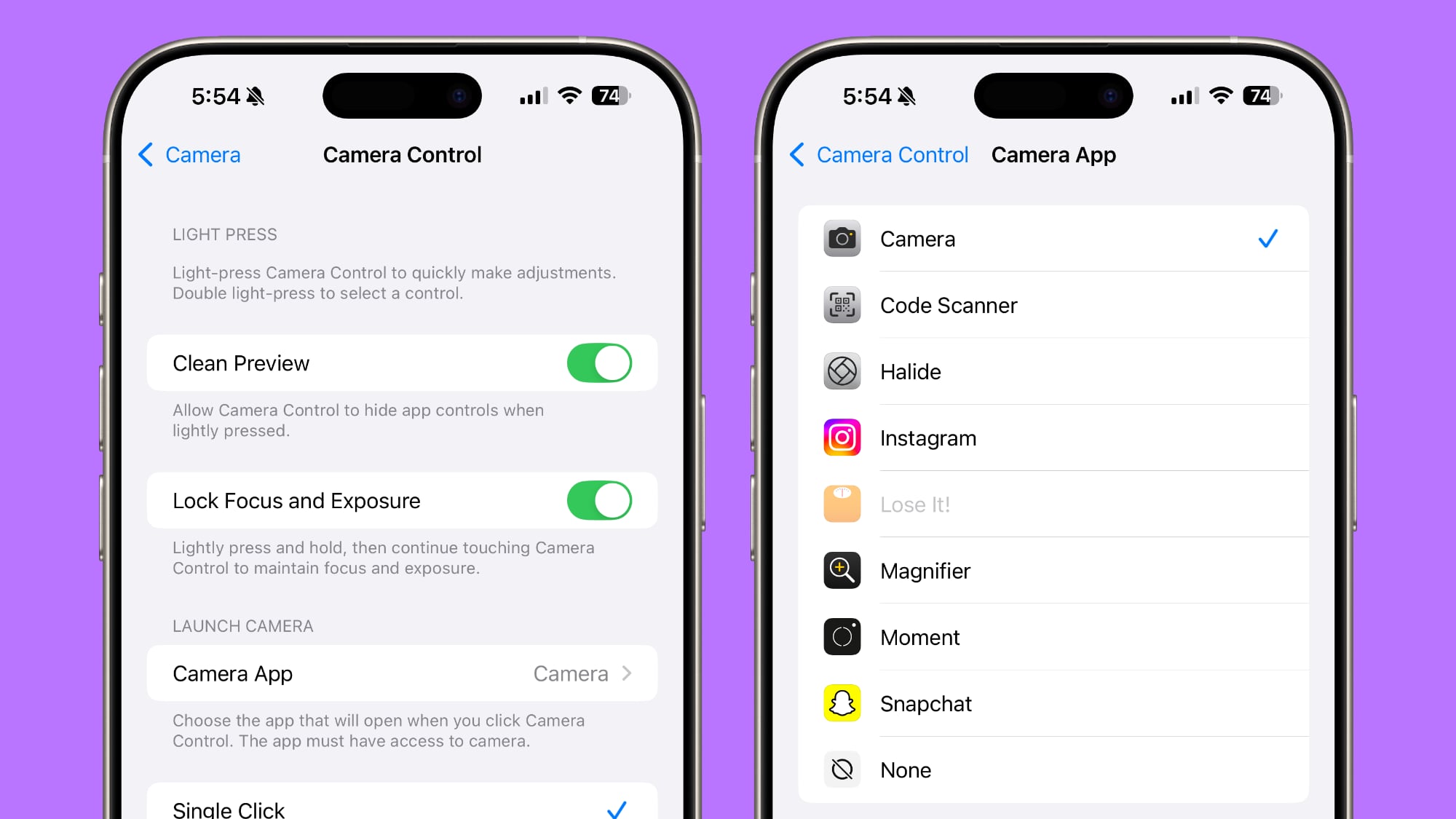
Additional camera apps that can be selected for the Camera Control feature on iPhone 16 models are now listed in a Camera App section rather than directly in the main Camera Control menu.
Safari Connection Security
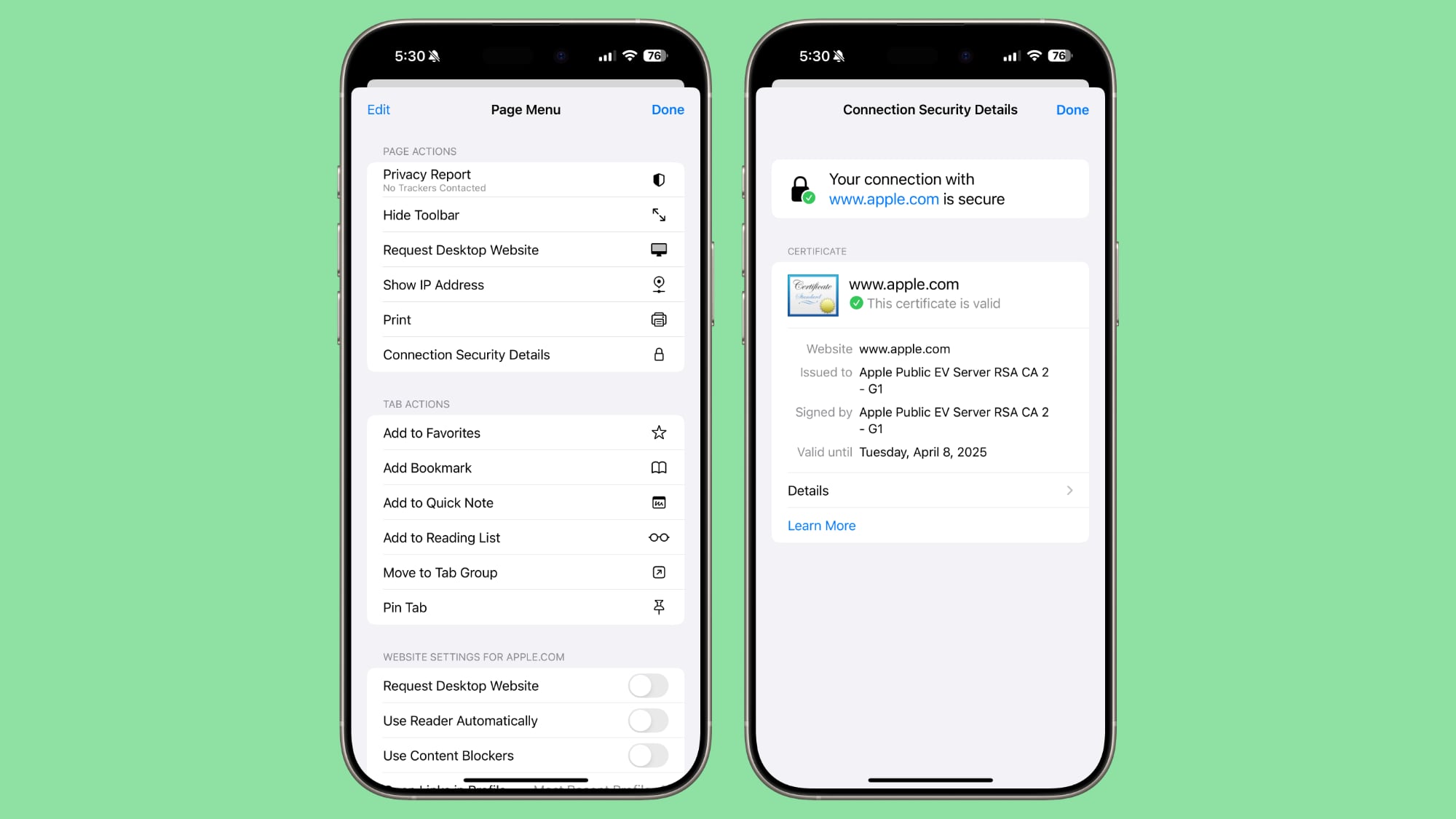
In Safari, you can tap into the details on a website to see the certificate through a new Connection Security Details interface to ensure the site is secure.
Robot Vacuum HomeKit Support
In iOS 18.4, HomeKit supports robot vacuums. Adding a vacuum to the Home app requires a vacuum with Matter support, and that requires robot vacuum manufacturers to implement Matter. Not all Matter-enabled robot vacuums will be able to be added to HomeKit right away.
Wallet
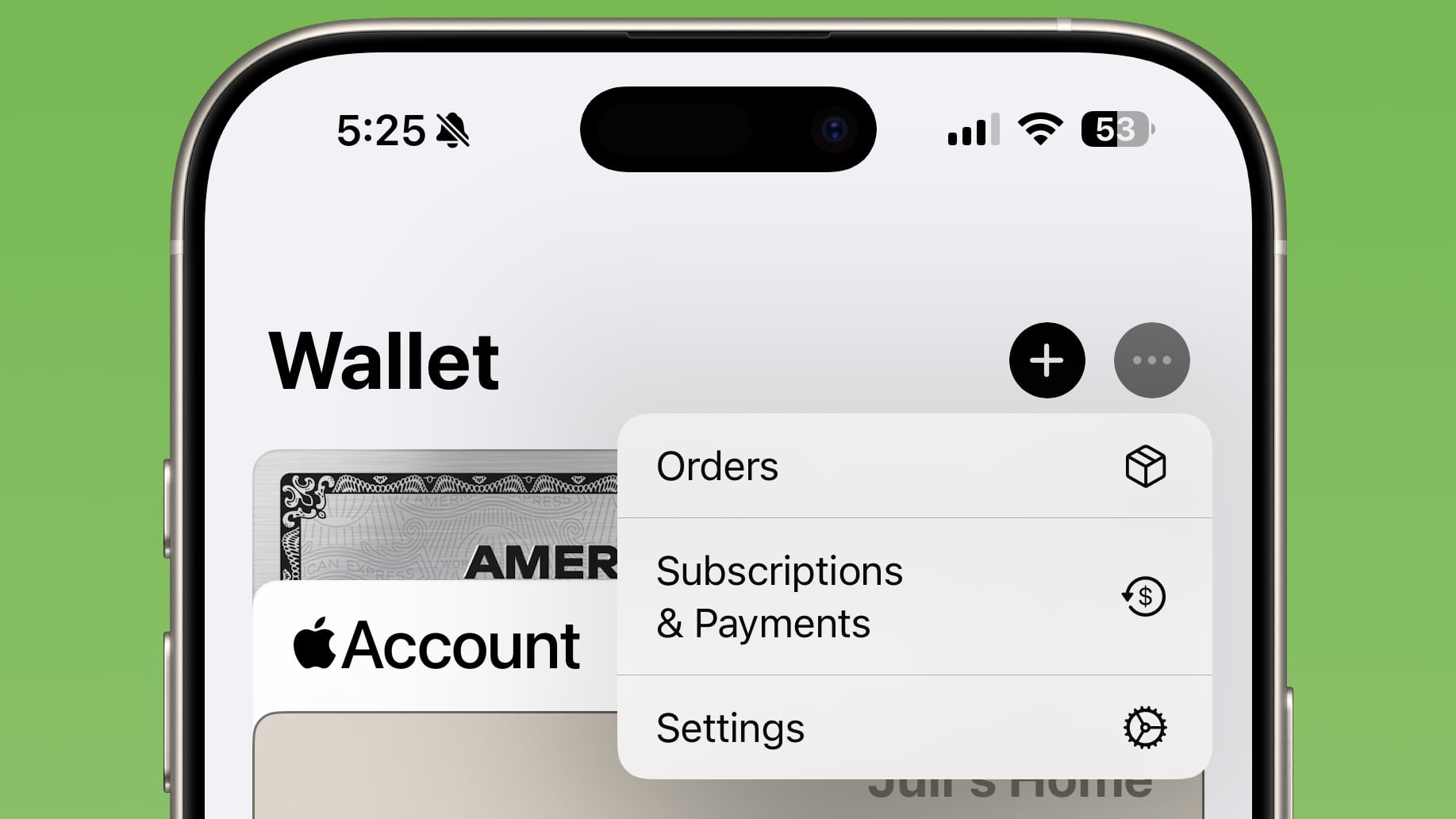
In the Wallet app, there is an updated menu that includes Orders, Settings, and Subscriptions and Payments. It can be accessed by tapping on the three dots in the upper right corner, which used to be just for package tracking.
Find My
Find My support has been added in South Korea.
Mail Categorization for iPadOS 18.4
With iPadOS 18.4, an updated Mail app is available with categorization. The new Mail app organizes incoming emails into different sections. Important emails are displayed in the Primary category, with other emails organized into sections highlighting product orders, newsletters, deals, and social notifications.
Mail categorization was previously introduced for the iPhone in iOS 18.2.
This article, "iOS 18.4 Features: Everything New in iOS 18.4" first appeared on MacRumors.com
Discuss this article in our forums
Read More





 Image
Image