Portable multi-device chargers are popular accessories for frequent travelers, offering the ability to keep your iPhone, Apple Watch, AirPods, and in some cases other devices charged up while away from home. Alogic’s recently launched Roam 21,000mAh 6-in-1 Power Bank takes things a step further, pairing all of these chargers with an integrated battery to help charge your devices even while away from fixed power.
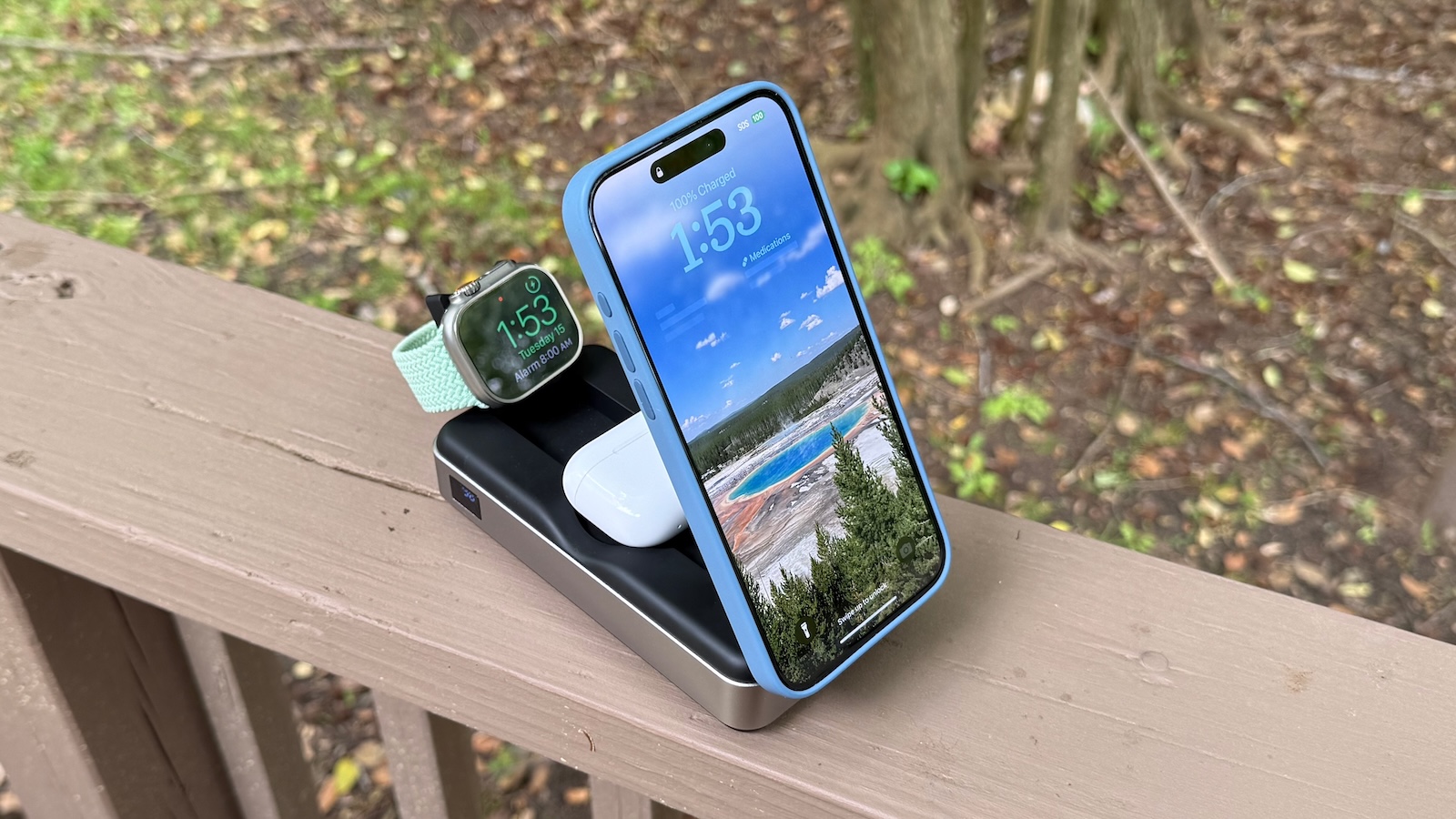
I’ve been testing out the Roam for a few weeks, including on a week-long multi-stop trip around the U.S., and I’ve found it to be a handy travel companion that gets the job done with a few sacrifices.
The Roam is essentially a fairly large 21,000 mAh (77 Wh) power bank equipped with a variety of charging surfaces, ports, and even an integrated USB-C cable to help charge whatever devices you’re bringing with you on the road.
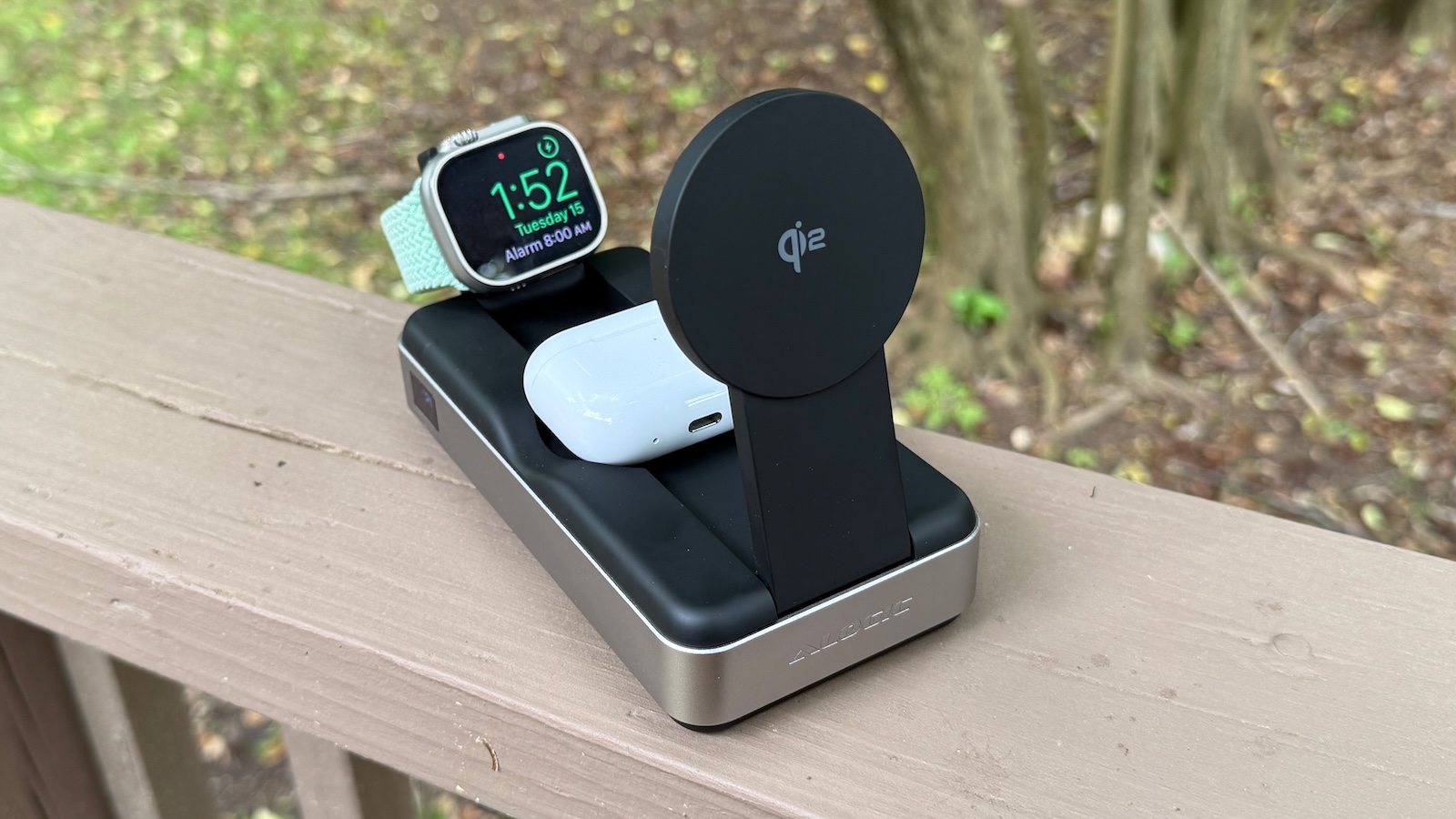
The whole thing folds down to a relatively compact rectangular body, but when you’re ready to use it, the Qi2 magnetic phone charging pad and the Apple Watch charging puck swing up for optimal positioning while also revealing a recessed Qi charging surface for charging your AirPods. If you need to charge more devices like an iPad and/or a Mac, there’s a short integrated USB-C cable that tucks in along the side of the Roam, plus a pair of USB-C ports on the rear.
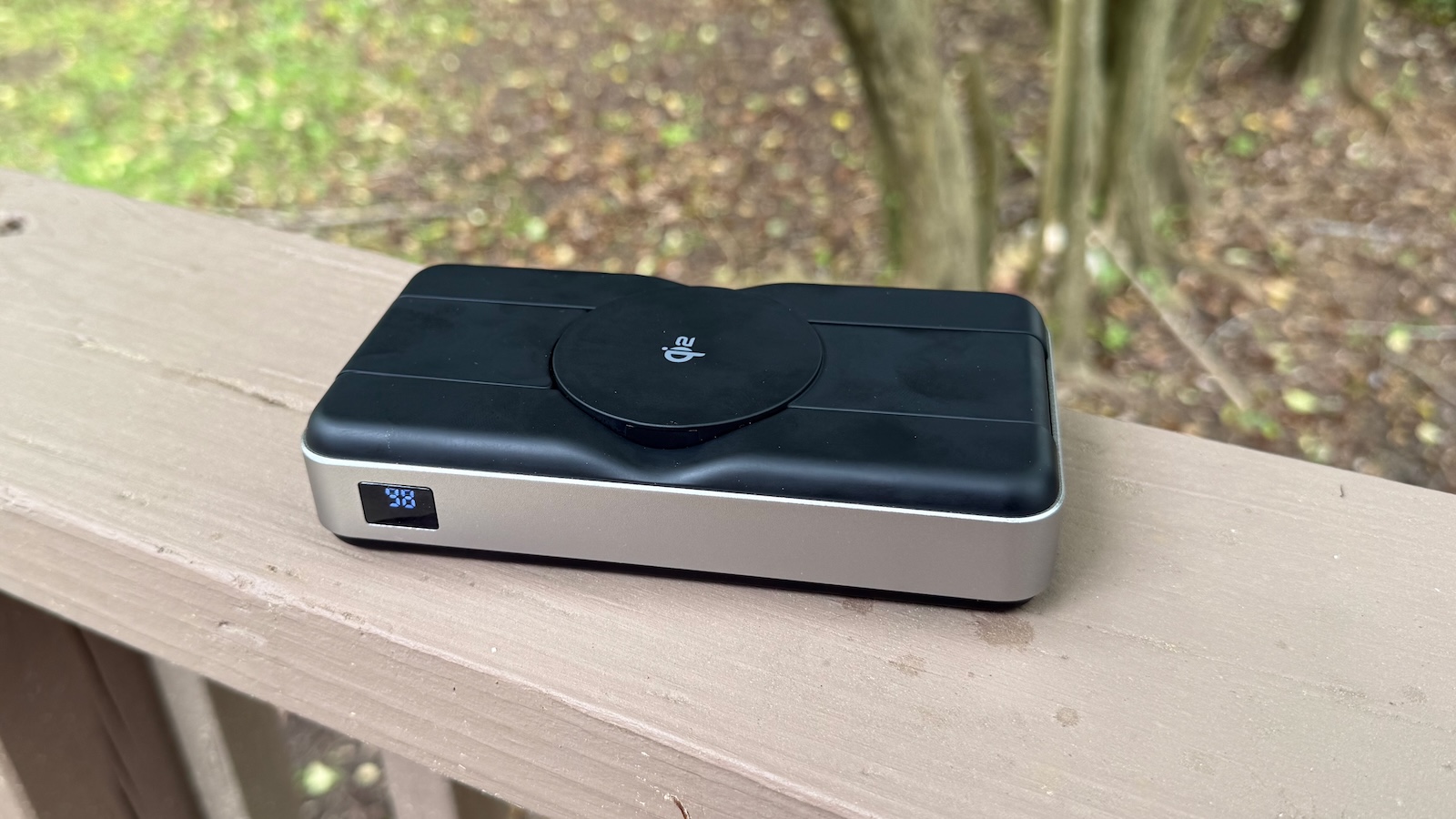
The body of the Roam is primarily a matte black plastic that does pick up a few fingerprints over time, with a band of aluminum around the edges.
As noted, the phone charger on the Roam is a MagSafe-compatible Qi2 charger, and it supports up to 15 watts of charging power for most of Apple’s recent iPhones. That’s not quite as fast as the 25-watt MagSafe support introduced on the iPhone 16 series, but it’s plenty sufficient. In my testing, the Roam was able to boost an iPhone 16 Pro Max battery by 50% in under an hour, similar to what I’ve seen with other Qi2 chargers. The folding pad works at any angle from completely flat against the body of the Roam to up to almost 90 degrees, and it remains solidly in position thanks to hinge tension, making it convenient to set up your phone to charge in either vertical or horizontal orientation, with StandBy mode supported.
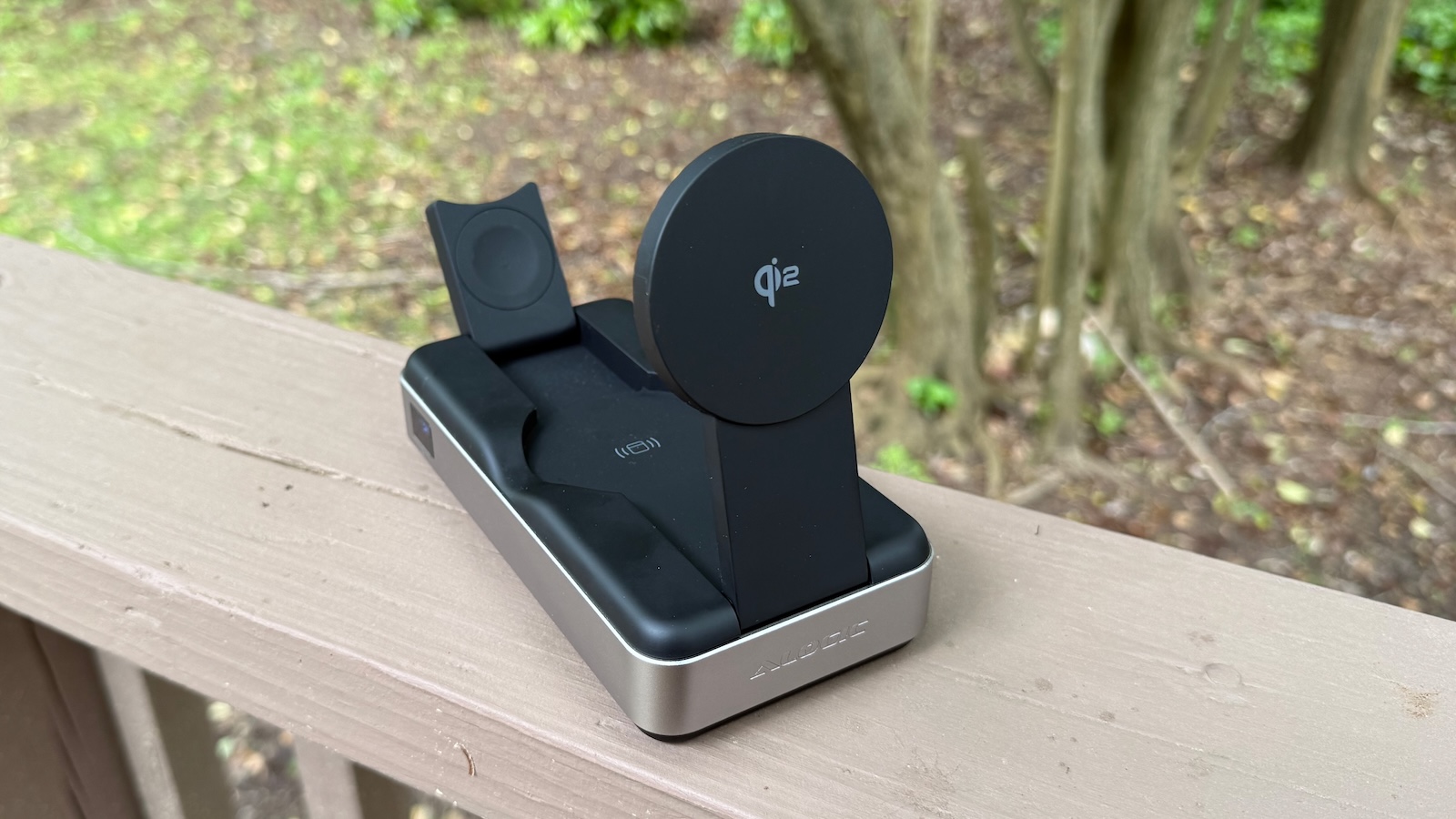
The AirPods charging surface is revealed once the Qi2 pad is raised, and it’s a simple 5-watt Qi charging pad without magnetic alignment, but it works fine for keeping wireless charging-capable AirPods cases charged up.
The Apple Watch charging puck swings up at the rear of the Roam, and it’s a matte black color that blends in nicely with the rest of the Roam’s surface, a pleasant deviation from the typical white Apple Watch charging pucks that tend to stand out visually. The puck’s design supports Nightstand mode for the Apple Watch, but its placement behind the Qi2 charger means you probably won’t be able to see it while charging multiple devices. The iPhone’s larger-screen StandBy functionality is better for nighttime use anyway.
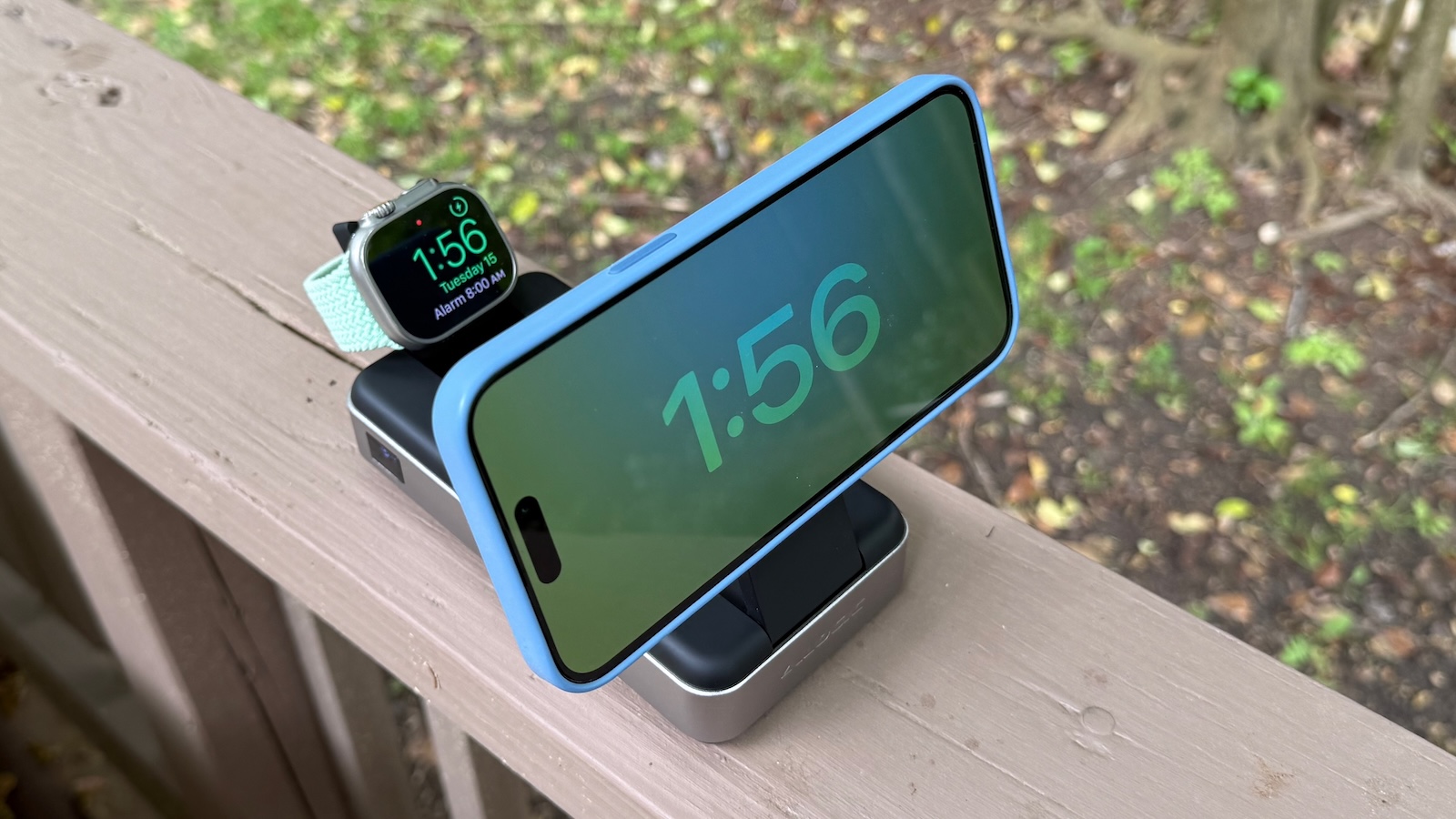
One potentially significant drawback for the Apple Watch charger is that it is NOT a fast charger and offers only 2-watt charging. As a result, my Apple Watch Ultra 2‘s battery only increased by around 25% in an hour on the charger, when a fast charger should be able to deliver around 80% charge in that amount of time. It’s a non-issue if you want to leave your watch on the charger overnight, but if you’re someone like me who likes to wear their watch overnight and usually tries to get a a quick charge in before bedtime, the Roam won’t be able to deliver on that front.
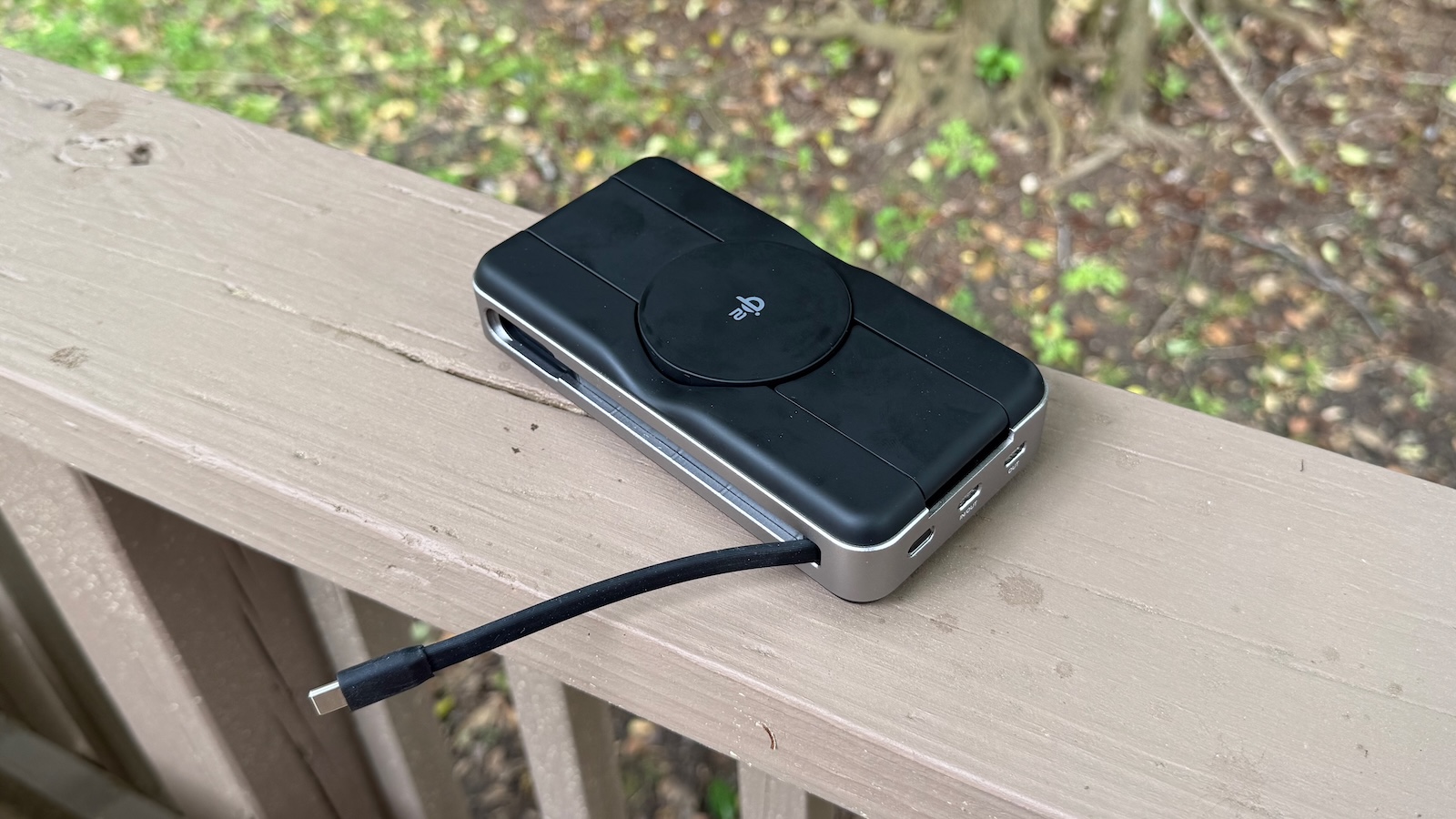
For charging other devices, the Roam features an integrated ~5-inch USB-C cable supporting up to 100 watts of charging power, as well as two USB-C ports on the rear, one of which supports up to 100 watts and the other supporting up to 18 watts. It’s worth noting that the Roam can deliver a maximum of 100 watts of simultaneous output, so you’ll only be able to max out those 100-watt USB-C options if you have nothing else connected to the power bank, but you can still get a decent amount of power out of them even with other devices charging.
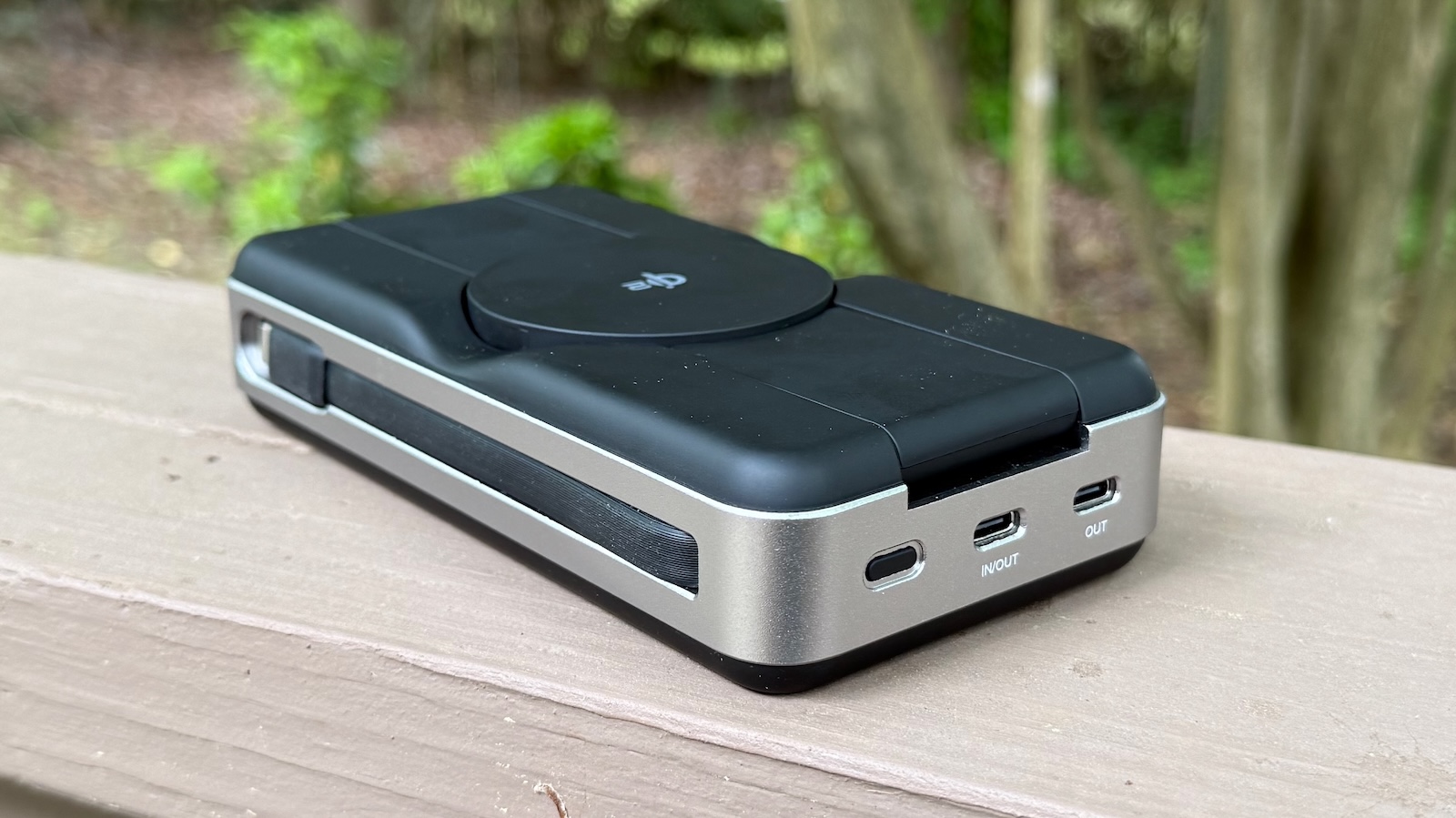
The Roam supports up to 65 watts of input charging through either the integrated cable or the 100-watt USB-C port, and it took about 90 minutes to recharge the Roam from 25% to 90% before things slowed a bit as it approached a full charge, reaching 97% after 120 minutes. Passthrough charging of other devices is supported if you are charging the Roam through the 100-watt USB-C port, but not if you’re using the integrated cable.
To help you keep tabs on charging state, the Roam features a small LCD on the side that shows the current level of the Roam’s internal battery, as well as some small green icons to provide information about charging input and output. There is also a power button on the rear of the Roam to help you turn it on and off and activate passthrough charging, but the bank also turns off automatically after a period of non-use to help limit battery drain.
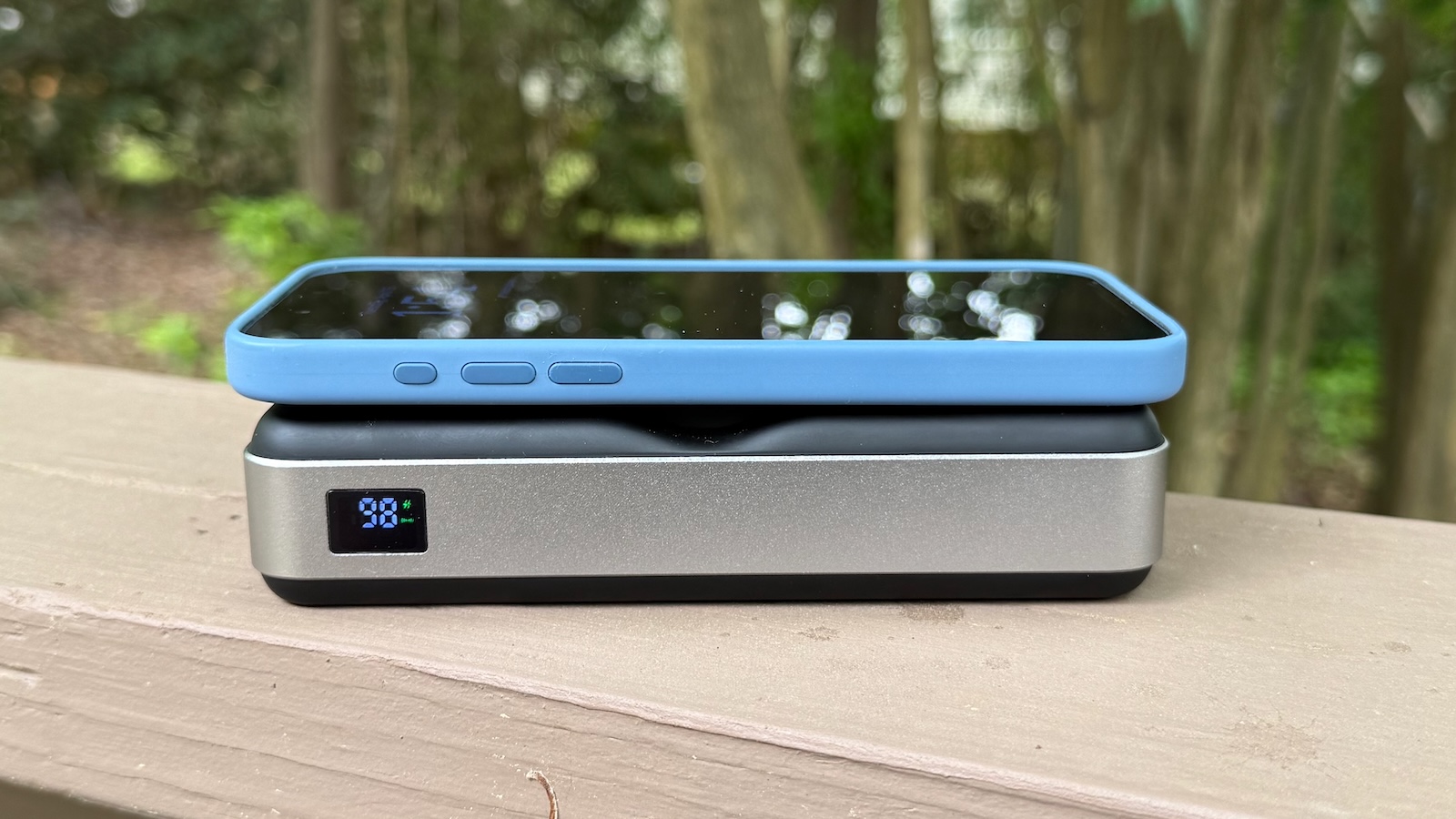
With its 21,000 mAh battery that checks in at 77 Wh, the Roam is comfortably under the limit for carrying it on an airplane, though that internal battery does still bring some heft with it. The Roam checks in at 606 grams or around 1.3 pounds.
That’s a decent amount of weight, but not unreasonably so to toss in a bag, backpack, or carry-on suitcase. Alongside everything else I was carrying in my backpack on my trip, the Roam’s weight wasn’t noticeable, but if I’d been traveling lighter it certainly would have made a difference. It measures in at 158 mm (6.2 inches) x 82 mm (3.2 inches) x 35 mm (1.4 inches), so it’s roughly the footprint of a Pro Max phone but substantially thicker and nearly three times as heavy.
That bulk and weight is the price you pay to be able to have a fair amount of battery power with you, but just how much does that 21,000 mAh actually get you? Alogic says you should be able to charge an iPhone 16 four times from the Roam, and that seems pretty much in line with my observation of around three times for an iPhone 16 Pro Max. The iPhone 16 Pro Max’s battery is only 4,685 mAh, so in theory you should be able to charge it four times from the Roam, but due to inefficiencies in power storage and transfer you won’t get quite that much out of it. An Apple Watch and AirPods obviously don’t require much juice to recharge, but if you’re looking to charge bigger items like an iPad or MacBook from the Roam, you’re going to start running out of power pretty quickly.
You might be able to get a full charge of a 13-inch MacBook Air out of it, but a 15-inch model would definitely be pushing it and any MacBook Pro would come up short, and that doesn’t even account for charging your iPhone and any other devices from the Roam.
So while the Roam would be plenty adequate for a weekend trip off the grid with your smaller devices, it’s not going to be sufficient to keep an entire set of Apple portable products up and running for more than a single additional charge, if that. While it would be great to be able to keep an iPhone, iPad, MacBook, Apple Watch, and AirPods charged up for days’ worth of use, the shortfall is simply the reality of how much power our devices need and the calculated tradeoffs of size and weight required to carry extra juice for them. As long as you’re aware of the limitations and keep your expectations in line, the Roam can be a solid travel companion to keep your devices going when you don’t have ready access to fixed power.
The other consideration worth keeping in mind is that the handy features of the Roam do add bulk, weight, and cost to the overall package. If you want a barebones power bank in the same capacity range, you can certainly find options that are much cheaper, a bit smaller, and on the order of half the weight, but you will need cables for each of your devices and potentially not be able to charge as many devices simultaneously as you can with the Roam. The Roam is a premium product offering convenience and travel simplicity, but if you’re willing to pay a bit more and carry some additional weight around, it may be worth the tradeoffs.
The Roam 21,000mAh 6-in-1 Power Bank is available from Alogic’s website and is normally priced at $197.99, but an Easter sale currently knocks 20% off, bringing it down to $158.39.
Note: Alogic provided MacRumors with the Roam power bank for the purposes of this review. No other compensation was received. MacRumors is an affiliate partner with Alogic. When you click a link and make a purchase, we may receive a small payment, which helps us keep the site running.
This article, "Review: Alogic's Roam Power Bank Charges Up All of Your Devices on the Go" first appeared on MacRumors.com
Discuss this article in our forums
Read More


 Le lancement de la GeForce RTX 5060 Ti approche, mais des questions se posent. Nvidia cherche-t-il à planquer l’édition 8 Go ?