Nanoleaf today announced the launch of the Pegboard Desk Dock, a desktop light that’s also able to hold accessories and serve as a dock for peripherals like a keyboard and a mouse thanks to added USB-A and USB-C ports.
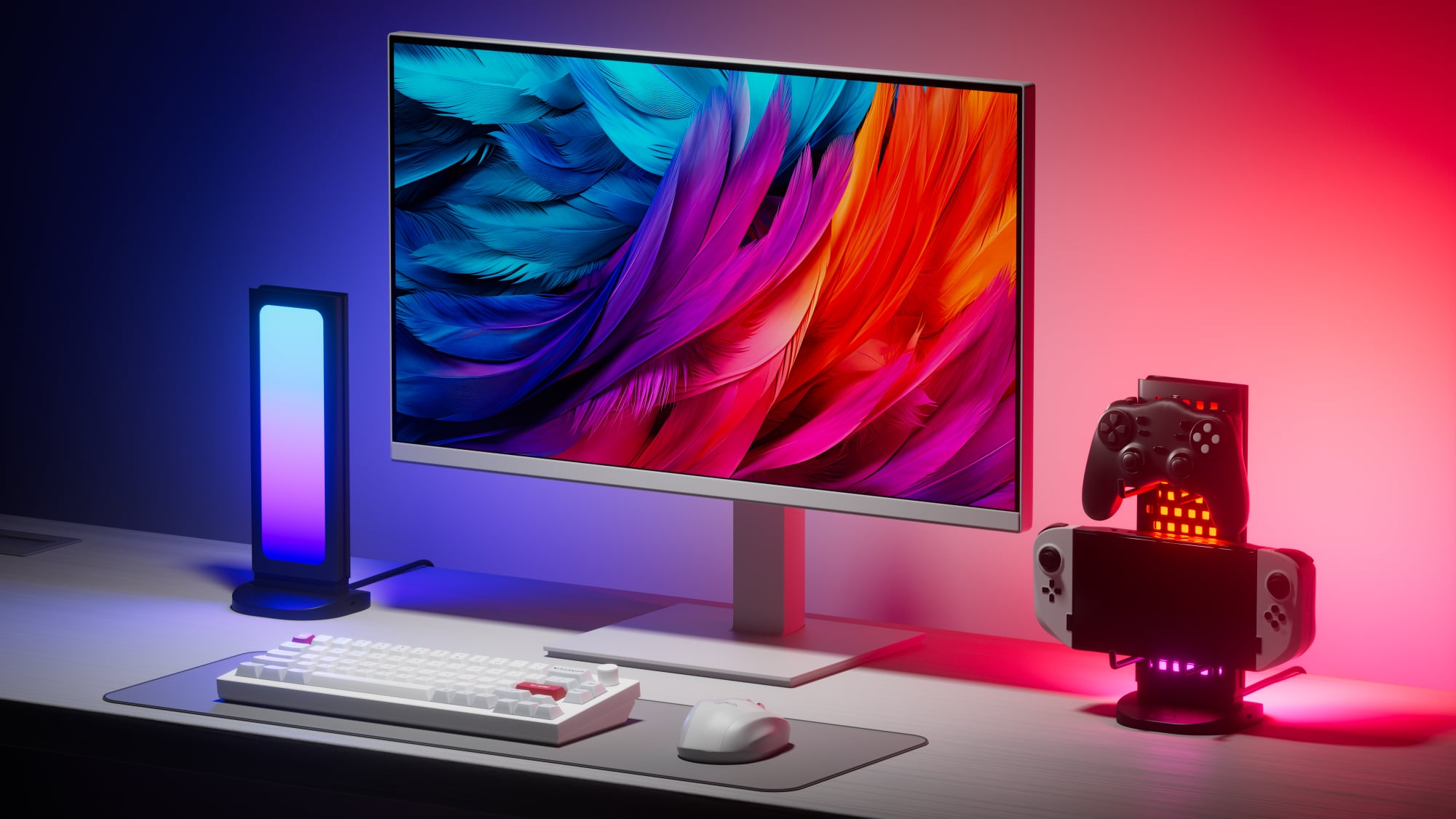
The Pegboard Desk Dock works with the Nanoleaf Desktop app, so it is able to change the color of the light to match the content on your Mac’s display, making it ideal for gaming, watching movies, and similar activities. Like other Nanoleaf products, the Pegboard Desk Dock supports millions of colors, and can be set to different scenes, including those that respond to music.
Because the Pegboard Desk Dock is meant to work specifically with a Mac or PC using a physical connection, it does not connect to HomeKit like other Nanoleaf products, nor does it work with the Nanoleaf mobile app. Instead, it connects to a computer over USB-C. There’s a built-in USB-C cable that needs to connect to a USB-C port on a Mac or a Mac’s attached display, like the Studio Display.
Once connected, the Pegboard Desk Dock can be paired to the Nanoleaf Desktop app. More than one Dock can be paired to a Mac at once, but both need to be plugged into separate USB-C ports, or, alternatively, one can plug into the other. To power two, the host Dock’s PD port needs to be connected to a power adapter via a USB-C cable, neither of which are included. You’ll also need to plug in for higher powered peripherals like webcams and keyboards with RGB lighting.
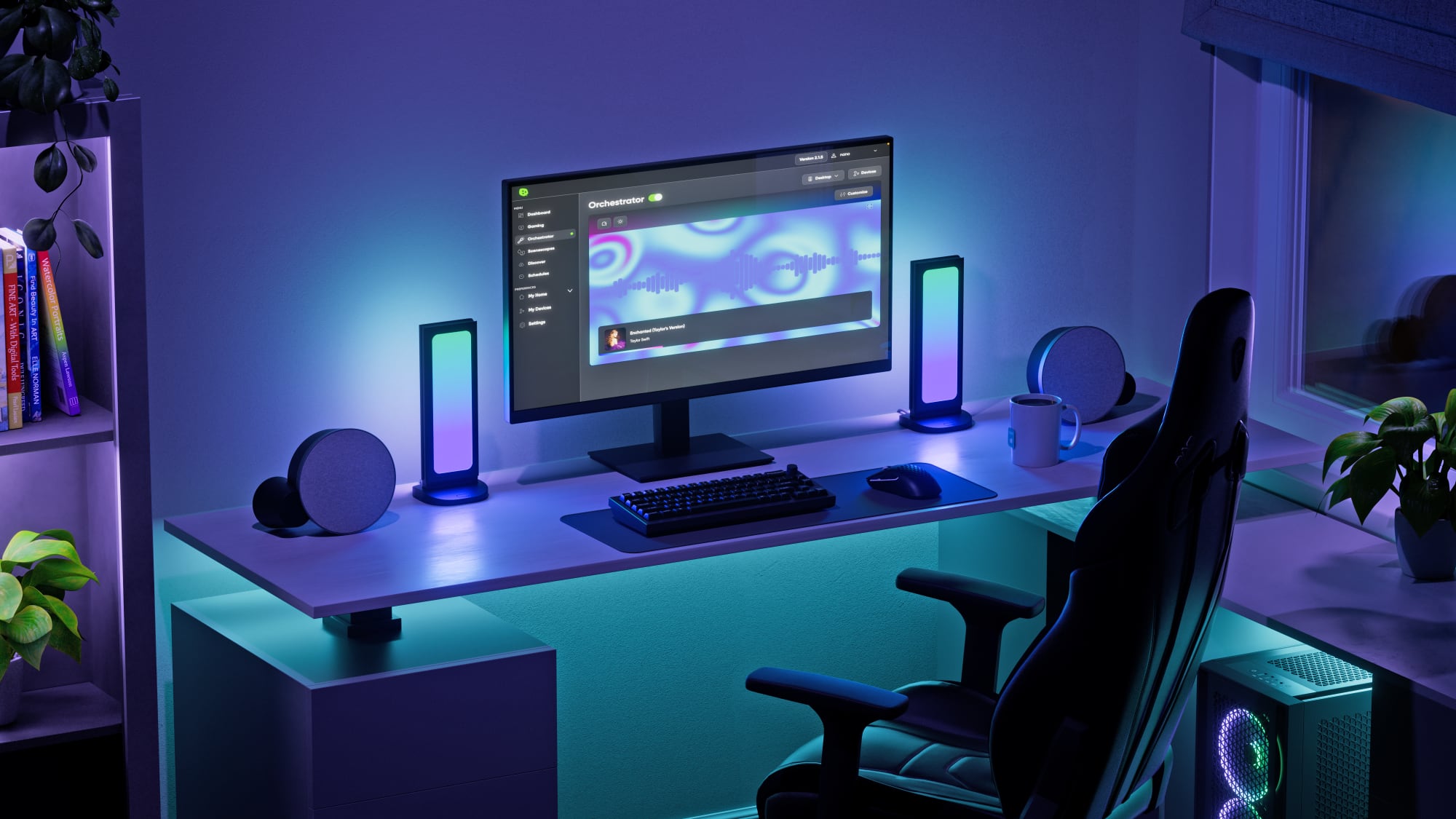
The Nanoleaf Desktop app can be used to set colors and animated scenes where the lights will cycle through different colors using patterns. There is also the option to have the lights change based on what’s on the display of your computer, which is a neat effect. Turning on this option requires Screen Mirroring to be enabled, and for that, the Nanoleaf app requires Screen and System Audio Recording capabilities.
While the Nanoleaf Desktop app itself is slow and somewhat laggy, the Screen Mirroring feature that actually displays the colors on the Pegboard Desk Dock works well with no latency. The Screen Mirroring option matches the color of the main window that you have active, so it’s best for full screen games and entertainment. It’s similar to light strips that change color based on what’s on a display, but it is more versatile. Because the lights aren’t designed to illuminate behind a display, the Pegboard Desk Dock works for setups where your desk is not in front of a wall.
An Orchestrator section of the app changes the light based on the audio of an app that’s selected like Apple Music, and a Scenescapes feature plays sound and light for an immersive experience. There are scenes like aquarium, beach, at sea, fireplace, and rainfall. Orchestrator and Scenescapes are only available with one option without a Nanoleaf Desktop subscription.
The Nanoleaf Desktop app costs $1.99 per month or $19.99 per year. It’s not needed to play scenes, change colors, or use Screen Mirroring, but it is needed for full Orchestrator and Scenescape access. When Screen Mirroring isn’t on, there are user-created scenes to choose from, and these scenes provide one-click access to tons of color and motion options. There’s plenty to access without a subscription.
The Pegboard Desk Dock is two-sided, so the light can be seen from either side. One side has the “pegboard” of the name, while the other is a plain, diffused LED. There are four hooks that can be attached to the pegboard side of the dock, and the size is ideal for game controllers or other similar objects.
There are two USB-C ports at the back of the Pegboard Desk Dock, another USB-C port on the side, and a USB-A port on the opposite side, so multiple peripherals can be connected. Aside from the built-in cable, there’s a cable extender if extra length is needed to reach a Mac. The light portion of the dock pops out of the base, which makes it easy to swap designs.
Each light is 50 lumens, and the dock side is not too bright when it’s next to a display, but the other side can be a little hard to look at if the colors aren’t muted down somewhat. Given that these aren’t super bright, they’re best used for ambient lighting in a dim room.
The Pegboard Desk Dock can be purchased from the Nanoleaf website for $60, with a two-pack available for $100.
This article, "Nanoleaf Launches Multi-Functional Desk Lights for Your Mac" first appeared on MacRumors.com
Discuss this article in our forums
Read More


 Microsoft propose une nouvelle mise à jour Windows 11, KB5055629. Elle vise les PCs sous 23H2 inscrits au canal Release Preview.
 Les fans de The Elder Scrolls peuvent peut-être avoir le sourire. Le remake de Oblivion serait sur le point d’être officiellement dévoilé.
 Bonne nouvelle, pour les propriétaires de robots aspirateurs Ecovacs et Roborock. Les fabricants de robotique au service du nettoyage de nos foyers ont annoncé ce mois-ci l’arrivée prochaine de la