Apple has quite a few security features that it’s added to iPhones, iPads, and Macs over the years. Now more than ever, it’s important to make sure you’re taking advantage of the built-in security tools that are available to keep yourself and your data safe, so we’ve rounded up a list of the most important options.
If you don’t already have these enabled, you might want to consider turning some of them on.
Two-Factor Authentication
With two-factor authentication, you need to verify your identify when you sign into iCloud on a new device or on the web. It works by sending a six-digit code to a device where you’re already signed in, and it won’t authorize a sign-in on the new device unless you input that code from your existing device.
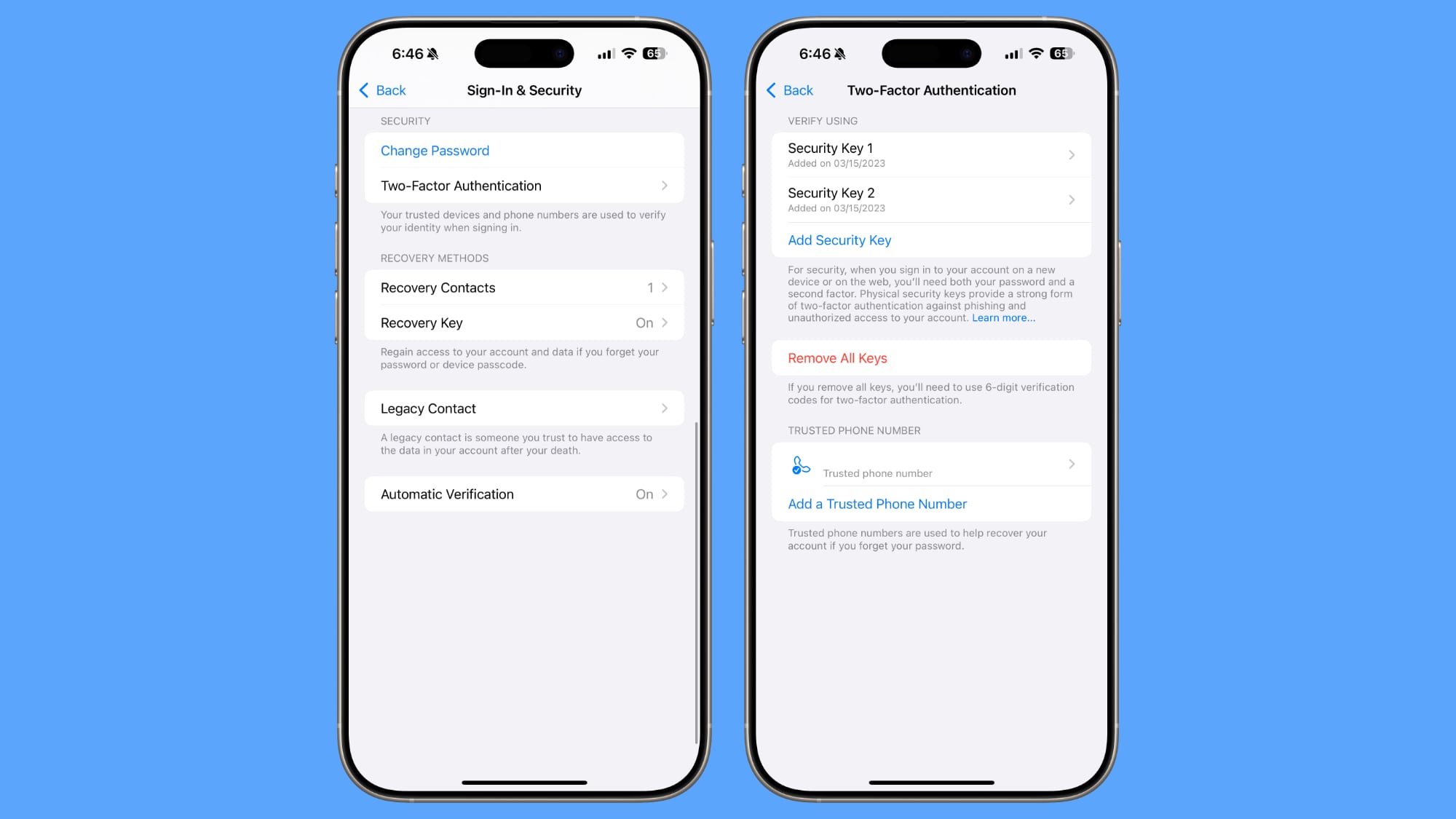
If you have an iPhone and want to sign into your iCloud account on your Mac, for example, when you enter your Apple Account name and password, you’ll get a pop-up on your iPhone with a code that you input for identity verification. Alternatively, you can set a trusted phone number where you can also get a code in case you forget your password.
Apple tries really hard to get people to use two-factor authentication, so chances are you have it enabled, but if you don’t, it’s a first line of defense to protect your data. There are even some iOS features that don’t work without it.
You can manage two-factor authentication by going to Settings > Sign-In and Security.
Security Keys
For an extra layer of protection with two-factor authentication, you can add physical security keys, such as the YubiKey. With a security key set up, you verify your identity with a physical dongle via USB-C or NFC.
Security keys make sure no one can break into your account even if they have access to one of your trusted devices, but you definitely don’t want to lose a security key. You can set this up in the two-factor authentication section of the Settings app.
Stolen Device Protection
Stolen Device Protection is a feature that Apple added after criminals got clever and started watching people enter their passcodes before stealing an iPhone.
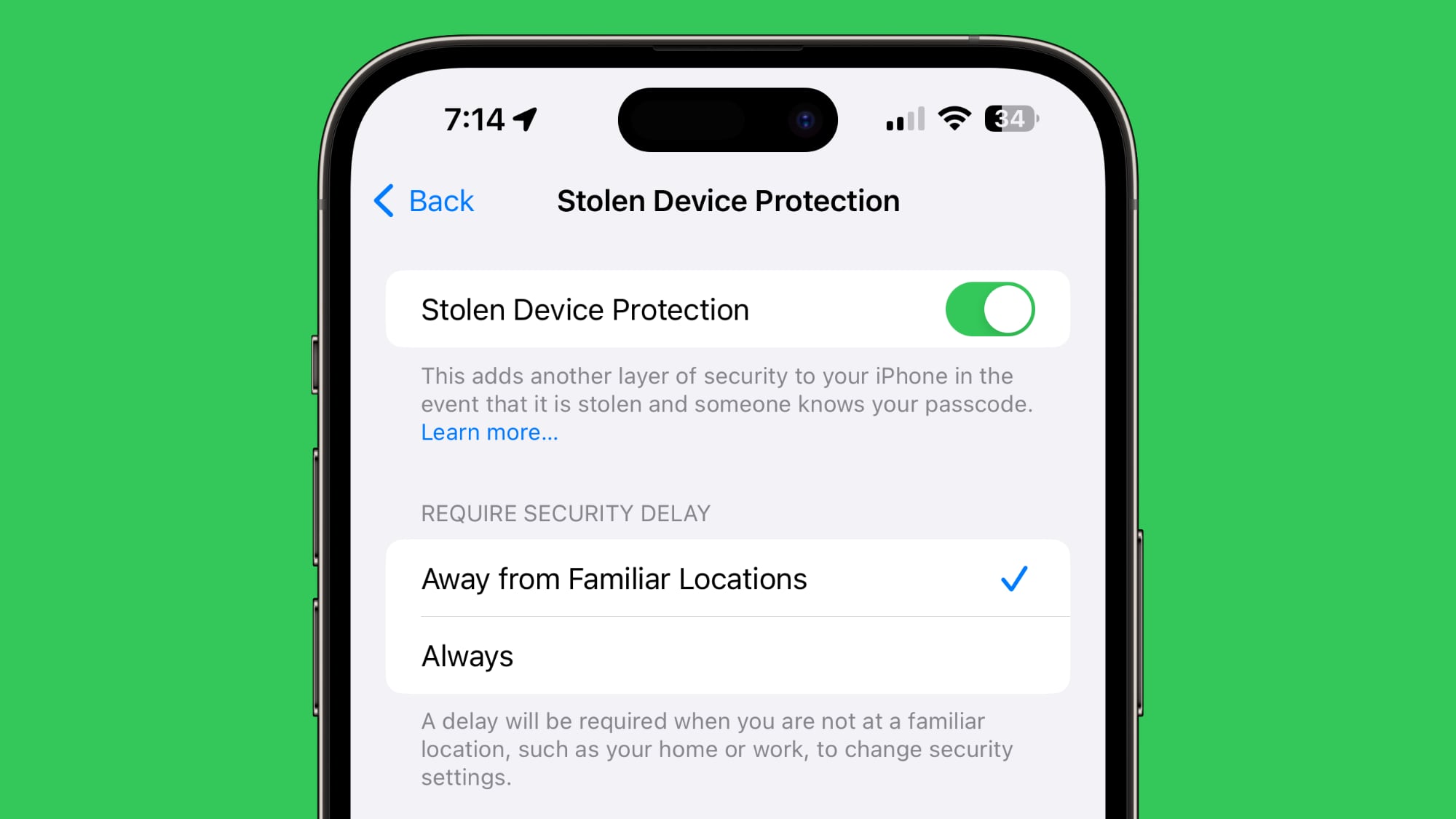
When you turn on Stolen Device Protection, a passcode won’t work for accessing sensitive information like passwords and credit card data. Instead, Face ID or Touch ID biometric authentication is required, so if a thief has your iPhone and your passcode, they won’t be able to get into your accounts.
There’s also a security delay that keeps your Apple Account password from being changed without two instances of biometric authentication and an hour-long delay.
Thieves are blocked from accessing passwords, making purchases, turning off Lost Mode on an iPhone, applying for an Apple Card, using an iPhone to set up a new device, and accessing credit cards and Apple Cash. There are delays for signing out of an Apple Account, changing a password, resetting settings, and turning off Stolen Device Protection.
By default, Stolen Device Protection is only on when you’re away from familiar locations like your home or your work, but if you want it on at all times, you just need to change the toggle to Always.
You can get to the Stolen Device Protection settings by opening up the Settings app, going to the Face ID and Passcode section, and tapping on Stolen Device Protection.
Private Relay
Private Relay is more of a privacy feature than a security feature, but it’s something that you should have on. It hides your IP address and browsing activity in Safari and protects unencrypted internet traffic so no one can see what you’re doing even if you’re on an unsecured network.
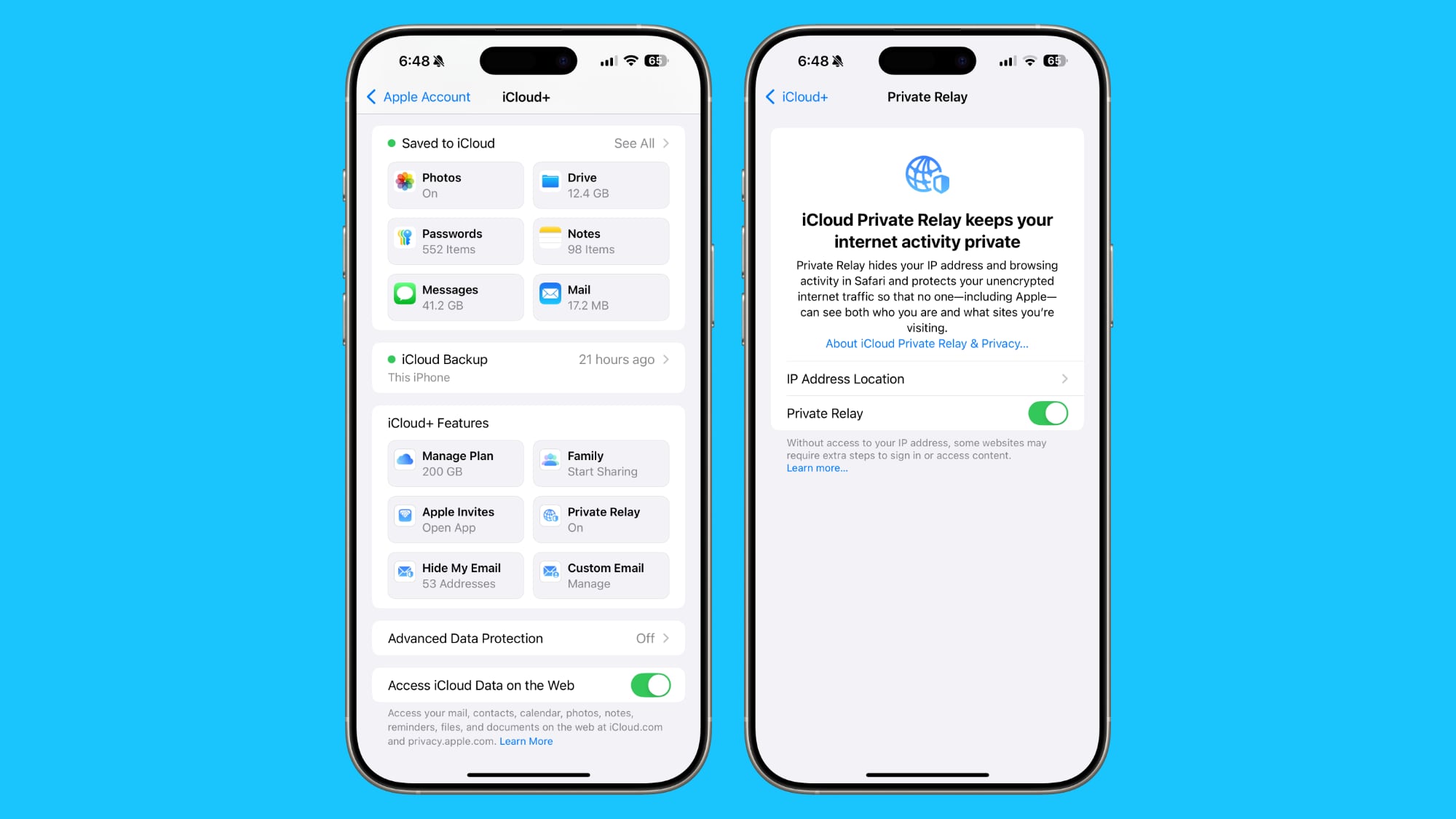
Private Relay is an iCloud+ feature that you get access to as long as you pay Apple at least $0.99 a month for 50GB of iCloud Storage, and it’s well worth it. You should also take advantage of Hide My Email whenever possible, as it will give you temporary email addresses that you can revoke at any time.
Private Relay can be enabled by opening up Settings, tapping on your profile picture, and tapping on the iCloud section.
Advanced Data Protection
By default, some of the data that’s saved in iCloud backups and uploaded to iCloud is not end-to-end encrypted, which means that Apple can provide iCloud backup data to law enforcement.
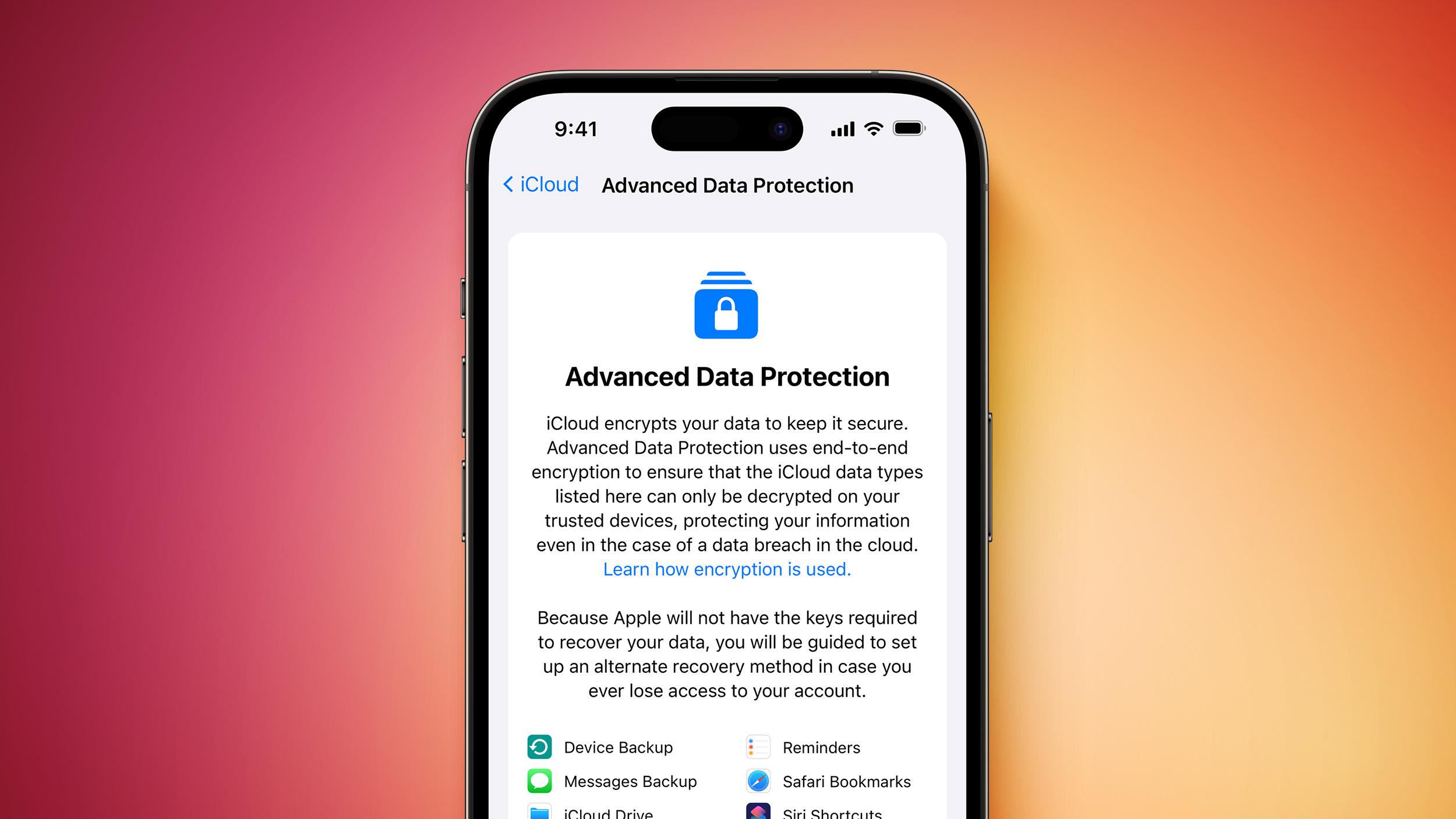
Advanced Data Protection encrypts your iCloud data so that it cannot be decrypted except for on your personal devices signed into your Apple Account. It is Apple’s highest security option for cloud data.
The feature protects device backups, Messages backups, iCloud Drive files, Notes, Photos, Reminders, Safari bookmarks, Siri Shortcuts, Voice Memos, and Wallet Passes, all of which can otherwise be accessed in iCloud backups by subpoena.
Advanced Data Protection is a good idea to turn on, but keep in mind that it means even Apple can’t recover your data if a password is lost. To use Advanced Data Protection, Apple requires you to have a recovery key saved or a recovery contact set up as a way to regain access to your account should you lose your password.
You can get to Advanced Data Protection by opening up the Settings app, tapping on your profile picture, selecting iCloud, and then scrolling down to the Advanced Data Protection section. You can also turn it on in the Privacy and Security section of the Settings app.
Lockdown Mode
Lockdown Mode is an extreme security option that most people won’t want to turn on, but it’s good to know where it is in case you need it.
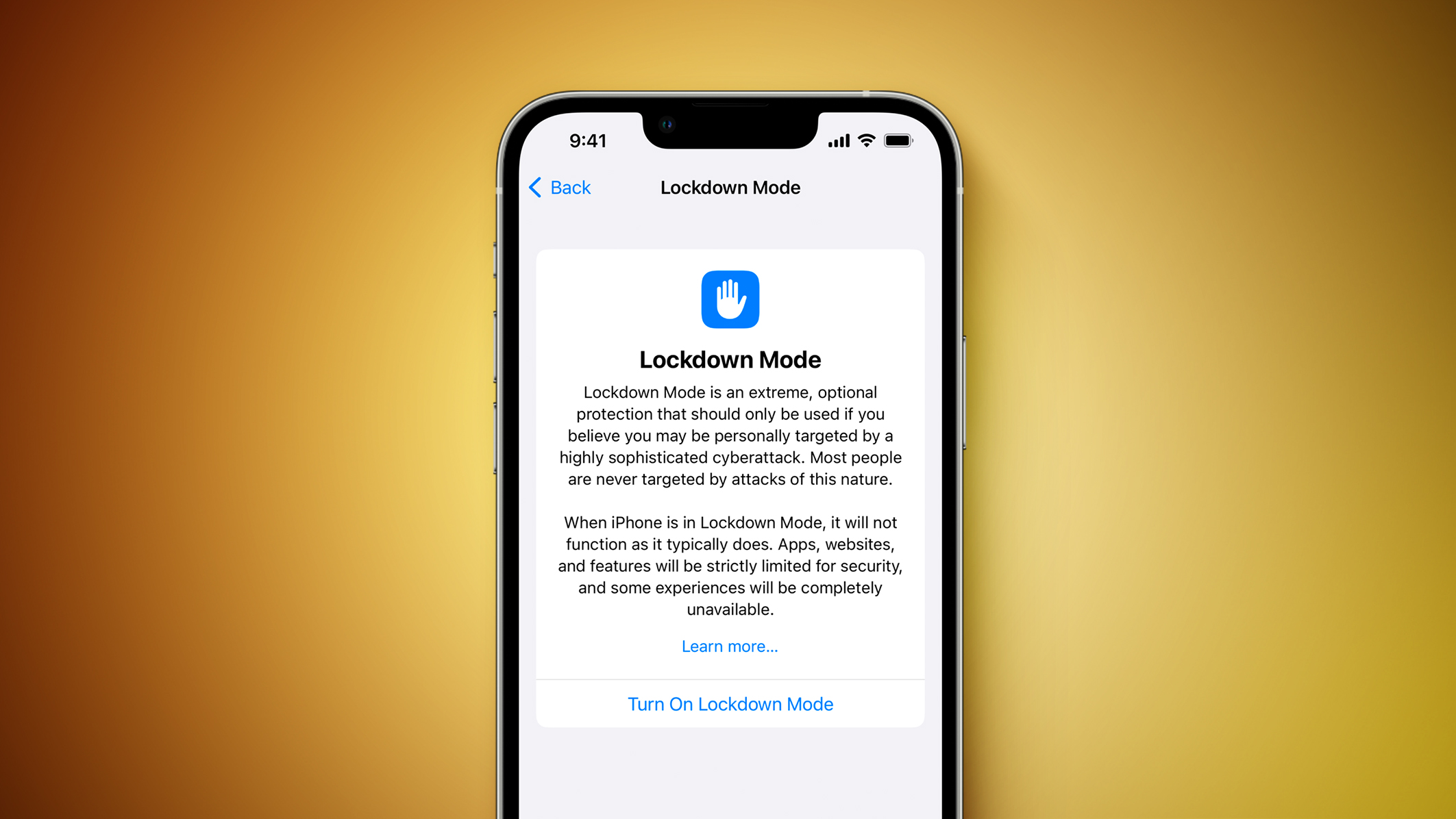
Apple designed this feature for journalists, activists, government employees, and others who might be in danger of being subject to sophisticated cyber attacks and mercenary spyware.
Lockdown Mode disables a lot of iPhone features, blocking Message attachments, web technologies like JIT (just-in-time JavaScript compilation), FaceTime calls from unknown contacts, shared albums in the Photos app, invites for Apple services from unknown people, physical device connections, and configuration profiles.
It essentially removes common attack vectors by limiting iPhone functionality, so it’s not something you’re going to want to use day-to-day unless you need it. Lockdown Mode can be turned on by opening up Settings, going to Privacy and Security, and tapping on the Lockdown Mode option.
Contact Key Verification
Similar to Lockdown Mode, Contact Key Verification is designed for a limited number of people who need to confirm the identify of who they are speaking to. It provides an option to compare contact verification codes with someone in person or over the phone, so no one can impersonate that person at a later date.
This article, "Five iPhone Security Features You Should Be Using" first appeared on MacRumors.com
Discuss this article in our forums
Read More



 Le lancement de la RTX 5060 Ti divise : seules les cartes 16 Go sont testées, les 8 Go absentes. Un flou qui agace les médias spécialisés.