How to Share Safari Tab Groups in macOS

In macOS, Apple allows you to share Tab Groups in Safari with colleagues, friends, and family. Keep reading to learn how it’s done.


Introduced back in macOS Monterey, Tab Groups are designed to make organizing and preserving open tabs more manageable in Safari without having to have those tabs active.

In a Tab Group, you can easily collect and save related tabs, which can be especially advantageous in scenarios where collaboration and coordination are key. For instance, teams working on research projects can compile relevant sources into a shared group, allowing everyone to stay aligned and contribute in real time.

Families planning a vacation can gather booking sites, maps, and activity pages in one place, making it easy to explore options together. Even casual browsing, like curating gift ideas or event plans with friends, can benefit from this feature, turning scattered links into a centralized, living workspace. Here’s how it’s done.

  1. To share a currently open Tab Group in Safari, reveal Safari’s sidebar by clicking the Show sidebar button.

    safari

  2. Right-click the Tab Group or click the ellipsis button (three encircled dots) next to the Tab Group in the list and select Share Tab Group from the contextual menu.
    safari

  3. Choose the desired sharing method from the Share Sheet menu that appears. Selecting Mail or Messages, for example, will open the associated app with a link to the Tab Group, ready to be sent.

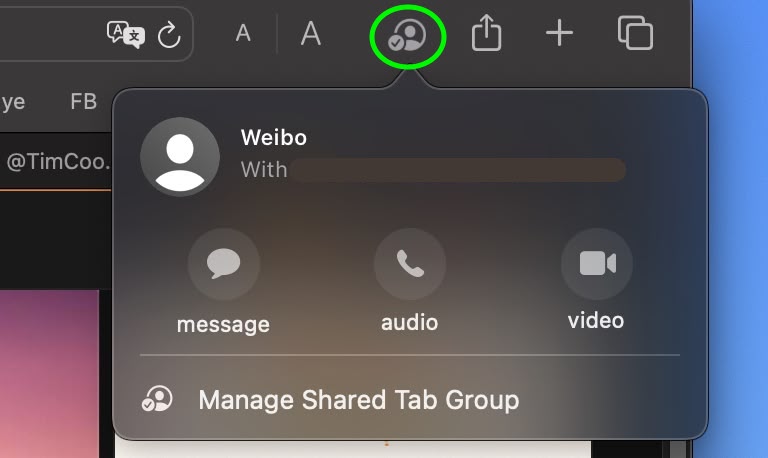
Once you’ve sent an invite, you can see who has access to the Tab Group by clicking the user profile icon that appears on the right-hand side of Safari’s address bar.

safari

From there, you can manage access to the Tab Group: you can revoke access, add new people, or call and message them to chat about the project. Note that everyone you collaborate with must be signed in to their Apple Account, have Safari turned on in iCloud settings, and have two-factor authentication turned on.

If you’re on iPhone and iPad, here’s how to share Tab Groups: Tap the open tabs button in the bottom-right corner of the screen (the two squares overlapping), then tap the Share icon (the square with the arrow pointing out). Tap Messages, then choose the person that you want to share the group with.

Tag: Safari

This article, "How to Share Safari Tab Groups in macOS" first appeared on MacRumors.com

Discuss this article in our forums

Read More

Kindle App Gets Biggest iOS Change in Over a Decade

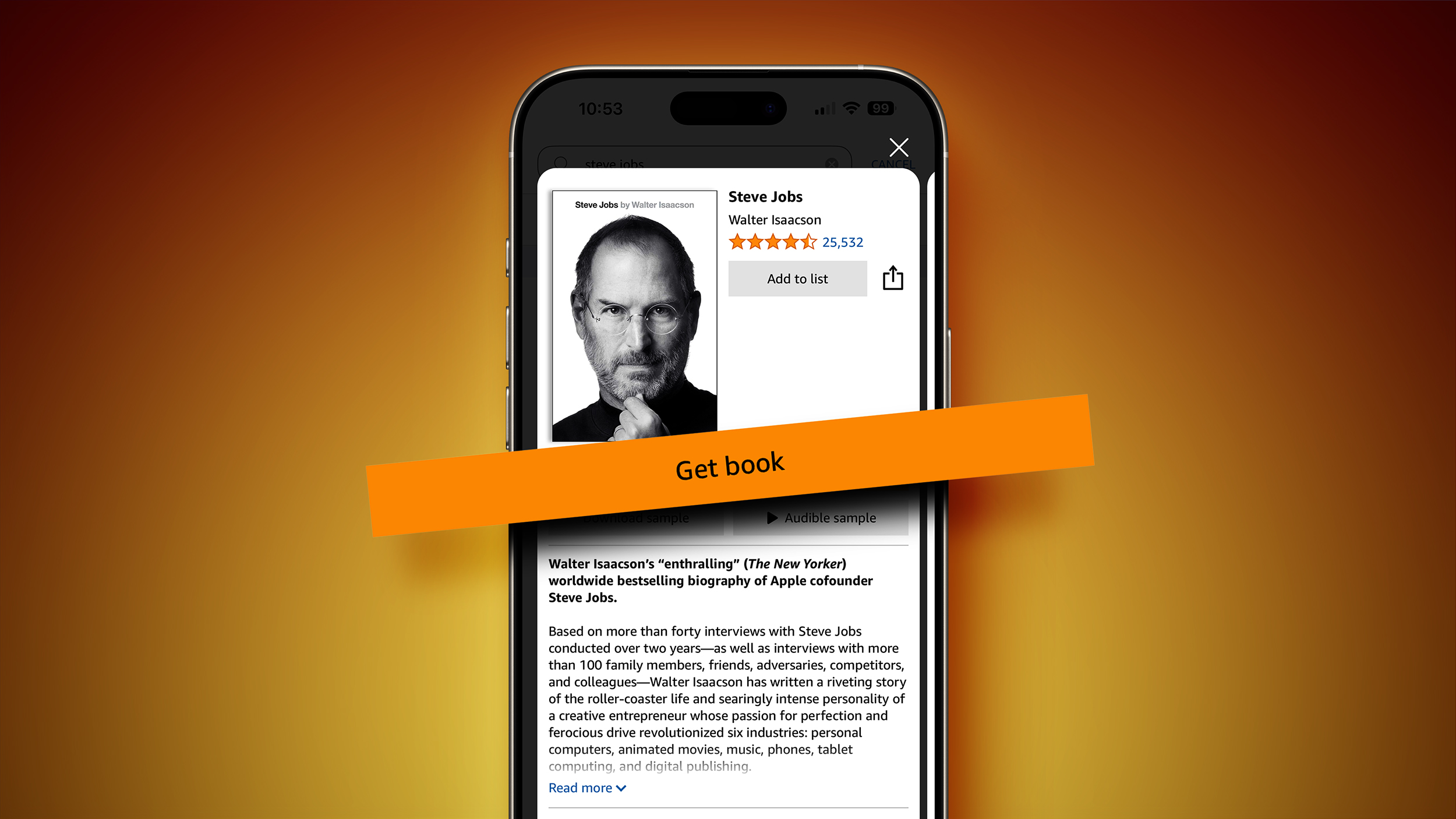
Amazon has updated the Kindle app for iOS to include a new “Get Book” button that links users directly to purchase pages on Amazon’s website, following a recent court ruling that prohibits Apple from blocking external purchase links or imposing a 27% commission on them (via The Verge).


The change to the Kindle app was made in response to a contempt order issued on April 30, 2025, by Judge Yvonne Gonzalez Rogers in the ongoing litigation between Epic Games and Apple. According to the court order, Apple is barred from continuing to enforce App Store rules that previously prevented developers from directing users to external payment methods.

For more than a decade, Kindle app users on Apple devices have been unable to purchase e-books directly through the app. Beginning in 2011, Apple began enforcing guidelines that required developers to either use Apple’s in-app purchase system (incurring a 30% commission) or remove any links, buttons, or instructions that would guide users to alternative purchasing methods. As a result, the Kindle app became limited to browsing owned titles, downloading samples, or managing a wish list, while actual purchases had to be completed manually through Amazon.com in a browser.

The update released this week introduces a prominent orange “Get Book” button next to book listings inside the Kindle app. When tapped, the button opens the user’s default mobile web browser and navigates directly to the corresponding Amazon product page, with the Kindle edition of the book pre-selected. Users can then complete the purchase using Amazon’s standard web-based checkout process. After the transaction, the book is automatically synced to the user’s Kindle library and becomes available for immediate reading within the app. An Amazon spokesperson confirmed the change in a statement to The Verge:

We regularly make improvements to our apps to help ensure we are providing customers the most convenient experience possible. By selecting “Get Book” within the Kindle for iOS app, customers can now complete their purchase through their mobile web browser.

This is the first time since the enforcement of Apple’s in-app purchasing restrictions that Kindle users on iOS have had a direct route from the app to Amazon’s store. Previously, the lack of in-app purchasing or even external linking meant users had to manually search for titles in a separate browser session.

While Apple has filed an appeal against the court ruling, it is currently complying with the order. The judge declined to stay the ruling during the appeals process, meaning companies are now able to implement new payment flows unless a higher court reverses the decision. In addition to Amazon, Spotify has announced similar changes, and other developers are expected to follow.

Tags: Amazon, Kindle

This article, "Kindle App Gets Biggest iOS Change in Over a Decade" first appeared on MacRumors.com

Discuss this article in our forums

Read More

iPhone 18 Pro Already Rumored to Have These Seven New Features

While the iPhone 18 Pro models are still around a year and a half away from launching, there are already several early rumors about the devices.



Below, we recap some key iPhone 18 Pro rumors, as of May 2025.

Under-Screen Face ID



In April 2023, display industry analyst Ross Young shared a roadmap showing that iPhone 17 Pro models would feature under-display Face ID. In May 2024, however, Young said he heard this change had been delayed until 2026. If so, that means that under-screen Face ID could debut on the iPhone 18 Pro and iPhone 18 Pro Max next year.

Citing its own sources, The Information this month also reported that the iPhone 18 Pro models will likely be equipped with under-screen Face ID.

Top-Left Front Camera

With under-screen Face ID expected, the report from The Information said the iPhone 18 Pro and iPhone 18 Pro Max will have only a small pinhole in the top-left corner of the screen, to accommodate the front-facing camera.

The report said the devices will no longer have a pill-shaped cutout at the top of the screen, but it is unclear if the Dynamic Island will be discontinued.

Variable Aperture



The main 48-megapixel Fusion camera on both iPhone 18 Pro models will offer variable aperture, according to analyst Ming-Chi Kuo.

With variable aperture, users would be able to control the amount of light that passes through the camera’s lens and reaches the sensor. The main cameras on iPhone 14 Pro, iPhone 15 Pro, and iPhone 16 Pro models have a fixed aperture of ƒ/1.78, and the lens is always fully open and shooting with this widest aperture. With the iPhone 18 Pro models, users would be able to manually change the aperture, according to this rumor.

A variable aperture on iPhone 18 Pro models should provide users with greater control over depth of field, which refers to how sharp a subject appears in the foreground compared to the background. However, given that iPhones have smaller image sensors due to size restraints, it is unclear exactly how meaningful this improvement would be.

Samsung Image Sensor



Samsung is developing a new three-layer stacked camera sensor that Apple is expected to use for iPhone 18 Pro models, according to DigiTimes. This advanced image sensor would make the iPhone 18’s camera more responsive, and offer other benefits like reduced noise in photos, increased dynamic range, and more.

The exact technology is called “PD-TR-Logic,” according to a leaker known as “Jukanlosreve”, and it refers to a camera sensor with three layers of circuitry affixed to it.

Sony has long been the exclusive supplier of image sensors for iPhone cameras, so Samsung entering the fray would be notable.

In July 2024, Kuo said he expected Samsung to begin shipping 48-megapixel Ultra Wide camera sensors to Apple for iPhones as early as 2026, which is when the iPhone 18 Pro models are expected to be released.

12GB of RAM

iPhone 18 Pro models will be equipped with 12GB of RAM, according to Kuo. Increased memory bandwidth has also been rumored for the devices.

iPhone 16 Pro models are equipped with 8GB of RAM, while iPhone 17 Pro models and even the iPhone 17 Air are rumored to have 12GB of RAM.

C2 Modem
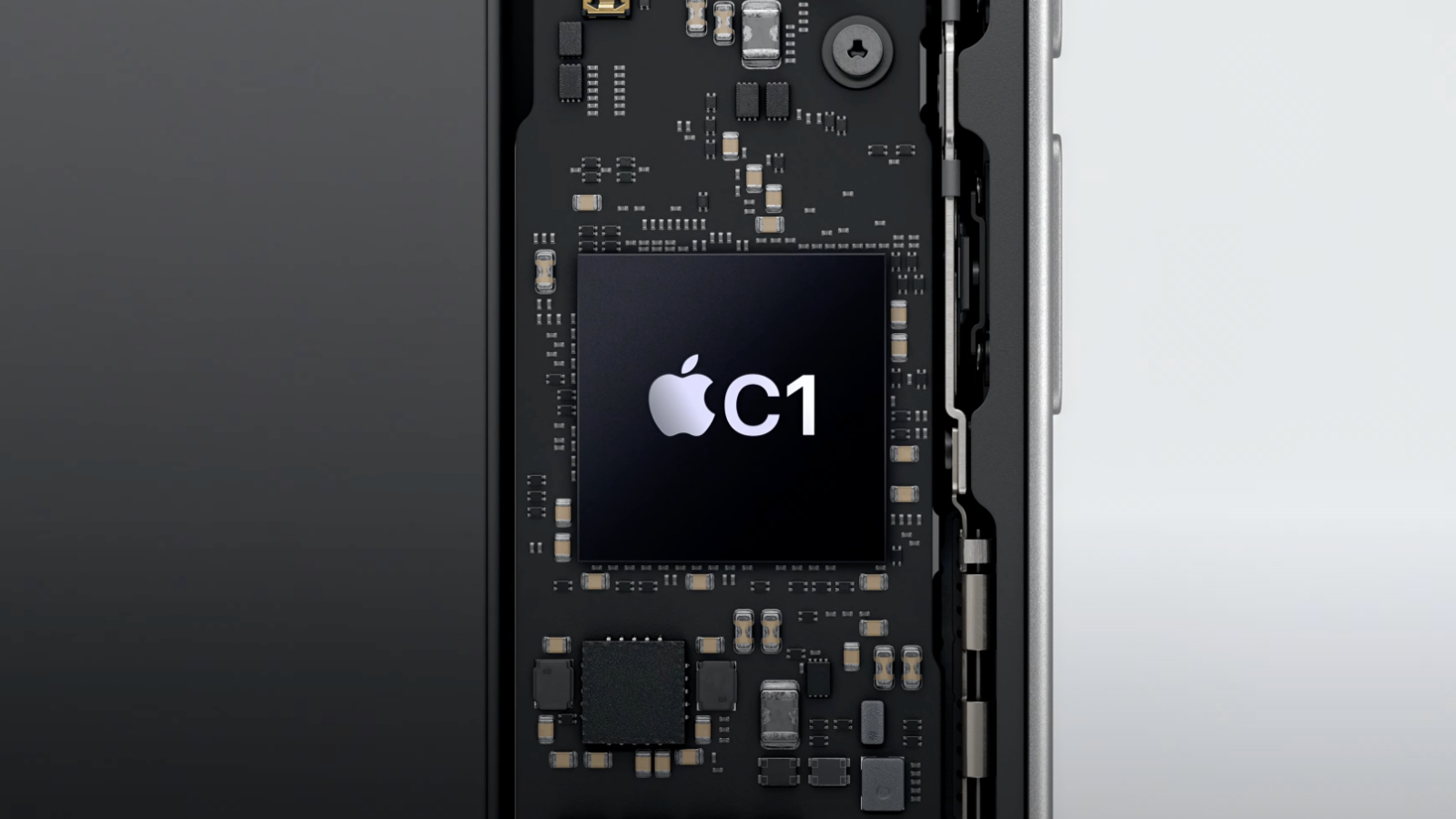


Apple debuted its custom-designed C1 modem in the iPhone 16e a few months ago, as part of a multi-year plan to transition away from Qualcomm modems.

Apple’s second-generation C2 modem will debut in the iPhone 18 Pro models next year, according to Jeff Pu, an analyst who covers companies within Apple’s supply chain. Unsurprisingly, expect the C2 modem to be faster than the C1, and for it to gain mmWave support in the United States. Further power efficiency improvements are likely too.

A20 Pro Chip (2nm)



Apple’s A20 Pro chip for the iPhone 18 Pro models will be manufactured with TSMC’s 2nm process, known as N2, according to Kuo.

Apple’s latest A18 and A18 Pro chips for the iPhone 16 series use TSMC’s second-generation 3nm process, while the A19 and A19 Pro chips for the iPhone 17 series are expected to use TSMC’s third-generation 3nm process.

The move to a 2nm process starting with the A20 chips would allow for more transistors in each chip, which would boost performance. Specifically, reports indicate that A20 chips should be up to 15% faster and up to 30% more power efficient than A19 chips.

An overview of current and expected chips:

  • A17 Pro chip: 3nm (TSMC’s first-generation 3nm process N3B)
  • A18 and A18 Pro chips: 3nm (TSMC’s second-generation 3nm process N3E)
  • A19 and A19 Pro chips: 3nm (TSMC’s third-generation 3nm process N3P)
  • A20 and A20 Pro chips: 2nm (TSMC’s first-generation 2nm process N2)

Keep in mind that these nanometer sizes are simply TSMC marketing terms, rather than actual measurements.

This article, "iPhone 18 Pro Already Rumored to Have These Seven New Features" first appeared on MacRumors.com

Discuss this article in our forums

Read More

Honor 400 Pro’s full specs leak along with pricing

The Honor 400 Pro is getting unveiled alongside the 400 in Malaysia soon, and while the 400’s specs and pricing leaked a few days ago, now it’s time for the Pro model to get the exact same treatment. So, the Honor 400 Pro is rumored to come with a 6.7-inch 1080×2412 OLED screen with 120 Hz refresh rate and 5,000-nit peak HDR brightness, the Snapdragon 8 Gen 3 SoC at the helm, 12GB of RAM, and 512GB of storage. Honor 400 Pro leaked image On the rear will be a 200 MP main camera with OIS, a 50 MP telephoto camera, and a 12 MP ultrawide. For selfies there’s a 50 MP shooter and a depth…

Read More

Apple Says These Five Games Are Coming to Apple Arcade Next Month

Apple today announced that five additional games will be added to the Apple Arcade library at the beginning of next month.


The most notable addition will be UNO: Arcade Edition, which is a reimagined version of the popular card game. In addition to solo matches with classic UNO rules, players can go a step further with new options like Wild Swap Hands and Color Showdown. There are three game modes: Quick Match, Custom Games, and Single Player.

The four other games coming to Apple Arcade on Thursday, June 5:

More details about all of the games are available on the Apple Newsroom website.

Accessible through the App Store, Apple Arcade is a subscription-based service that provides access to hundreds of games across the iPhone, iPad, Mac, Apple TV, and Apple Vision Pro, all free of ads and in-app purchases. In the U.S., Apple Arcade costs $6.99 per month and is bundled with other Apple services in all Apple One plans.

This article, "Apple Says These Five Games Are Coming to Apple Arcade Next Month" first appeared on MacRumors.com

Discuss this article in our forums

Read More