Motorola Edge 60 trio makes its way to China

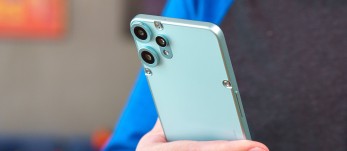
The Motorola Edge 60 series was announced last month with four members and three of them are now available in China. Earlier today, Lenovo announced the Edge 60 and Edge 60 Pro for the local market alongside the Edge 60s which is the local variant of the Edge 60 Fusion. The Edge 60 and 60s come with some slight differences to their global counterparts. Both get MediaTek’s Dimensity 7400 chipset instead of the Dimensity 7300. The pair are also outfitted with 5,500mAh batteries and 68W charging. The rest of the spec sheets are identical to the international variants – 6.67” OLEDs…

Read More

Galaxy S25 Edge teaser video is all about its slim profile

The Galaxy S25 Edge is finally launching next week and Samsung Italy has now shared a teaser video for the device. As you might expect, slimness is the key point here, with the teaser sweeping through a fast-paced tempo of slimming down various objects. The S25 Edge’s profile is shown near the end at the 10-second mark. According to the latest spec rumors, the S25 Edge will be a mere 5.85mm thick, making it Samsung’s thinnest smartphone to date. The device is expected to launch with a 6.7-inch AMOLED display, Qualcomm’s Snapdragon 8 Gen Elite for Galaxy chipset, a 200MP main cam,…

Read More

Turn a Long Webpage into a PDF with a Single iPhone Screenshot

In iOS and iPadOS, Apple includes a built-in screenshot feature that also provides you with the ability to capture an entire webpage on your iPhone or iPad that you can then save or share with someone as a PDF document.


By converting full‑page screenshots into PDFs directly within Safari, you can preserve the exact layout and content of lengthy articles, receipts, or social media threads in a single, shareable file. Using the feature also eliminates the need to stitch together multiple images or rely on third‑party apps, plus the text remains searchable and any images stay crisp.

Here’s how the feature works.

  1. Launch Safari and navigate to the webpage that you wish to capture.
  2. If your device lacks a Home button, press the power button located at the top of the device and the volume up button located on the right of the device at the same time to take a screenshot. Otherwise, press the Home button and the Sleep/Wake button simultaneously to capture a screenshot.
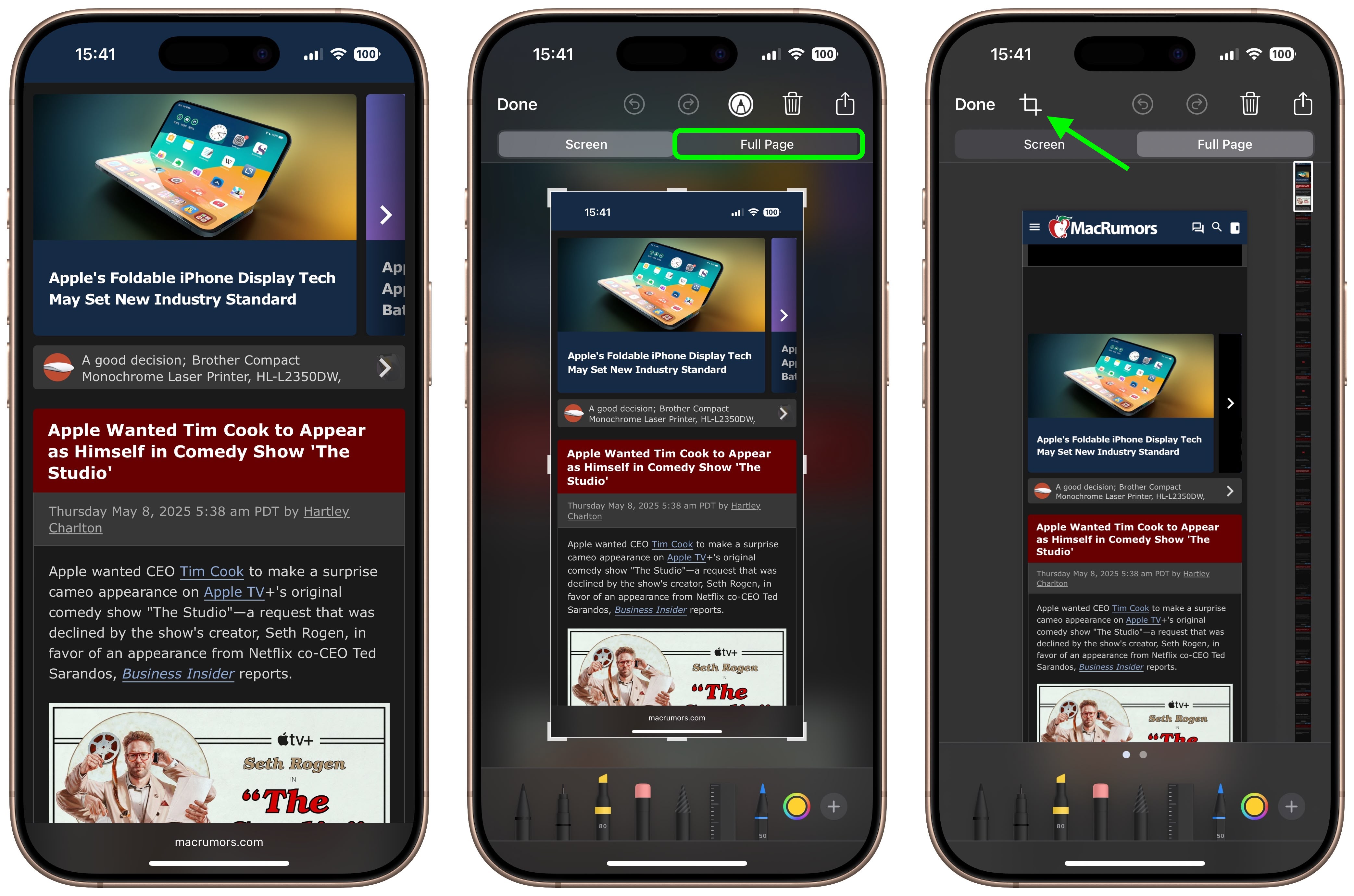
  3. A preview of the screenshot will pop up in the lower left of the display. Tap it to open up the Instant Markup interface. You’ll have about five seconds before it disappears.
  4. Tap the Full Page tab in the upper right corner of the Markup interface, then tap the Crop icon at the top.
    safari

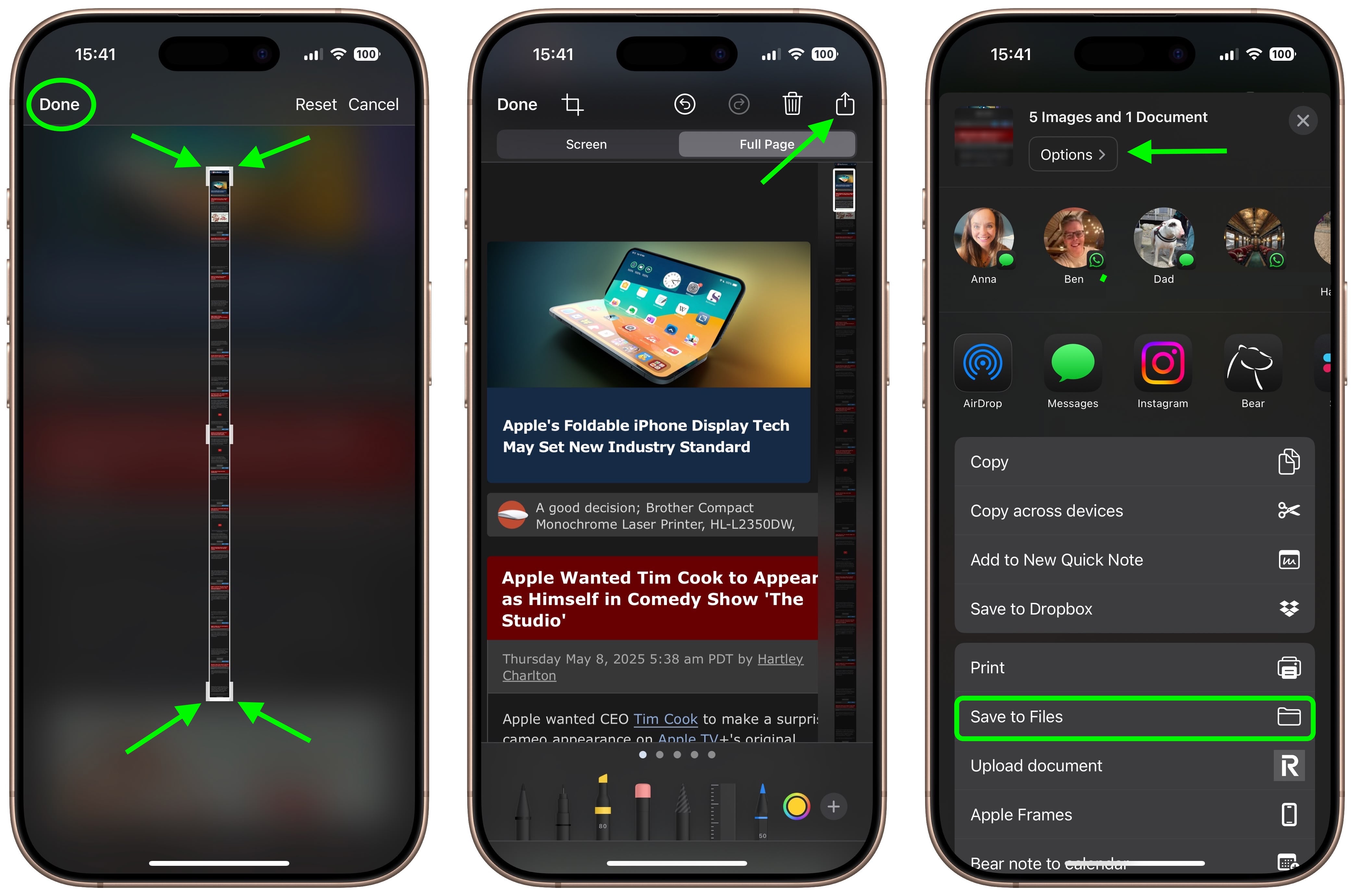
  5. Use the frame around the webpage to select what to capture by dragging the corners with your finger, then tap Done.
  6. Tap the Share sheet icon (the square with an arrow pointing out) to bring up a panel of share options and actions.
  7. From here, you can either share the captured webpage as a PDF document using the top two rows of icons, or save it somewhere (Save to Files, for example) using the Action menu options below. You can also use the Options button to name the file.

    safari

Note that you can always use the Markup tools to edit your PDF before saving or sharing it.

Tag: Safari

This article, "Turn a Long Webpage into a PDF with a Single iPhone Screenshot" first appeared on MacRumors.com

Discuss this article in our forums

Read More

Woot’s Apple Watch Solo/Braided Loop Sale Offers Up to Two Free Bands When You Buy One

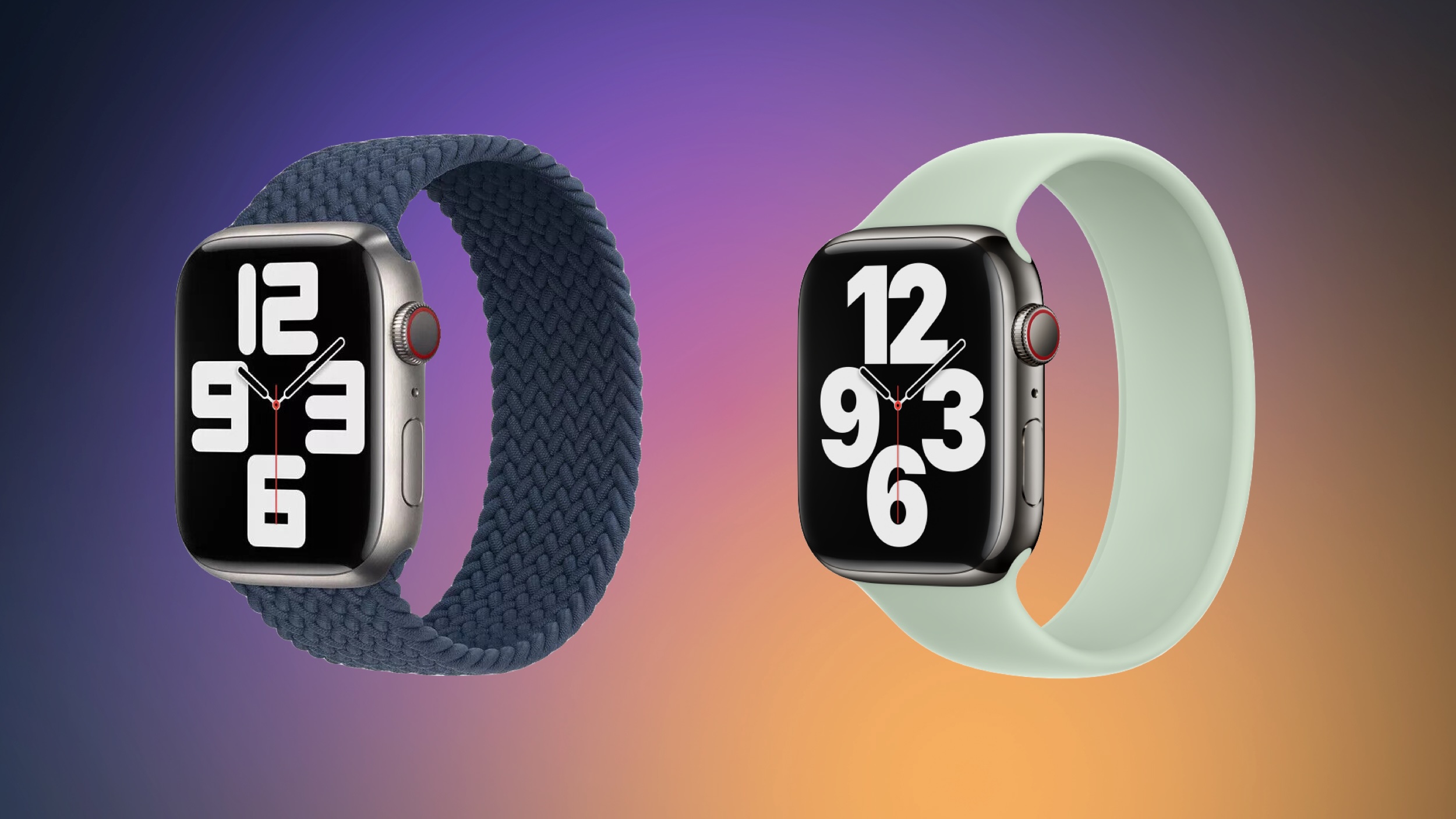
Woot is still hosting a sale on Apple Watch Solo Loop and Braided Solo Loop bands, with a bit of a different ruleset compared to previous sales. This time, when you buy any Solo Loop or Braided Solo Loop at a discount on Woot, you’ll get up to two extra bands for free.
Note: MacRumors is an affiliate partner with Woot. When you click a link and make a purchase, we may receive a small payment, which helps us keep the site running.

The way it works is when you purchase any Solo Loop band for the discounted price of $19.99 ($29 off), you will get two additional Solo Loop bands for free. When you purchase any Braided Solo Loop for the discounted price of $29.99 ($69 off), you will get one additional Braided Solo Loop band for free.

The catch here is that you won’t be able to pick out the color of the bands. You start by selecting the size of the band and Apple Watch model, then Woot will randomly select three Solo Loop bands or two Braided Solo Loop bands to send to you.

Woot guarantees that each band will be a unique color and there will be no duplicate colors in each box. These are also in new condition and come individually packaged in their original Apple retail packaging, as well as with a one year Apple manufacturer limited warranty.

Although there’s a bit of risk at play in Woot’s new sale, these are massive discounts on the Apple Watch bands, and it’s a great way to expand your band collection and try out new colors. This sale will run through May 9 at 11:59 p.m. Central Time.

If you’re on the hunt for more discounts, be sure to visit our Apple Deals roundup where we recap the best Apple-related bargains of the past week.


Deals Newsletter

Interested in hearing more about the best deals you can find in 2025? Sign up for our Deals Newsletter and we’ll keep you updated so you don’t miss the biggest deals of the season!

Related Roundup: Apple Deals

This article, "Woot's Apple Watch Solo/Braided Loop Sale Offers Up to Two Free Bands When You Buy One" first appeared on MacRumors.com

Discuss this article in our forums

Read More